TL;DR
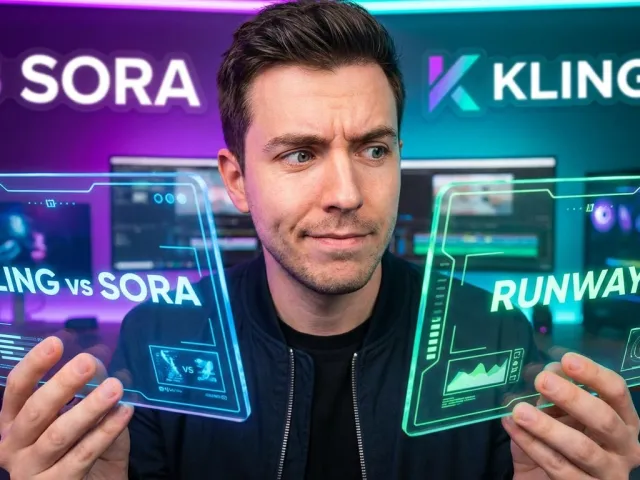
Finding the best ai video generation tools used to feel like chasing a mirage. Now, with models like Kling and Sora, the tech has finally reached a point where it is usable for actual production. This guide cuts through the marketing noise to show you which tools deliver real consistency and which ones are just burning your credits.
Generating video used to be a mess of hallucinated limbs and sliding pixels. It was frustrating. You would spend twenty minutes on a prompt only to get a clip that looked like a fever dream. But the market has shifted rapidly over the last few months.
There are two paths you can take right now. You can go for the cinematic giants or experiment with hacker-friendly open-source models. Both sides claim to offer the best ai video generation tools, but the right choice depends entirely on your specific workflow and your tolerance for friction.
We spent time breaking down performance metrics, temporal consistency, and API costs. If you want to scale your video production without a massive headache, you need to know which platforms are worth the investment today.
The Rapid Shift in the Landscape of Best AI Video Generation Tools
I remember when generating a five-second clip of a cat drinking milk looked like a terrifying fever dream. Those days are gone. Now, we are seeing a massive shift where the best ai video generation tools are actually becoming usable for production-grade work.
The hype has finally started to meet reality. Users aren't just looking for "cool" anymore; they want consistency, control, and character permanence. If you've been scrolling through Reddit or tech forums, you've likely seen the frustration with tools that hallucinate limbs or fail after three seconds.
Here is the thing: the market is currently split. On one side, you have the cinematic heavyweights. On the other, you have the "hacker-adjacent" open-source models. Both are vying for the title of the best ai video generation tools, but they serve very different masters.
When you are trying to pick a winner, you have to look at the friction. How much prompt engineering do you need? Does the movement look human, or does it look like sliding pixels? These are the questions that matter in a professional workflow.
Identifying User Friction in Best AI Video Generation Tools
One major pain point is the "black box" nature of most platforms. You put in a prompt and pray. Many users find that the best ai video generation tools are the ones that give them granular control over camera pacing and style.
Another issue is cost and accessibility. A lot of people want to experiment without dropping a $50 monthly subscription immediately. This is why free-to-try models and arena-style testing platforms have become so popular among the best ai video generation tools seekers lately.
"You get to test out various high-end models for free because they need your feedback for their leaderboards." — Reddit user on Video Arena.
If you are a developer, the friction is even higher. You need a reliable API. Integrating the best ai video generation tools into an app requires low latency and predictable costs. This is where unified API platforms like monitor your API usage in real time become essential for scaling.
Head-to-Head Feature Breakdown of the Best AI Video Generation Tools
Let's look at the numbers. To find the best ai video generation tools, we need to compare them across realism, clip length, and control. Some excel at 5-second B-roll, while others are pushing the 60-second limit which was previously unheard of in this space.
Kling AI has been a massive standout recently. Many practitioners consider it one of the best ai video generation tools because it handles realistic human movement better than almost anything else. It doesn't just slide textures; it understands physics in a way that feels intentional.
Then you have Runway, which is the reliable workhorse. It might not always be the flashiest, but for filling gaps in edits or creating quick B-roll, it remains a top choice among the best ai video generation tools for marketing professionals who need results fast.
For those who need to generate longer narratives, Higgsfield AI is making waves. It is currently one of the few best ai video generation tools that specifically mentions being able to generate videos up to 60 seconds for free, which is a huge deal for social media creators.
Comparing Performance Metrics for Best AI Video Generation Tools
When we talk about performance, we are talking about temporal consistency. Does the person's shirt change color halfway through the clip? The best ai video generation tools solve this by using better reference-first control mechanisms that "lock" the character's look across frames.
| Tool Name | Primary Strength | Max Free Clip Length | Best For |
|---|---|---|---|
| Kling AI | Physics & Movement | 5-10s | Realistic Humans |
| Higgsfield | Mobile/Social | 60s | Longer Clips |
| Runway | Editing Integration | 4s | B-roll & Edits |
| Vidu | Generation Speed | Variable | Quick Prototypes |
If you are building an application and need to integrate these, you should explore the best ai video generation tools with Kling V3 Omni Pro to see how the latest physics-based models perform under heavy API loads.
Performance isn't just about the final render. It is also about how quickly the API returns a result. In a production environment, waiting three minutes for a preview is a dealbreaker. That is why some of the best ai video generation tools are focusing heavily on "Turbo" models for instant feedback.
Performance and Pricing Analysis of Best AI Video Generation Tools
Let's talk money, because that's usually where the dream of using the best ai video generation tools hits a wall. Most high-end models operate on a credit system. If you mess up a prompt, you just burned $2.00. That hurts when you're still learning.
BudgetPixel AI is a name that keeps coming up for those who want a better price-to-feature ratio. It offers multiple video models and a free online editor, making it one of the best ai video generation tools for creators who are operating on a tighter budget but still need variety.
For developers, the cost of managing separate subscriptions for every model is a nightmare. This is why many are moving toward unified API providers. You get the best ai video generation tools in one place, often with significant discounts on the actual inference costs.
GPT Proto, for instance, allows you to access these models at up to 70% off mainstream prices. When you are looking for the best ai video generation tools, you also need to look at the "smart scheduling" features that choose between performance-first or cost-first modes depending on your needs.
Cost Efficiency Strategies for Best AI Video Generation Tools
One way to save money is to use preview models. Before you commit to a high-resolution render, you can browse the best ai video generation tools starting with Google Veo to check your composition and movement at a lower cost point.
Another tip from the pros: don't start with video. Use a cheaper image generator to nail the aesthetic first. Then, use one of the best ai video generation tools to animate that static image. It’s way more predictable and uses fewer credits than starting with a pure text-to-video prompt.
And let's not forget the "Arena" models. Using platforms like Video Arena allows you to experiment with high-end models for free in exchange for your feedback. It’s a great way to find the best ai video generation tools for your specific style without opening your wallet first.
But if you are building something that needs to scale, you really need to read the full API documentation to understand how to implement these models efficiently. Managing API costs is just as important as the quality of the video itself.
Real User Experiences and Field Notes on Best AI Video Generation Tools
What are people actually saying? If you dig into the practitioner communities, the consensus is that "one tool to rule them all" doesn't exist yet. Most experts use a stack of the best ai video generation tools rather than just one.
Runway is praised for its "In-painting" and "Motion Brush," which give you surgical control over what moves in a frame. However, for sheer cinematic "wow" factor, many users are waiting for wider access to Sora, which is widely considered one of the best ai video generation tools for narrative storytelling.
Then there’s the open-source crowd. LongCat Video is the current darling for those who want to run things locally. It’s one of the best ai video generation tools if you’re "hacker-adjacent" and have a powerful GPU, as it’s designed for actual minutes-long video generation.
"Kling is probably your best bet for realistic human movement; it handles longer clips better than most." — Expert feedback on current model benchmarks.
Overcoming the Uncanny Valley in Best AI Video Generation Tools
The biggest complaint users have is the "uncanny valley" effect. Faces that melt or eyes that don't blink naturally. The best ai video generation tools are currently fighting this by implementing better facial consistency models that treat a person as a stable object throughout the scene.
For those focusing on character-driven content, you might want to try the best ai video generation tools including Seedance 1.5 Pro. It offers "reference-first" control, which is a lifesaver when you need your protagonist to look the same in every single shot.
Consistency is the holy grail. Without it, you just have a collection of cool clips that don't tell a story. The best ai video generation tools are those that allow you to upload a reference image of a person and have the AI keep that person's features stable across different environments.
And if you need to move fast without sacrificing too much quality, you should accelerate with the best ai video generation tools via Vidu Q3 Turbo. It’s built for those moments when you need to iterate through ideas quickly before moving to a final render.
Best Fit by Use Case for the Best AI Video Generation Tools
Choosing the right tool depends entirely on what you are trying to make. Are you making a 15-second TikTok, a corporate explainer, or a cinematic short film? The best ai video generation tools for one are often terrible for the others.
For social media creators, Higgsfield and Sora AI are the clear winners. They understand vertical formats and the pacing required for platforms like Instagram Reels. They are arguably the best ai video generation tools for getting that high-energy, eye-catching motion that stops the scroll.
If you're making faceless "POV" style videos, look at Cantina. It allows you to create characters with customizable personalities and voices. It’s one of the best ai video generation tools for creators who want to build a brand around a virtual persona without showing their own face.
For corporate and educational content, Fliki is the sleeper hit. It turns scripts or PowerPoints into complete videos with voiceovers. It might not be the most "cinematic," but it is one of the best ai video generation tools for productivity and getting a message across quickly.
Advanced Workflows Using the Best AI Video Generation Tools
The real pros are doing "hybrid" workflows. They use Midjourney for the background, an AI voice tool for the narration, and then one of the best ai video generation tools to bring the visuals to life. This gives you the most control over the final product.
If you are looking for high-performance text-to-video capabilities that can be integrated into your own software, you should test the best ai video generation tools such as Hailuo 2.3 Pro. Its ability to follow complex prompts makes it a favorite for power users.
Another advanced move is using an AI agent to script and storyboard your video before you even open a generator. You can try GPT Proto intelligent AI agents to help you brainstorm the visual metaphors that will make your video stand out.
And don't ignore the specialized tools like Openart for music videos or Fluent Frame for motion graphics. Sometimes the best ai video generation tools aren't the general-purpose ones, but the niche players that do one specific thing incredibly well for your industry.
The Verdict: How to Choose Among the Best AI Video Generation Tools
So, what is the bottom line? If you want the absolute best realism available right now, Kling AI is your winner. If you want the most versatile tool for professional editing workflows, Runway is still the king of the best ai video generation tools in my book.
But the "best" is subjective. If you are a developer, the best ai video generation tools are the ones that don't break your budget and offer a clean API. You don't want to be managing five different API keys and billing centers just to give your users options.
Using a unified platform like GPT Proto solves this. You get access to OpenAI's Sora, Google's Veo, and Bytedance's Seedance all through one interface. When you're searching for the best ai video generation tools, flexibility and ease of integration should be at the top of your list.
The field is moving so fast that what I write today might be old news in three months. That’s why you should check out the best ai video generation tools like Sora 2 Pro regularly to stay on the edge of what is possible.
Final Tips for Mastering the Best AI Video Generation Tools
Stop trying to make a 2-minute movie in one go. The best ai video generation tools work best when you generate 3-5 second clips and stitch them together. It gives you more chances to get the perfect shot without wasting credits on long, messy renders.
Also, be specific with your prompts. Don't just say "a man walking." Say "cinematic handheld shot, 35mm lens, a man in a leather jacket walking through a neon-lit Tokyo street, rain reflecting on the pavement." The best ai video generation tools need detailed creative direction to shine.
Finally, always keep an eye on the "usage dashboard" to make sure your experiments aren't running away with your wallet. You can manage your API billing easily if you use a consolidated platform, ensuring you can keep creating without surprises.
And if you really love the technology and want to share it, you can join the GPT Proto referral program. It's a great way to support the community of creators who are all trying to figure out the best ai video generation tools together. Happy creating!
Written by: GPT Proto
"Unlock the world's leading AI models with GPT Proto's unified API platform."