Introduction
Ask any developer who's tried using an AI assistant to debug a web app. You copy the error, describe what you're seeing, and then… the AI makes its best guess. Sometimes it nails it. Often, not so much — because the AI has literally no idea what's happening inside the browser. It's working from a text description, not reality.
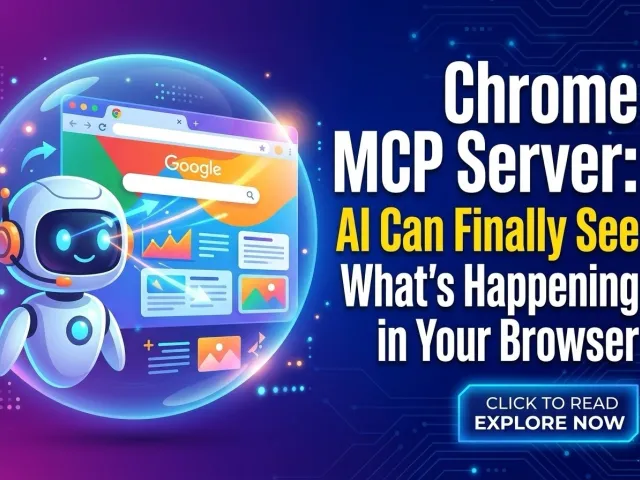
That started changing in late 2025 when Google released the Chrome DevTools MCP server in public preview. It lets AI coding tools connect directly to a live Chrome session and actually see what's going on. Then in February 2026, Google pushed things further with WebMCP in Chrome 146 — a new browser standard that lets websites tell AI agents exactly what they can do, in structured terms. Between the two, the browser is no longer a black box for AI. That's kind of a big deal.
What Is a Chrome MCP Server?

The Core Problem Chrome DevTools MCP Was Built to Fix
The usual debugging loop looks like this: something breaks, you stare at the console, paste the error into your AI chat, describe the symptoms, and wait. The AI guesses based on what you've told it — not what's actually running.
The chrome devtools mcp server fixes this by giving AI tools a direct line into Chrome. MCP stands for Model Context Protocol, an open standard that connects AI models to external tools. Think of the Chrome DevTools MCP server as a live feed from your browser to your AI — not a screenshot, but actual runtime access.
Once it's connected, your AI assistant can do things like:
-
Open any URL and capture a screenshot
-
Record a performance trace and flag slow-loading parts
-
Inspect network requests and spot things like CORS errors
-
Read the browser console, including source-mapped stack traces
-
Click buttons, fill out forms, and interact with page elements
So instead of guessing, the AI is watching your app run and responding to what it actually sees.
How the Chrome DevTools MCP Server Works Under the Hood
The chrome devtools mcp server is an official open-source project from Google's Chrome DevTools team. It uses Puppeteer to drive Chrome and exposes about 26 tools across categories like browser automation, network inspection, performance tracing, and accessibility.
Getting it running isn't complicated. You need Node.js 20.19+ and a stable build of Chrome. For Claude Code, one terminal command does it:
claude mcp add chrome-devtools npx chrome-devtools-mcp@latest
The same kind of one-step setup works for Cursor, Cline, Gemini CLI, and GitHub Copilot too. After that, your AI can navigate pages, interact with elements, and capture page state — without you writing any Puppeteer code yourself.
Key Features of the Chrome DevTools MCP Server

Real-Time Debugging Without the Copy-Paste
From Chrome 144 onwards, there's an auto-connect feature that lets an AI coding agent attach to a browser session you've already got open. This is actually pretty useful in practice.
Say there's a broken network request sitting in your DevTools Network panel. Old workflow: copy the details, switch to your AI chat, paste, explain, wait. New workflow: tell your agent to look at it. The agent connects to your live session, reads the request in context, and gives you a fix — no tab switching needed. Same idea works with the Elements panel for CSS issues.
Performance Analysis and Automated Testing
The server also plugs into Chrome's performance tracing. When something loads slowly, the AI can kick off a trace, capture the results, and flag the specific bottlenecks — including Core Web Vitals like LCP and INP that actually affect your search rankings.
For QA work, this gets interesting too. The server can run through edge cases, check console output for errors at each step, and confirm whether a fix actually worked. Here's what it covers:
| Capability | What the AI Can Do |
| Browser automation | Navigate, click, fill forms, take screenshots |
| Network inspection | Analyze requests, detect CORS and API errors |
| Performance tracing | Record and analyze page load traces |
| Console monitoring | Read logs and source-mapped stack traces |
| Accessibility inspection | Read page structure via accessibility tree |
WebMCP in Chrome 146: AI Agents That Actually Understand Websites
Why Most AI Agents Are Still Just Guessing on the Web
Even with the chrome devtools mcp server available for development, there's a separate problem on the production side. When AI agents try to interact with live websites — book a flight, fill out a form, complete a checkout — they're mostly still doing screen-reading. They take a screenshot, try to parse where the button is, and hope the layout hasn't changed since last time.
It breaks constantly. A single UI update can derail the whole thing.
Google's take on this is WebMCP, launched in early preview in Chrome 146 (February 2026). The idea: instead of agents guessing, websites tell them directly what actions are available through a structured contract. An airline site, for example, could declare a searchFlights tool that accepts destination, date, and passenger count. The agent calls it, gets structured data back, and gets the job done — no screenshot parsing, no DOM guessing.
Chrome DevTools MCP vs. WebMCP: Not the Same Thing
These two tools are related in spirit but built for completely different situations. It's worth keeping them straight.
The chrome devtools mcp server is a local, developer-facing tool. It runs on your machine, hooks into Chrome's debugging layer, and gives AI assistants visibility into what's happening during development and testing.
WebMCP is a browser-side standard for production. It runs inside the browser tab and lets any website expose tools to AI agents acting on behalf of real users. Think of it this way: Chrome DevTools MCP is for building and fixing things; WebMCP is for AI agents using the finished product.
They actually work well together. A team could use the chrome devtools mcp server to catch bugs before launch, then ship with WebMCP support so that AI agents can interact with the live site cleanly.
What This Means If You're Building AI Products
Faster Debugging, Less Guessing
The most immediate benefit of the chrome devtools mcp server is cutting down the back-and-forth in debugging. You're not describing problems in text anymore — your AI agent is connected to the same browser session where the problem is happening.
This matters most for teams already using AI-heavy workflows. When tools like Claude Code or Cursor can see the browser directly, they're giving you suggestions based on actual runtime behavior, not just code review.
Real Cost Savings at Scale
There's also a cost angle here that doesn't get talked about enough. Browser agents that rely on screenshots and multimodal inference are expensive to run — each screenshot analysis burns tokens. WebMCP replaces that with structured API calls, which are far cheaper and more reliable. For startups or enterprises running agents at any real volume, the difference adds up fast.
GPT Proto: One API for All the Models You're Building On
Managing multiple AI providers is a headache that creeps up quietly. Different API keys, different pricing structures, inconsistent reliability — it sounds manageable at first and becomes a maintenance problem fast.
GPT Proto cuts through that by giving developers a single unified API that connects to GPT, Claude, Gemini, and more. No juggling credentials, no format mismatches. When you're building something that uses the chrome devtools mcp server for browser automation, or designing an agent-ready product for WebMCP, having a stable model layer underneath isn't optional — it matters.
GPT Proto's model library covers the top models across providers through one consistent interface:
-
One API, many models — switch between providers without changing your integration
-
Low-latency, high uptime — built for production, not demos
-
Transparent pay-as-you-go pricing — no surprise bills at the end of the month
-
Security and compliance built in — suitable for applications that handle sensitive data
Whether you're building a chatbot, automating workflows, or shipping an agentic app on top of browser tooling, GPT Proto handles the model layer so you can focus on the product.
FAQs About Chrome MCP Server
Q1: What exactly is the Chrome DevTools MCP server?
It's an official open-source tool from Google's Chrome DevTools team. It lets AI coding assistants — Claude, Cursor, Cline, Copilot — connect to and control a live Chrome browser. Useful for developers who want their AI to actually see a running app, not just read code.
Q2: Do I need deep technical knowledge to set it up?
Not really. You need Node.js 20.19+ and Chrome installed. After that, one terminal command connects it to your AI tool of choice. You don't write any Puppeteer code — you just describe what you want in plain language and the server handles it.
Q3: What's the difference between Chrome DevTools MCP and WebMCP?
Chrome DevTools MCP is a local development tool — it's for your workflow, on your machine, while you're building. WebMCP is a browser-side standard for production websites that lets them expose structured tools to AI agents visiting on behalf of real users. Different stage, different purpose.
Q4: Can I use WebMCP right now?
It's in early preview behind a feature flag in Chrome 146 (Canary). Google has an Early Preview Program with docs, demos, and a DevTools inspector extension. Not production-ready yet, but you can start experimenting.
Conclusion
The chrome devtools mcp server and WebMCP together signal something real: AI tools are finally starting to work with the browser, not around it. For developers, that means faster debugging, more reliable agents, and less time translating runtime errors into text descriptions. Pair that with a solid model API like GPT Proto AI API Platform, and you've got a stack that's actually ready for where AI development is heading.