

TL;DR
The google veo 2 finally bridges the gap between creepy, melting AI generations and usable, physics-accurate video, though its steep price tag and complex cloud setup require serious preparation.
Just a year ago, generating video from text meant accepting bizarre, dream-like distortions. Characters walked through walls, and objects morphed into unrecognizable shapes the second they moved. That era is fading. Creators are now seeing genuine physical logic applied to synthetic media, allowing for realistic collisions, complex lighting shifts, and accurate material behaviors that traditional software would take days to render.
But accessing this capability involves more than typing a prompt into a sleek consumer app. Because this system lives entirely within the Google Cloud Platform, you have to navigate enterprise-grade infrastructure. You deal with API keys, project buckets, and billing dashboards that charge a premium for every second of rendered footage.
If you plan to integrate this technology into your workflow or application, you need a tight grip on both the technical demands and the financial realities. We broke down exactly how the model works, where it still stumbles, and how developers are keeping their cloud budgets from spiraling out of control.
Why This Matters Now: The Reality of the Google Veo 2
I remember looking at text-to-video AI generation just twelve months ago. It was a mess of melting faces and physics that defied every law of nature. But things changed fast when the google veo 2 hit the scene, bringing a level of realism that actually feels usable for creators.
The google veo 2 represents a massive shift in how we think about synthetic media. It isn't just about making pretty pictures that move anymore. We are finally seeing a tool that understands how the world actually works, from gravity to light reflection, which is a huge deal for video production.
Most AI tools struggle with the "uncanny valley" where things look almost right but feel wrong. With the google veo 2, that gap is closing. People are using it to simulate complex interactions that previously required expensive CGI or hours of manual keyframing in traditional software.
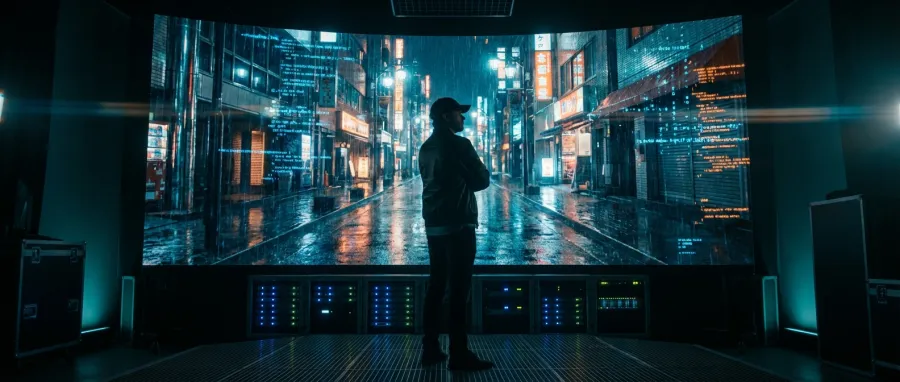
But here is the thing: the google veo 2 isn't just a toy for enthusiasts. It is a serious piece of tech infrastructure hosted on the Google Cloud Platform. This means it comes with professional-grade stability, but it also carries a professional-grade learning curve that catches many people off guard.
The leap in physics understanding within the google veo 2 is literally incredible compared to where the industry was just a year ago.
Physics Breakthroughs and Realism in Google Veo 2
The standout feature of the google veo 2 is how it handles physical objects. If you prompt two balls to strike each other, the google veo 2 actually calculates the collision and the bounce with startling accuracy. It doesn't just "guess" what it should look like; it seems to understand momentum.
We have seen examples of the google veo 2 handling burnt paper curling upward. That is a nightmare for most AI models because it involves texture change, lighting shifts, and complex motion all at once. The google veo 2 manages these details with a level of finesse that suggests a deep training set.
This level of AI sophistication is why the google veo 2 is currently dominating conversations on platforms like Twitter and Reddit. Users are sharing clips that look like high-end stock footage, proving that the google veo 2 can handle more than just simple pan-and-zoom shots.
Core Concepts: How the Google Veo 2 Actually Works
To understand the google veo 2, you have to look at it as a multi-modal powerhouse. It isn't just a standalone website; it is an integrated part of a larger AI ecosystem. This integration allows the google veo 2 to process complex prompts and turn them into coherent video streams.
The google veo 2 uses advanced diffusion techniques to generate frames. However, the secret sauce in the google veo 2 is its temporal consistency. It tracks objects across time, ensuring that a character's shirt doesn't change color or pattern halfway through a five-second clip generated by the google veo 2.
Accessing the google veo 2 usually happens through a specific API or the Google Cloud console. This isn't a simple "click and go" setup for most. You need to understand how the google veo 2 API interacts with your project buckets and your billing settings to get the best results.
For developers, the google veo 2 API offers a gateway to automate video creation at scale. This API approach is what sets the google veo 2 apart from more consumer-focused tools. The google veo 2 API is designed for heavy lifting and programmatic integration into existing workflows.
- High-fidelity physics simulation in every google veo 2 clip.
- Robust google veo 2 API for developer integration.
- Deep integration with Google Cloud AI infrastructure.
- Temporal consistency across longer google veo 2 video sequences.
The API Architecture of the Google Veo 2
If you are planning to build an app around video AI, the google veo 2 API is likely on your radar. The google veo 2 API allows you to send text or image prompts and receive high-quality video files in return. It is built to be scalable and reliable.
Using the google veo 2 API requires a valid API key and a configured billing account. Many users prefer the google veo 2 API because it bypasses some of the clunky UI elements of the Cloud Platform. This API approach is standard for enterprise-level AI tools today.
However, the google veo 2 API isn't just about sending a prompt. You can fine-tune parameters via the API to control motion intensity and resolution. This level of control makes the google veo 2 API a favorite for tech-savvy creators who want more than just random outputs.
Step-by-Step Walkthrough: Getting Started with Google Veo 2
Setting up the google veo 2 for the first time can be intimidating. Unlike simple web-based AI tools, the google veo 2 lives inside the Google Cloud Platform (GCP). The first step is creating a project and enabling the specific google veo 2 services within your console.
The good news is that Google offers a $300 credit for new users. This credit is essential because the google veo 2 can be expensive to run. You should use these credits to test the google veo 2 API and see if it fits your specific creative or technical needs.
Once your project is live, you can start experimenting with the google veo 2 interface. Start with simple prompts to see how the google veo 2 interprets your instructions. I recommend focusing on the scenes with clear physics to really see the google veo 2 shine during your initial tests.
If you find the cloud environment too complex, you might consider alternatives like the next generation of google veo 2 models which often offer more streamlined access points for developers. Staying updated on these variations is key to managing your AI costs effectively.
For those who want to integrate the google veo 2 API into their own software, the documentation is your best friend. You will need to handle authentication and manage the asynchronous nature of video generation. The google veo 2 API doesn't return video instantly; it takes time to render.
Navigating the GCP for Google Veo 2
Inside the Google Cloud console, look for the Vertex AI section to find the google veo 2 controls. This is where you manage your google veo 2 API keys and monitor your usage metrics. It is a dense environment, but it is where the power of the google veo 2 lives.
It is important to set up budget alerts immediately. Because the google veo 2 is billed per second of generated video, costs can spiral. Monitoring your google veo 2 API calls in the dashboard is the only way to avoid a surprise bill at the end of the month.
| Feature | Description | Requirement |
|---|---|---|
| API Access | Direct programmatic control of google veo 2 | Google Cloud Project |
| Free Trial | $300 credit for google veo 2 testing | New GCP Account |
| Storage | Buckets for google veo 2 outputs | Google Cloud Storage |
Common Mistakes & Pitfalls with Google Veo 2
The biggest shock for most people using the google veo 2 is the price. At $0.35 per second of video, a single minute of google veo 2 content costs $21. That is a steep price compared to other AI video tools, and it catches many hobbyists completely off guard.
Another common issue with the google veo 2 is the "finger problem." Despite its advanced physics, the google veo 2 still struggles with generating human hands. You might get a beautiful scene of a person cooking, only to realize they have six fingers in the google veo 2 output.
Consistency in longer clips is also a challenge. While the google veo 2 is better than most, it can still lose the plot after about 5-10 seconds. Objects might start to morph or disappear, which is a common limitation in current AI video generation technologies like the google veo 2.
Finally, the google veo 2 can occasionally experience service outages or errors. Users have reported getting "error every time" messages when trying to generate video. This usually happens during high demand or system updates, proving that the google veo 2 is still a developing piece of tech.
Be extremely careful with your billing settings. The google veo 2 API can pull significant funds from your account if you don't set strict limits on your usage.
Managing the High Costs of the Google Veo 2 API
To avoid going broke, you need to be surgical with your google veo 2 API prompts. Don't just "spray and pray" with the google veo 2. Refine your prompt ideas in cheaper models first, then move to the google veo 2 API only when you are ready for final production.
Here is where a platform like GPT Proto becomes a life-saver. By using a flexible pay-as-you-go pricing model, you can often find ways to mitigate the high costs of models like the google veo 2. Managing your API billing through a central dashboard is much easier than juggling multiple cloud consoles.
If you are a developer, you should always implement a "cost-first" mode in your application. This prevents your users from accidentally draining your google veo 2 API credits with inefficient prompts or repetitive generations. It is about being smart with your AI resources.
Expert Tips & Best Practices for Google Veo 2
To get the most out of the google veo 2, you need to understand prompt engineering for video. The google veo 2 responds best to descriptive, grounded language. Instead of saying "a cool car," describe the lighting, the road texture, and the camera movement for the google veo 2 to interpret.
Compare the google veo 2 to other models like Kling 3.0 or Sora. Many experts find that while the google veo 2 has better physics, Kling often has better prompt adherence. Knowing when to use the google veo 2 versus another AI tool is a skill in itself for modern creators.
Always use the Google Cloud Skill Boost if you are feeling lost. It is a free way to learn the ropes of the platform without burning your $300 google veo 2 credits. Knowledge is the best way to save money when working with a high-end AI tool like the google veo 2.
And remember, the google veo 2 is built for professional workflows. If you are a developer, read the full API documentation to understand how to handle the specific nuances of video generation. This will save you hours of debugging and wasted google veo 2 API calls.
For those looking for the best value, consider using the explore all available AI models page to compare the google veo 2 performance against other leading video generation tools. Sometimes a cheaper model is actually better for simpler tasks that don't require heavy physics.
Advanced Prompting Techniques for Google Veo 2
One trick I've found for the google veo 2 is to use "negative prompting" strategies, even if they aren't explicitly supported in the same way as image AI. By being hyper-specific about what *is* in the scene, you leave less room for the google veo 2 to hallucinate errors.
Also, pay attention to the frame rate settings in the google veo 2 API. Higher frame rates consume more credits but produce much smoother motion. For social media clips, you might get away with lower settings, saving your google veo 2 budget for the projects that truly matter.
Finally, keep an eye on the latest AI industry updates to see when Google pushes updates to the google veo 2. These models change monthly, and a prompt that failed on the google veo 2 yesterday might work perfectly after a stealth update today.
What's Next: The Future Outlook for Google Veo 2
The google veo 2 is just the beginning of Google's long-term play in the video AI space. We are already hearing whispers of even more advanced versions that will solve the current finger and consistency issues. The google veo 2 has set a high bar, but the ceiling is still rising.
Expect to see more integration between the google veo 2 and other Google products like YouTube. Imagine a world where the google veo 2 helps creators generate b-roll or visual effects directly within their editing suites. That is the ultimate goal for the google veo 2 ecosystem.
For developers, the google veo 2 API will likely become more efficient. As the hardware running these models improves, we might see a drop in the $0.35 per second price point. This would make the google veo 2 accessible to a much wider range of creative professionals and small businesses.
But for now, the google veo 2 remains a "pro" tool. It requires a solid understanding of cloud infrastructure, a healthy budget, and a lot of patience to master. If you can handle those three things, the google veo 2 is easily one of the most powerful creative assets in your toolkit.
Whether you are using it for film pre-visualization or social media content, the google veo 2 represents the absolute edge of what is possible in AI. It is an exciting, expensive, and incredibly impressive piece of technology that is rewriting the rules of video production every single day.

Integrating Google Veo 2 into Your GPT Proto Workflow
If you're already using GPT Proto, you know how much easier it is to manage multi-modal AI models through a single interface. Adding the google veo 2 into that mix can give you a significant advantage. You can use GPT Proto to manage your google veo 2 API calls alongside your LLM usage.
With GPT Proto, you get access to a unified API interface standard. This means you don't have to learn a completely new coding structure just to use the google veo 2 API. It simplifies the process, allowing you to focus on the creative output rather than the technical plumbing of the google veo 2.
Plus, with smart scheduling features, you can decide whether to prioritize performance or cost when calling the google veo 2 API. This is the kind of control that professional developers need when building scalable applications that rely on high-end models like the google veo 2.
Written by: GPT Proto
"Unlock the world's leading AI models with GPT Proto's unified API platform."


