

TL;DR
The google veo2 engine sets a strict standard for AI video by nailing accurate physics, object permanence, and complex state changes, though creators must carefully navigate expensive Google Cloud billing to use it.
The era of melting backgrounds and objects ghosting through each other is ending. When two items collide in a render now, they bounce and transfer momentum exactly as they do in the physical world. This shift pushes artificial video generation away from simple aesthetic novelties and straight into reliable, professional editing suites.
Getting access requires jumping through a few technical hoops on the Google Cloud Platform, and the pricing will quickly punish careless prompting. You need to think like a cinematographer to get results, dictating exact lenses and lighting to squeeze the maximum value out of every rendered second.
TL;DR
Google veo2 is a significant leap forward in AI video generation, focusing on realistic physics and spatial persistence rather than just visual flair. While powerful, it requires navigating the Google Cloud Platform and managing API costs effectively.
The tech world has moved past simple text-to-video tricks. Now, google veo2 allows for complex simulations like object collisions and structural decay that feel grounded in reality. This isn't just about making clips; it's about physical consistency across frames.
Using this tool requires a technical mindset. From setting up Vertex AI to understanding the $0.35 per second price tag, the barrier to entry is higher than most consumer apps. However, for those seeking professional control, the payoff is immense.
Why Google Veo2 Matters in the Current Creative Landscape
A year ago, AI video was a fever dream of melting faces and glitchy limbs. Today, the landscape has shifted entirely with the release of google veo2, a tool that actually understands how the world works. It is not just about making pretty pictures anymore.
The real shift happens when you see physics play out correctly on screen. When two balls strike each other in a google veo2 generation, they don't just pass through one another like ghosts. They react, bounce, and transfer momentum exactly as you would expect in reality.
The Massive Leap in Google Veo2 Physics
One of the most impressive things about google veo2 is how it handles destructive physics. I saw a clip of burnt paper curling upward as it turned to ash. Most AI models struggle with the transition of states, but google veo2 captures that specific structural decay perfectly.
This level of realism makes google veo2 a serious contender for professional workflows. Creators aren't just looking for "vibe" videos anymore; they need consistency and physical accuracy. The way google veo2 understands lighting and shadow during these interactions is honestly a massive step forward for the industry.
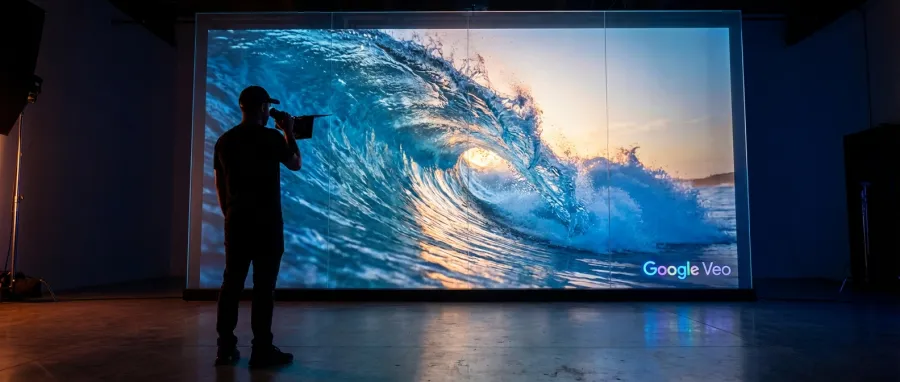
But let's be real—it's not perfect. While the physics of objects is top-tier, google veo2 still hits a wall when it comes to the "uncanny valley" of human extremities. If you are looking for perfect hands, you might still find yourself frustrated by the current state of the tech.
Physics understanding in google veo2 is among the best I have seen, particularly with complex interactions like collisions and thermal effects.
Market Competition and Google Veo2 Positioning
We are seeing a brutal arms race between google veo2, Sora, and Kling. Each has its own flavor of "realism." However, google veo2 seems to have a more grounded approach to environmental consistency. It feels like a tool built by engineers who actually studied fluid dynamics.
If you want to stay ahead, you need to latest AI industry updates to see how these models are evolving month by month. The pace is exhausting, but google veo2 is currently holding its own by focusing on the underlying mechanics of motion rather than just surface-level textures.
I’ve talked to several practitioners who are tired of the "dream-like" quality of other generators. They want control. And while google veo2 doesn't offer total manual control yet, its predictive physics engine feels much more reliable than the random hallucinations we saw just six months ago.
- Realistic object-to-object collisions
- Accurate environmental lighting changes
- Complex state changes (burning, melting, breaking)
- Improved temporal consistency across short clips
Core Concepts of the Google Veo2 Generation Engine
To really use google veo2, you have to understand that it isn't just "drawing" frames. It is simulating a 3D space and then projecting that into 2D video. This architectural choice is why the google veo2 spatial awareness feels so much more robust than its predecessors.
When you prompt google veo2, you are essentially setting up a scene in a physics engine. The AI then calculates the most likely path of motion based on its massive training set. This is why google veo2 is becoming a favorite for architectural visualization and product demos.
How Google Veo2 Handles Spatial Awareness
The google veo2 model creates a latent representation of the scene that maintains a memory of where objects are. This is why, if a ball rolls behind a chair in a google veo2 clip, it doesn't just disappear into the void. It reappears on the other side.
This "persistence of object" is a huge deal. Earlier versions of AI video would often forget an object existed the moment it left the frame. With google veo2, the model maintains a better internal map of the environment, leading to much more coherent and believable storytelling capabilities.
However, this spatial awareness isn't infinite. In longer clips, google veo2 can still lose the thread. It’s better than it was, but we aren't at the point where you can generate a consistent five-minute short film in one go. You still need to work in small, manageable chunks.
| Feature | Google Veo2 Performance | Industry Standard |
|---|---|---|
| Physics Accuracy | High (Best in Class) | Medium/Variable |
| Temporal Consistency | Solid (Up to 10s) | Hit or Miss |
| Finger/Hand Detail | Struggling | Struggling |
| Prompt Adherence | Very Good | Good |
The Role of Multi-Modal Training in Google Veo2
Why does google veo2 look so much better than the old models? It’s likely because it wasn't just trained on video. The google veo2 engine incorporates deep text and image understanding, allowing it to bridge the gap between a written prompt and a moving visual much more effectively.
Every time you use google veo2, it’s drawing on a massive library of human knowledge about how objects feel and move. This is why a prompt about "heavy lead balls" will result in a different movement speed than "plastic bouncy balls" within the google veo2 engine.
And here is the kicker: the google veo2 API makes this power accessible to developers. If you are building an app that needs dynamic video, the google veo2 integration is becoming a standard choice. But you need to watch your costs, which I’ll get into later.
If you're managing multiple projects, you might want to flexible pay-as-you-go pricing to keep your overhead manageable while experimenting with these heavy models. High-quality video isn't cheap, and google veo2 is no exception to that rule.
Step-by-Step Walkthrough for Accessing Google Veo2
Getting your hands on google veo2 isn't as simple as clicking a "Generate" button on a homepage. Since this is a Google Cloud project, you have to navigate the Google Cloud Platform (GCP). It can be intimidating, but it’s the only way to get the full power.
First, you need a GCP account. The good news is that new users usually get $300 in free credits. This is the best way to test google veo2 without blowing your personal budget. Just be careful—those credits vanish quickly when you're rendering high-res video.
Setting Up Your First Google Veo2 Project
Once you are in the console, you have to enable the Vertex AI API to access google veo2. Search for the model in the "Model Garden." From there, you can start experimenting with the google veo2 playground to get a feel for the prompting language.
Don't just jump into the google veo2 API until you've spent some time in the playground. You need to understand how the model responds to camera movement commands. For example, telling google veo2 to "slow pan left" works remarkably well compared to older, more chaotic models.
Here is a pro tip: use the google veo2 technical documentation to understand the specific parameters for frame rate and resolution. If you get these wrong, you’ll just waste money on generations that you can't even use in your final edit.
"Sign up for GCP and you’ll get $300 in free credits. It's the only way to play with google veo2 for free before the bills start hitting."
Navigating the Google Veo2 API and Pricing
For the developers in the room, the google veo2 API is where the real work happens. The pricing is currently set at $0.35 USD per second of generated video. That might sound cheap, but a 10-second clip will run you $3.50. It adds up fast.
When you start making google veo2 API calls, you need to monitor your usage in real-time. I've seen people run a few batch prompts and realize they've accidentally spent $50 in five minutes. It’s a powerful tool, but it requires a disciplined approach to billing and resource management.
If the GCP interface feels like too much, tools like GPT Proto can simplify the process. GPT Proto offers a unified API interface that can help you get started with the google veo2 API without having to become a DevOps expert overnight. It’s about getting to the creative work faster.
And let's be honest, the GCP console is a mess for creative types. Using a streamlined dashboard to track your google veo2 API calls is just common sense. You want to spend your time refining prompts, not debugging IAM permissions and service accounts.
- Create a Google Cloud Platform account
- Claim your $300 free trial credits
- Enable the Vertex AI API in your project
- Locate google veo2 in the Model Garden
- Test your prompts in the playground before using the API
Common Mistakes and Pitfalls with Google Veo2
Let's talk about the frustration. The biggest mistake people make with google veo2 is assuming it works like a magic wand. It doesn't. If you give it a lazy prompt, you'll get a lazy video. The google veo2 model needs specific, descriptive language to shine.
The "finger problem" is still very real. If you prompt google veo2 to show someone playing a piano, be prepared for some nightmare fuel. The model is great at physics, but it still hasn't quite figured out the complex anatomy of human hands and digits.
The Billing Surprise in Google Veo2 Usage
This is the one that bites people the most. You connect your credit card to GCP, run a "few" prompts, and suddenly your bank account is lighter. The google veo2 model is resource-intensive. Every second of video requires a massive amount of compute power behind the scenes.
I read a story from a user who ran what they thought was a small test and got yanked for $50 immediately. Always, always set up billing alerts before you start your google veo2 journey. Google does not play around when it comes to cloud consumption costs.
If you are worried about the cost, you can monitor your API usage in real time through third-party aggregators. This gives you a safety net. It’s much better to see a $5 warning than a $500 surprise at the end of the month.
Another pitfall is ignoring the "Service Error" messages. Sometimes google veo2 just goes down or returns errors for no apparent reason. If you're getting errors every time, don't keep hitting the "Generate" button. You might still be getting charged for failed attempts depending on where the error occurs.
Prompt Adherence and Consistency Issues
While google veo2 is better than many, its prompt adherence isn't 100%. Sometimes it just decides to ignore a specific color or object you requested. This is where "prompt engineering" actually matters. You have to learn the specific vocabulary that the google veo2 model prefers.
Consistency across clips is another hurdle. If you generate one clip of a character and then try to generate a second clip of the same character, google veo2 might change their face or clothing slightly. This makes long-form storytelling with google veo2 a bit of a jigsaw puzzle.
To combat this, many pros are using google veo2 for the "action" shots and using other models for "character" shots. It’s about knowing the strengths and weaknesses of each tool. Don't try to force google veo2 to do something it clearly isn't ready for yet.
"I ran just a few prompts and it yanked 50 straight from my account. Be careful with google veo2 if you don't have a strict budget set up."
Expert Tips and Best Practices for Google Veo2
If you want to get the most out of google veo2, you need to think like a cinematographer. Don't just describe the subject; describe the lighting, the lens, and the camera movement. The google veo2 engine responds incredibly well to technical film language.
Instead of "a cat running," try "low-angle tracking shot of a ginger cat sprinting through tall grass, 35mm lens, golden hour lighting." This gives the google veo2 model enough data points to construct a scene that actually looks professional and intentional.
Comparing Google Veo2 to Kling 3.0
Is google veo2 the best? It depends on what you need. Some practitioners have actually switched to Kling 3.0 because they find the prompt adherence is tighter and the costs are lower. Kling also tends to handle longer clips with slightly better character consistency.
However, for pure physics and environmental realism, google veo2 still wins. If your project involves complex interactions—like water splashing or objects breaking—google veo2 is the superior choice. It’s about choosing the right hammer for the right nail.
You can explore all available AI models to see how google veo2 stacks up against the latest versions of Kling and Sora. Often, the best workflow involves using multiple models for different scenes in the same project to get the best of all worlds.
Many experts are now moving toward a "hybrid" approach. They use google veo2 for high-stakes physics shots and cheaper models for background filler. This keeps the quality high while keeping the total project cost from spiraling out of control.
| Use Case | Recommended Model | Why? |
|---|---|---|
| Physics/Collisions | google veo2 | Superior spatial awareness |
| Character Consistency | Kling 3.0 | Better long-term tracking |
| Speed/Low Cost | Luma Dream Machine | Faster generation times |
| High Artistry/Style | Sora (when available) | Unique aesthetic flair |
Leveraging Google Cloud Skill Boost
If the GCP side of google veo2 is confusing you, there is a way to learn without burning your credits. Google Cloud Skill Boost offers labs that teach you how to use these tools. It’s a zero-risk way to get your feet wet before you start spending real money.
Learning how to manage service accounts and API keys properly will save you hours of headache later. When you're ready to scale your google veo2 usage, you’ll be glad you took the time to understand the infrastructure. Don't be the person who leaks their API key on GitHub.
And remember, if you're building a commercial product around google veo2, the 70% discount on mainstream APIs offered by platforms like GPT Proto can be a life-saver. Their unified interface allows for smart scheduling, choosing between performance-first and cost-first modes for your google veo2 generations.
The Future of Google Veo2 and AI Video
Where is google veo2 going next? We are already seeing hints of better human-to-object interaction. The goal is a world where google veo2 can handle a person tying their shoelaces or typing on a keyboard without any clipping or anatomical glitches.
The google veo2 roadmap likely includes better integration with Google's other AI tools, like Gemini. Imagine being able to have a conversation with your video generator, refining the google veo2 output in real-time through a chat interface. That is the holy grail of creative tech.
What to Expect in Future Google Veo2 Updates
We expect the next iteration of google veo2 to tackle the "longer clip" problem. Currently, the coherence starts to drift after about 10-15 seconds. If google veo2 can push that to 60 seconds while maintaining the same physics quality, it will change the indie film industry forever.
There is also talk of better "control nets" for google veo2. This would allow you to upload a sketch or a wireframe and have google veo2 animate it. This level of granular control is what professional animators are screaming for, and google veo2 is perfectly positioned to deliver it.
As the tech matures, you can learn more on the GPT Proto tech blog about how these advancements are being integrated into developer workflows. We are moving away from "cool toys" and toward "indispensable tools" at a staggering rate.

For now, google veo2 remains one of the most exciting, if slightly expensive, entries in the video space. It’s not a "set it and forget it" tool, but for those willing to learn the quirks of GCP and the nuances of the google veo2 engine, the results are nothing short of incredible.
"This is literally incredible. Remember where text-to-video was one year ago? With google veo2, we're looking at a completely different world of possibility."
Final Verdict on the Google Veo2 Experience
Is google veo2 worth the hassle of the Google Cloud Platform? If you need the best physics in the game, yes. If you are just making memes for Twitter, there are probably easier and cheaper ways to spend your afternoon. But for the serious practitioner, google veo2 is a must-have.
Don't let the learning curve scare you off. The jump in quality from the previous generation to google veo2 is the kind of leap we only see once every few decades. We are witnessing the birth of a new medium, and google veo2 is leading the charge.
Just remember: watch your billing, refine your prompts, and don't expect it to get the fingers right every time. If you can do that, your experience with google veo2 will be transformative. It’s time to stop watching and start creating.
Written by: GPT Proto
"Unlock the world's leading AI models with GPT Proto's unified API platform."


