
TL;DR
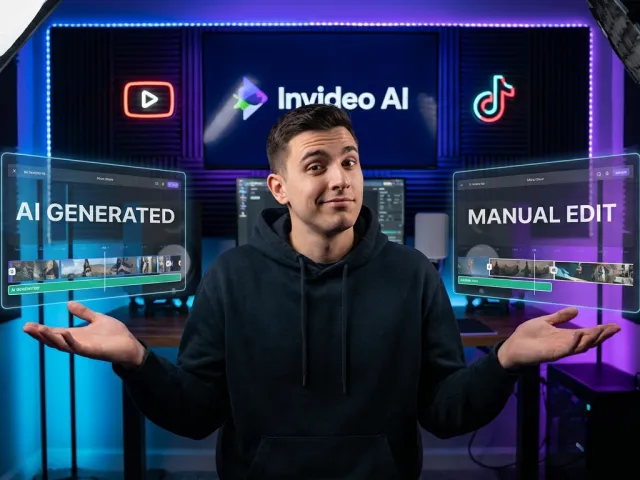
invideo ai promises to turn prompts into polished videos using a massive stock library and smart AI voiceovers. It is a massive time-saver for high-volume creators, but inconsistency and a rigid credit system mean it requires a steady human hand to get professional results.
There is a lot of noise in the AI space right now. Everyone claims to have the magic button that replaces a full production team. When you actually sit down with invideo ai, you realize it is less of a magic trick and more of a high-speed assembly line. It works fast, but it only produces what you tell it to.
If you are tired of hunting through stock sites or struggling with complex timelines, this tool offers a tempting shortcut. However, the gap between a prompt and a finished product is where the real work happens. Let's look at how this tool actually behaves when the pressure is on.
What Invideo Ai Actually Does Under the Hood
I’ve spent hundreds of hours messing around with video editors, from high-end suites to simple mobile apps. Most of them require you to actually know what you’re doing. But invideo ai is different because it attempts to do the heavy lifting for you.
At its core, invideo ai is a prompt-to-video engine. You don't start with a timeline; you start with an idea. You type in a description of what you want, and the system starts churning through logic to build a cohesive piece of content.
It’s not just slapping images together. The tool handles scriptwriting, selects background music, and layers on a voiceover. For a solo creator or a small marketing team, this sounds like a dream. But as with any AI tool, the reality is a bit more nuanced than the marketing copy suggests.
Script-to-Video Power with Invideo Ai
The standout feature of invideo ai is its ability to turn raw text into a visual narrative. You can paste a blog post or a rough outline, and the system interprets the context to create a video. It feels like having a junior editor who works at lightning speed.
The AI analyzes your text to determine the tone and pace. If you’re writing a fast-paced "Top 10" list, invideo ai selects snappier transitions. If it’s a somber documentary-style piece, the flow slows down naturally. It’s quite impressive when it works right.
"The script-to-video feature in invideo ai is a massive time-saver for anyone who hates staring at a blank timeline."
However, the AI isn't a mind reader. If your prompt is vague, the results will be too. You need to be specific about the "vibe" you want. This is where the practitioner’s skill comes in—learning how to talk to the invideo ai engine effectively.

The Simplified Editing Interface of Invideo Ai
Once the video is generated, you aren't stuck with what you get. The invideo ai interface allows for prompt-based editing. This is a game-changer. Instead of hunting for a specific clip, you can literally type "change scene 2 to a forest."
This conversational approach to editing lowers the barrier to entry significantly. You don't need to understand keyframes or color grading to get a decent result. It’s all about the instructions you give to the invideo ai assistant throughout the process.
But don't expect total control. While the prompt-based editing in invideo ai is fast, it can sometimes feel like trying to explain a complex painting to someone over the phone. Sometimes, you just want to grab a clip and move it yourself, which is still possible but less intuitive.
Getting Started with Invideo Ai Without the Headache
Setting up an account is the easy part. The real challenge is getting your first generation to not look like a weird fever dream. I’ve seen some pretty bizarre outputs from invideo ai when the prompts were too short or lacked clear direction.
You start by choosing a workflow. Are you making a YouTube Short? A LinkedIn explainer? Each path in invideo ai has different constraints and optimized settings. Choosing the right one from the start is critical for a high-quality final product.
Once you’re in, you’ll be faced with the prompt box. This is where most people fail. They treat invideo ai like a search engine instead of a creative partner. You have to give it context, target audience details, and specific visual preferences.
Crafting Better Prompts for Invideo Ai
To get the most out of invideo ai, your prompts need to be descriptive. Don’t just say "make a video about coffee." Instead, try "create a 60-second upbeat video for Instagram about the history of espresso, using cinematic footage and a sophisticated male voiceover."
The more detail you provide, the less "guessing" the AI has to do. I’ve noticed that invideo ai performs much better when you specify the narrative arc. Tell it where to start, what the climax is, and how to wrap it up.
And don't forget the "negative" prompts. Tell invideo ai what you don't want. If you hate cheesy corporate stock footage, say so. This helps the AI filter through its massive library to find clips that actually fit your brand’s aesthetic.
Managing Your Assets in Invideo Ai
You can also upload your own media. While the stock library in invideo ai is huge, nothing beats your own authentic footage. Mixing your clips with AI-generated scenes can make the final video feel much more personal and less "stocky."
The media library inside invideo ai keeps everything organized. You can tag clips and reuse them across different projects. This is particularly helpful if you're building a consistent brand presence on social media. It saves you from re-uploading the same logos and intros every time.
So, here’s a pro tip: always check the "media replacements" after invideo ai finishes its first draft. Sometimes the AI picks a clip that’s technically correct but visually jarring. Swapping it out manually takes two seconds but doubles the production value.
Deep Dive into Invideo Ai Core Features
What makes people stick with invideo ai instead of jumping to a traditional editor? It’s the combination of specific features that work together to automate the boring parts of video production. Let's look at the heavy hitters that define the experience.
The first is the voiceover engine. Most AI voices sound like a robot with a cold. However, the voices within invideo ai are surprisingly human. They have natural pauses, inflections, and a range of accents that don't immediately scream "computer-generated."
Then there’s the sheer volume of content. Having access to millions of stock clips directly inside the invideo ai interface means you never have to leave the tab to go hunting on third-party sites. It’s all right there, searchable and ready to be inserted.
The Massive Stock Library in Invideo Ai
The stock library is probably the biggest selling point. We're talking about over 16 million clips from sources like Getty Images and Storyblocks. When you use invideo ai, you’re essentially getting a high-end stock subscription bundled into the tool.
The AI does a decent job of matching these clips to your script. If your script mentions "mountain biking," invideo ai will usually find a high-quality shot of someone on a trail. It’s not always perfect, but it’s remarkably efficient compared to manual searching.
- Access to premium stock footage from Getty Images.
- Automatic synchronization of clips with the voiceover.
- Easy "drag and drop" replacement within the invideo ai editor.
- Wide variety of niches, from tech to lifestyle and nature.
But there’s a catch. Sometimes the AI gets literal in a way that’s unintentional. I once had invideo ai show a literal "apple" when the script was talking about the tech company. You have to keep an eye on it to ensure the visual metaphor makes sense.
Natural Voiceovers and Subtitles in Invideo Ai
The voiceovers are a standout feature. You can choose from various accents—British, American, Australian—and different tones like "professional," "excited," or "calm." This level of variety helps invideo ai cater to different platforms and audiences.
Subtitles are generated automatically, which is a must-have for social media where most people watch videos on mute. The invideo ai subtitle engine is fairly accurate, though you’ll want to double-check for any weird technical jargon it might have misinterpreted.
If you're looking for more technical control over your AI outputs, you might want to learn more on the GPT Proto tech blog about how these systems function. While invideo ai is great for end-users, understanding the underlying API logic can be helpful for power users.
Real-World Use Cases for Invideo Ai
Who is actually using this tool? It’s not just for people who are "lazy." It’s for creators who need to maintain a high volume of output without burning out. I’ve seen invideo ai used effectively across several different industries.
For example, news and current events channels use it to turn articles into video snippets within minutes. In the world of social media, speed is everything. Being the first to post a video about a trending topic using invideo ai can lead to massive reach.
Real estate agents are another big group. They use it to create quick property walkthroughs or neighborhood guides. By feeding the property description into invideo ai, they can have a professional-looking video ready for Facebook or Instagram in under ten minutes.
Educational Content via Invideo Ai
Teachers and trainers are finding a lot of value here too. Explaining complex topics is much easier with visuals. By using invideo ai, an educator can turn a lesson plan into a series of short, engaging videos that keep students' attention.
The "explainer video" format is where invideo ai truly shines. It’s built for that specific narrative structure: problem, solution, call to action. It makes the production of "how-to" guides or internal training materials significantly less painful for non-video professionals.
| Industry | Primary Use Case | Benefit of Invideo Ai |
|---|---|---|
| YouTube Creators | Faceless Channels | Rapid content production without a camera. |
| Small Businesses | Social Media Ads | Lower cost than hiring a production agency. |
| Educators | Tutorial Videos | Visualizing concepts from text-based notes. |
But don't expect it to replace a high-end commercial. For deep, emotional storytelling or highly specific product demos, the stock-heavy nature of invideo ai might feel a bit generic. It's a tool for efficiency, not necessarily for winning an Oscar.
Social Media Marketing with Invideo Ai
If you're managing multiple social media accounts, you know the struggle of keeping the "beast" fed. Use invideo ai to create "filler" content that maintains your engagement rates between your big, high-production posts. It’s perfect for quotes, tips, or industry news.
The ability to quickly resize videos for different platforms—horizontal for YouTube, vertical for TikTok—is built into the invideo ai workflow. This one-click adaptation saves hours of tedious manual cropping and repositioning in traditional software.
And if you're worried about the cost of all these AI generations, especially if you're a developer or a heavy user, you might want to manage your API billing more effectively. Tools that aggregate these services can often provide better value than individual subscriptions.
Honest Limits of Invideo Ai You Need to Know
No tool is perfect, and invideo ai has some quirks that can be downright infuriating. I’ve seen users get frustrated when the AI produces "garbage" output after they’ve spent their monthly credits. It’s important to go in with your eyes open.
The biggest issue is consistency. If you want a specific character to appear in multiple scenes, invideo ai will likely struggle. In scene one, your "chef" might be a 30-year-old man, and in scene two, it’s a 50-year-old woman. It lacks a "memory" for visual characters.
There are also the occasional AI "glitches." I’ve seen videos where sailboats were sailing backwards or screwdrivers were morphing into hammers. This is rare, but it happens. You have to be prepared to "reroll" a generation, which unfortunately costs credits.
The Credit Frustration in Invideo Ai
The credit system in invideo ai is a major pain point for the community. You get a certain number of minutes per month. If the AI messes up—which it will—you still get charged those credits for the "failed" generation. That feels bad.
Users often complain that they have to spend their limited credits just to fix mistakes the AI made. While prompt-based editing helps, the initial generation is where the bulk of the cost lies. It makes the experimentation phase of using invideo ai feel more expensive than it should.
So, what can you do? Be as precise as possible in your first prompt. Treat your credits like cash. Don't just "see what happens." Plan your script outside of invideo ai first to ensure you aren't wasting resources on a vague idea.
Quality and Logic Gaps in Invideo Ai
Beyond credits, there are quality issues like blurred visuals or mismatching lip-sync. If you’re trying to use the "talking head" feature in invideo ai, it can sometimes look a bit "uncanny valley." It’s not quite at the level of specialized avatar tools yet.
Also, the logic can sometimes fail. The AI might pick a beautiful clip of a forest when you're talking about "growth" in a financial sense. While technically a metaphor, it might not be the vibe you’re going for. Invideo ai is a tool, not a creative director.
"Expect some weirdness. AI is still learning how the physical world works, and invideo ai is no exception."
If you're a developer trying to build your own version of this, or if you need more reliable back-end performance, you can read the full API documentation for various AI models to see how to implement better logic into your own video workflows.
Is Invideo Ai Worth Your Subscription?
So, should you pull the trigger on a subscription? If you’re a creator who needs to produce 5–10 videos a week and you don't have a team, invideo ai is probably worth it just for the time savings. The stock library access alone almost justifies the price.
But if you’re a perfectionist who needs pixel-perfect control over every transition and character movement, you’re going to find invideo ai limiting. It’s built for speed and "good enough" quality, not for bespoke cinematic masterpieces.
The free version is a good way to test the waters. You can see how the AI interprets your prompts before you commit to a monthly bill. Just be aware that the watermarked exports on the free tier of invideo ai make it unusable for professional work.
Comparing Invideo Ai to CapCut and Runway
It’s a crowded market. CapCut is the king of short-form mobile editing, but it doesn't have the same "text-to-video" automation as invideo ai. CapCut is better for manual editing; invideo ai is better for automated generation.
Runway ML is on the other end of the spectrum. It’s much more creative and experimental, allowing for things like generative video from scratch rather than just stock clips. However, Runway is significantly more complex to master than the user-friendly invideo ai interface.
- **CapCut**: Best for manual, high-energy social media edits.
- **Pictory**: Similar to invideo ai, but often cited for having less relevant stock footage.
- **Synthesia**: The gold standard for AI avatars, but lacks the stock-based storytelling of invideo ai.
- **Runway**: Best for high-end AI artists and experimental filmmakers.
For most "average" users, invideo ai strikes a nice balance. It’s more powerful than a basic editor but much simpler than a full-blown AI research tool. It occupies a "sweet spot" for small business owners and content hobbyists.
Final Verdict on Invideo Ai
The bottom line is that invideo ai is a powerful efficiency tool that still requires a human at the wheel. Don't expect to just click a button and get a viral video. You need to curate, edit, and refine the AI's work to make it truly stand out.
While the credit system is annoying and the character consistency is a mess, the speed of production is undeniable. If you can handle a few sailboats sailing backwards occasionally, invideo ai will save you dozens of hours every month.
If you're looking to scale your AI usage across multiple tools and models, you should monitor your API usage in real time to keep costs under control. Using a platform like GPT Proto can help you access various models—like those powering these video tools—under one roof.
Written by: GPT Proto
"Unlock the world's leading AI models with GPT Proto's unified API platform."

