
TL;DR
ByteDance's seedance 2.0 offers unparalleled realism and character consistency for AI video creation, provided you have the budget and the patience to master its rigorous prompt controls.
High-end AI video production usually involves wrestling with morphing faces and physics that fall apart after three seconds. ByteDance built this tool to fix those exact headaches. By combining multi-shot storyboarding with quad-modal input, creators can actually direct a scene rather than just rolling the dice on a text prompt.
But the hype leaves out a few hard realities. Operating seedance 2.0 at a professional level burns through credits fast, costing nearly fifty cents per ten-second clip. You also have to navigate aggressive corporate censorship filters that block anything outside a strict PG rating.
If you want Hollywood-level visuals, you can't be lazy with your inputs. You need to anchor your shots with high-resolution reference images and keep sequences under eight seconds to prevent identity degradation. This engine rewards precision, penalizing vague instructions with wasted money and generic output.
Exploring What seedance 2.0 Actually Offers
ByteDance just dropped a heavy hitter in the creative space. If you’ve spent any time on TikTok, you know they don’t play around with algorithms or video tech. With seedance 2.0, they’re basically handing over the keys to a high-end production house, but there's a learning curve you need to respect.
The buzz is real. People are seeing clips that look like they came straight out of a Pixar rendering farm. But before you get too excited, you need to understand that seedance 2.0 isn't just a "press button, get movie" kind of thing. It’s a tool that requires a specific set of techniques to master.
I've seen the comparisons. Users are already pitting seedance 2.0 against the big names. It’s showing up with features that actually solve some of the most annoying problems we've had with AI video for the last year. It’s not just about raw pixels; it’s about the control you get over the final output.
One of the biggest wins here is how seedance 2.0 handles complex scenes. While other tools might give you a beautiful but static image that wiggles slightly, seedance 2.0 actually understands motion. It’s a significant step forward for creators who need more than just a moving postcard for their projects.
The Multi-Shot Magic in seedance 2.0
Here’s the thing about consistency: it’s the holy grail of AI video. In seedance 2.0, the multi-shot storyboarding feature is what changes the game. It allows you to maintain the same character and environment across different camera angles without the character looking like a different person every three seconds.
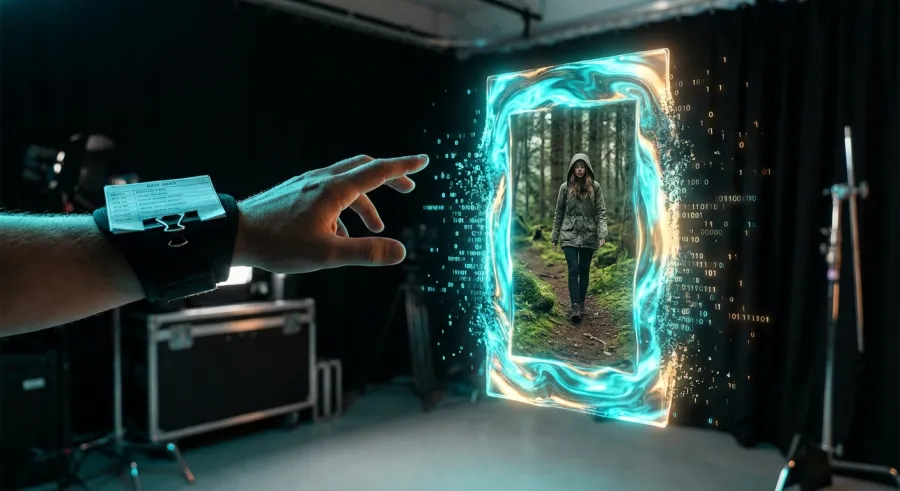
"seedance 2.0 is genuinely cool — multi-shot storyboarding and quad-modal input provide better character consistency than anything we've seen before."
But don't expect it to be perfect. Even with the advanced multi-shot features in seedance 2.0, identity drift is still a lurking shadow. You can build out a character from multiple angles, but if you push the sequence too long, the AI starts to get "creative" in ways you probably won't like.
To really get the most out of this, you should access the full capabilities of seedance 2.0 through a stable API setup. This gives you the control needed for professional-grade character storyboarding without the typical interface limitations of basic web apps.
- Consistent character mapping across multiple shots.
- Environment persistence for complex scene setups.
- Quad-modal input for better prompt interpretation.
- Advanced motion control that respects physical laws.
The Real Cost of Running seedance 2.0 Workflows
Let's talk money, because seedance 2.0 isn't exactly a free-for-all. ByteDance is positioning this as a premium tool, and the pricing reflects that. If you’re planning to build a serious workflow, you need to look at the credits and the regional availability carefully.
Right now, seedance 2.0 uses a credit-based system. For a standard monthly subscription of about $33, you’re looking at roughly 67,360 credits. That sounds like a lot until you start rendering. High-quality AI video is notoriously expensive to compute, and seedance 2.0 is no exception to that rule.
Each 10-second video clip will eat about 930 credits. When you do the math, you’re paying roughly $0.48 per video. It’s competitive compared to some of the boutique AI video houses, but if you’re doing 50 takes to get one perfect shot, those costs add up fast.
So, is it worth it? If you’re a hobbyist, maybe not. But for a professional using the seedance 2.0 API for high-volume production, these costs are just part of the overhead. The key is to optimize your prompts to reduce the number of failed generations.
Understanding the seedance 2.0 Credit System
The credit system in seedance 2.0 can be a bit confusing at first. Different modes use different amounts of juice. If you’re running high-fidelity renders, expect the cost per video to sit at that upper $0.48 limit. Lower quality previews might cost less, but who wants low quality?
| Plan Type | Monthly Cost | Credits Provided | Estimated Clips |
|---|---|---|---|
| Standard Monthly | $33.00 | 67,360 | ~72 clips |
| Cost per 10s Clip | N/A | 930 | $0.48 approx. |
If you find the direct pricing a bit steep, you might want to look into unified API platforms. Platforms like GPT Proto offer up to 70% discounts on mainstream AI APIs, which could significantly lower your bill if you're pulling seedance 2.0 into a custom application or a heavy production pipeline.
Managing your API billing shouldn't be a headache. Whether you’re using seedance 2.0 or a mix of OpenAI and Claude models, having a single dashboard makes the math a lot easier. You can manage your API billing efficiently while testing out different model tiers for your video projects.
And remember, availability is still rolling out. Just because you see it on Twitter doesn't mean it's open in your country yet. Some regions are still waiting for the full rollout of seedance 2.0, so keep an eye on official ByteDance channels to see when your turn comes.
Key Features and Realism Benchmarks for seedance 2.0
The visuals coming out of seedance 2.0 are nothing short of startling. We’ve all seen the Moana clips floating around. Someone actually used seedance 2.0 to recreate scenes that looked like a live-action Disney remake. The lighting, the hair physics, the water—it’s hitting a level of realism that’s frankly scary.
This realism isn't accidental. ByteDance has trained seedance 2.0 on a massive dataset of high-quality video content. It understands how light hits surfaces and how muscles move under skin. This makes seedance 2.0 particularly effective for generating human characters that don't immediately trigger the uncanny valley response.
But there’s a catch. Realism in seedance 2.0 depends heavily on your input. It’s not a magic wand. If your prompt is lazy, the output will be too. You have to be specific about textures, lighting sources, and camera movements to get that "Hollywood" look everyone is talking about.
The quad-modal input is a massive help here. By providing seedance 2.0 with more than just text—think images, depth maps, or motion brushes—you’re giving the AI a much clearer blueprint. This results in videos that are far more intentional and less like a random hallucination.
Character Consistency Limits in seedance 2.0
Let's be real: character consistency in seedance 2.0 is the best in class right now, but it still has its breaking points. After about 8 seconds of continuous video, you’ll start to see "identity degradation." A character's nose might change slightly, or their hair color might drift a shade.

The pros who use seedance 2.0 don't try to generate a 2-minute scene in one go. They break it down. By using reference-anchored shots, they can string together shorter 5-8 second clips that maintain a coherent look. This is the current "meta" for high-end seedance 2.0 production.
Even with these limits, the ability to build a character from multiple angles and have seedance 2.0 remember them is a huge step up from older models. It’s the difference between a character being a "generic guy" and "your specific character." That’s where the real value lies for creators.
One of the best ways to test this is to generate visuals with the seedance 2.0 image to video feature. Starting with a high-quality character reference image is the most reliable way to ensure that seedance 2.0 stays on track throughout the generation process.
And if you’re building your own tools, don't forget to read the full API documentation for the models you're integrating. Understanding the technical limits of character memory in seedance 2.0 will save you a lot of wasted credits and frustration in the long run.
Solving Creative Problems with seedance 2.0 Tools
So, how do you actually use seedance 2.0 to solve real-world creative problems? It’s not just for making memes or fake movie trailers. Serious creators are using it for storyboarding, concept art, and even background elements in real film production where traditional CGI would be too slow or expensive.
The quad-modal input in seedance 2.0 means you can feed it a rough sketch and tell it to make it a cinematic masterpiece. This is a massive time-saver for art directors. Instead of waiting days for a concept artist, you can iterate in minutes using seedance 2.0 to visualize different directions.
But here is the trick: you have to use short, anchored shots. If you're trying to make a 3-minute video with seedance 2.0, you split the work. You generate 5-second bursts, keeping the same reference images for the character and the background. This keeps everything tied together perfectly.
Another area where seedance 2.0 shines is in motion control. You aren't just stuck with what the AI thinks should happen. You can guide the movement. If you want a slow pan or a dramatic zoom, you can specify that in your prompt control for seedance 2.0 to follow.
Mastering Image to Video with seedance 2.0
The image-to-video workflow is where seedance 2.0 really beats the competition. When you start with a text prompt, you're leaving a lot to chance. When you start with a reference image, you're giving seedance 2.0 a solid foundation to build upon. This is how you get those hyper-consistent results.
"Using seedance 2.0 to generate realistic human videos isn’t really a problem—though it still takes a bit of technique and heavy prompt control to keep motion from drifting."
Heavy prompt control is the secret sauce. You can’t just say "man walking." You need to tell seedance 2.0 "man walking in a cinematic hallway, 4k, volumetric lighting, steady cam movement." The more detail you provide, the less likely the seedance 2.0 AI is to hallucinate something weird.
For those looking to scale this, using a unified API setup can help. You can monitor your API usage in real time while experimenting with different prompt structures in seedance 2.0. Seeing how your credits translate to successful renders is crucial for staying on budget.
- Start with a high-resolution reference image.
- Use detailed text prompts to describe movement.
- Keep video segments under 8 seconds to avoid drift.
- Refine the motion using seedance 2.0 specific camera controls.
Limitations and Reality Checks for seedance 2.0 Users
We need to have a serious talk about the limits of seedance 2.0. It’s impressive, but it’s not magic. One of the biggest complaints from early adopters is the identity degradation that kicks in past the 8-second mark. Props still morph, and lighting can drift unexpectedly in seedance 2.0 renders.
Then there’s the censorship issue. Since seedance 2.0 is a ByteDance product, it inherits the same strict censorship filters as the Chinese version. If you’re trying to generate anything even remotely controversial or edgy, seedance 2.0 will likely block the prompt. It’s very "brand-safe," which might be a dealbreaker for some.
Another hurdle is the regional rollout. You might see a lot of people talking about seedance 2.0 online, but depending on where you live, you might not have access yet. This creates a bit of a "haves and have-nots" situation in the AI creative community where some have seedance 2.0 and others are still waiting.
Lastly, don't get scammed. There are dozens of fake sites claiming to offer seedance 2.0 access. If it isn't on a bytedance.com domain or a verified API partner like GPT Proto, don’t touch it. Always ensure you are using the official seedance 2.0 channels to protect your data and your wallet.
Dealing with seedance 2.0 Censorship
Censorship in seedance 2.0 isn't just about "bad words." It can be surprisingly restrictive about things that might be considered politically sensitive or socially taboo. This is something to keep in mind if your creative project requires a bit more grit than a PG-rated TikTok video would allow.
When seedance 2.0 flags a prompt, it usually won't tell you exactly why. You just get a generic error or a failed generation. This can be frustrating when you're burning through credits trying to figure out which word triggered the filter. It’s part of the trade-off for using such a powerful tool from a major corporation.
If you hit a wall with seedance 2.0 censorship, you might want to explore all available AI models to see if another engine like Claude or a specialized video AI has more flexible safety guidelines for your specific use case. Every model has its own "personality" and rules.
Despite these limitations, seedance 2.0 remains a top-tier choice for most professional work. The realism and character consistency often outweigh the frustrations of the filter system, especially if you’re working on commercial content that needs to be clean anyway. Just know what you're getting into before you pay.
Final Verdict: Is seedance 2.0 Worth the Investment?
Here’s my honest take: seedance 2.0 is currently the high-water mark for realistic AI video. If your goal is to create content that looks professional and cinematic, seedance 2.0 is probably where you should be spending your time. The multi-shot consistency alone makes it worth the price of admission.
But it isn't for everyone. If you’re just looking for a fun toy to play with, the $33 price tag and the credit consumption of seedance 2.0 might feel a bit heavy. This is a tool for creators who are willing to put in the work to master prompt control and shot-anchoring techniques.
And let's not forget the competition. While seedance 2.0 is winning the realism war today, the AI space moves incredibly fast. Other models are catching up. However, the backing of ByteDance gives seedance 2.0 a significant edge in terms of infrastructure and future development. They have the data and the money to keep leading.
If you're ready to take the plunge, start small. Don't go for a 2,000-word prompt on your first try. Use seedance 2.0 to generate a few simple shots, get a feel for the credit burn, and see if the censorship limits work for your project. It’s a powerful engine, but you have to know how to drive it.
Comparing seedance 2.0 to Alternatives
When you put seedance 2.0 up against tools like Veo 3.1 or Kling 3.0, the difference in realism is usually the first thing people notice. seedance 2.0 just feels more "grounded." The physics of the movement and the way light interacts with the scene are more sophisticated in the seedance 2.0 output.
However, some of the alternatives might be easier to use for beginners. seedance 2.0 requires a bit more technical "finesse" to get those perfect results. If you want a more straightforward experience, you might find other AI video tools more to your liking, even if they lack the raw power of seedance 2.0.
For those managing large-scale AI projects, integrating seedance 2.0 into a multi-model workflow is the way to go. Using GPT Proto’s unified API interface standard allows you to switch between seedance 2.0 for video and other models for text or image generation without rewriting your entire codebase. It’s about being efficient with your time and your budget.
Ultimately, seedance 2.0 is a professional tool for people who need professional results. It’s not perfect, but it’s a massive leap forward. If you can handle the learning curve and the cost, seedance 2.0 will give you creative capabilities that were simply impossible for a single creator just a few years ago.
Written by: GPT Proto
"Unlock the world's leading AI models with GPT Proto's unified API platform."

