

TL;DR
AI image generators routinely fail at maintaining a character's face across different poses, but seedream v4 solves this through inherent statefulness. It remembers context, giving creators true character consistency and actual photorealism.
Keeping the exact same person recognizable from one scene to the next remains the biggest hurdle in generative art. Most visual models treat every new request as a completely blank slate. You spend an hour tweaking a prompt to get the perfect expression, only to lose that exact face the second you ask the subject to turn around or change clothes.
That specific frustration is why seedream v4 maintains its dedicated user base despite newer options hitting the market. By preserving the structural essence of your initial base generation, the model supports actual visual storytelling rather than spitting out isolated, disconnected images. Mastering it requires knowing exactly how to word your requests and define your environment constants.
Why Seedream V4 Is the Current Standard for Character Consistency
If you've spent any time in the AI image generation rabbit hole, you know the frustration of "character drift." You find a perfect face, but the moment you change the pose, it's a completely different person. That is where seedream v4 changed the game for me and many others.
Most models struggle to remember what they just did. But seedream v4 has this uncanny ability to lock onto a character's features. It is why people keep coming back to it despite newer versions hitting the market every few months. It just feels more stable.
The realism in seedream v4 is another huge factor. When I first saw outputs from this model, I had to double-check the metadata. They look like legit photographs. It's not just the skin texture; it's the way light interacts with the environment that makes seedream v4 stand out.
But let's be real—it's not perfect. While it nails the cinematic look, there's a learning curve to getting that consistency right every single time. You can't just throw three words at it and expect magic. Success with seedream v4 requires a bit of strategy and understanding how the model thinks.
The Photorealism Factor in Seedream V4
What makes seedream v4 feel so "real" compared to other options? It’s the lack of that weird "AI sheen." You know the one—where everything looks like it was airbrushed with plastic. In seedream v4, the imperfections are what make it perfect.
I’ve noticed that seedream v4 handles complex lighting better than almost any other model in its class. Whether it's a harsh neon glow or the soft light of a "golden hour" sunset, seedream v4 captures the subtle shadows that define a high-end photograph.
And it's not just about humans. If you're generating landscapes or street scenes, seedream v4 adds a layer of grit and detail that feels lived-in. It doesn't look like a rendered video game; it looks like a captured moment in time.
Seedream v4 manages to bridge the gap between "generated art" and "actual photography" in a way that feels intentional rather than accidental.
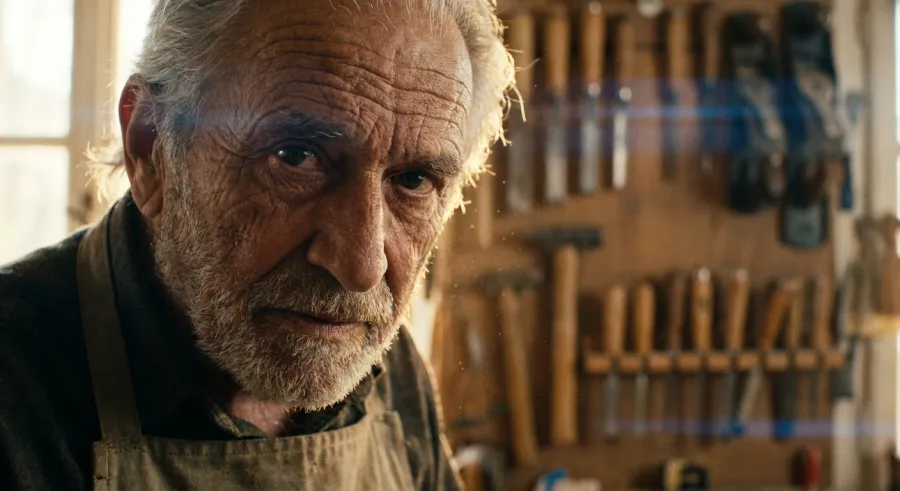
When you explore all available AI models, you'll see plenty that claim realism. But seedream v4 is one of the few that actually delivers on that promise without requiring a 500-word prompt to get there.
Understanding the Core Concepts of Seedream V4 Image Generation
To really master seedream v4, you have to understand "statefulness." This is just a fancy way of saying the model remembers context. While other models treat every generation as a brand-new blank slate, seedream v4 seems to hold onto the essence of your previous prompts.
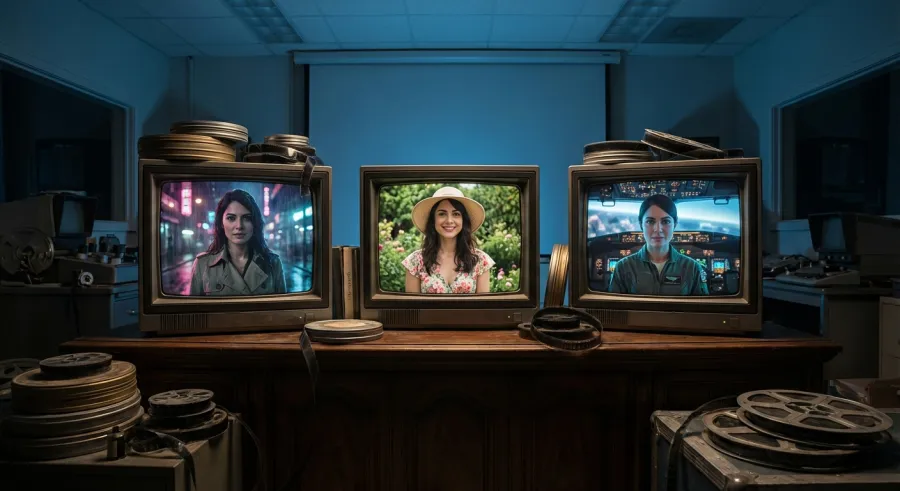
This statefulness is the secret sauce for creators working on graphic novels or marketing campaigns. If you need the same woman in ten different outfits, seedream v4 is your best friend. It preserves the bone structure and eye color across different seeds far better than competitors.
But there’s a trade-off. Sometimes seedream v4 gets "stuck" on an idea. If you’re trying to pivot hard to a new style within the same session, you might find it dragging some of the old aesthetic along. It’s a double-edged sword, but usually worth it.
So, how do we use this to our advantage? It’s all about building a foundation. You start with a clear "base" generation in seedream v4 and then slowly iterate. This prevents the model from hallucinating weird details that ruin the immersion of your project.
How Seedream V4 Handles Statefulness and Character Memory
The memory of seedream v4 is its defining trait. When I compare it to the "Banana" model, the difference is night and day. The Banana model might give you a more realistic individual shot, but seedream v4 creates a cohesive person that can exist in a story.
I’ve found that using seedream v4 for storyboarding saves hours of manual touch-ups. You can define a character's "ID" in your early prompts and see how seedream v4 maintains those specific traits through different camera angles and lighting setups.
It's not just luck; it's the way the training data was structured. The AI behind seedream v4 was clearly taught to prioritize structural integrity. This means fewer floating limbs and more consistent facial proportions, which are the two biggest immersion killers in AI art.
And here’s a tip: if you’re using an API to run these generations, you can really lean into this consistency. Many developers get started with the seedream v4 API to automate the creation of entire asset libraries that look like they were shot by the same photographer.
But keep in mind that "memory" isn't infinite. If your prompts get too messy, even seedream v4 will lose the plot. You have to be the director, giving the model clear, concise instructions to keep it on the right track.
A Practical Walkthrough to Mastering Seedream V4 Prompts
Prompting seedream v4 is an art form. I’ve seen people complain that the model produces "blurry" results, but 90% of the time, it’s a prompt issue. You can’t be vague. Seedream v4 thrives on specificity—it wants to know the texture, the lens, and the atmosphere.
Instead of saying "a man in a forest," try telling seedream v4 "a rugged man in a damp cedar forest, shot on 35mm film, morning mist, moss-covered trees." Suddenly, the model has enough data points to create something breathtaking rather than generic.
Another thing I’ve learned: seedream v4 loves references. If you can provide a base image or a very specific style name, the model locks in much faster. It reduces the "drift" that happens when the AI is trying to guess what you want.
But don't over-prompt either. If you stack 50 adjectives in seedream v4, the model starts to ignore half of them. It's a balancing act. You want enough detail to guide it, but enough breathing room for the model's natural photorealism to shine through.
Using Detailed Descriptions to Avoid Result Drift in Seedream V4
Result drift is the enemy of productivity. You run a prompt in seedream v4, get something great, run it again, and it looks like a different artist drew it. This usually happens when the prompt is too open-ended, leaving the AI to fill the gaps.
To fix this in seedream v4, I focus on the "environmental constants." Describe the time of day and the camera equipment in every single prompt variation. This acts as an anchor for the seedream v4 engine, keeping the aesthetic consistent across your entire session.
I also recommend using negative prompts if your platform allows it. Telling seedream v4 what *not* to include—like "cartoonish," "oversaturated," or "deformed"—helps refine the output. It forces the AI to stay within the realistic boundaries that seedream v4 is famous for.
If you're finding that seedream v4 is ignoring your lighting cues, try moving them to the front of the prompt. The AI tends to give more weight to the first few words. "Soft cinematic lighting, a portrait of..." usually works better than putting the lighting at the end.
And if you're hitting walls with the built-in filters on some sites, switching to a more robust API setup can give you back that control. You can learn more on the GPT Proto tech blog about how to fine-tune your requests for better consistency.
Optimization Through Iterative Prompting in Seedream V4
Mastery of seedream v4 doesn't happen in a single click. It's an iterative process. I usually start with a "skeleton prompt" to see how seedream v4 interprets the basic composition. Once the layout is right, I start adding the layers of detail.
This approach saves a lot of time. If seedream v4 isn't putting the character where I want them, adding "high-resolution skin textures" won't fix the composition. Get the bones right first, then let seedream v4 handle the skin and hair details later.
I’ve also found that seedream v4 responds well to "weighting" if your interface supports it. Emphasizing certain keywords helps the model understand what the most important part of the image is. This is crucial when you have multiple subjects in one seedream v4 generation.
- Start with a broad concept in seedream v4 to check the layout.
- Add specific lighting and camera settings to refine the mood.
- Use character-specific descriptors to lock in the "statefulness."
- Apply negative prompts to remove unwanted AI artifacts.
Navigating Common Pitfalls and Censorship in Seedream V4
Let's talk about the elephant in the room: censorship. If you use seedream v4 on some of the major public platforms, you’re going to hit the "safety filters" pretty hard. It can be frustrating when you’re trying to generate something perfectly innocent but get blocked.
The developers behind seedream v4 are clearly worried about misuse, which is understandable. But sometimes the filters are a bit overzealous. I’ve seen seedream v4 block prompts for "red dress" because it thought it might be too suggestive. It’s a headache for professional creators.
There are workarounds, though. Using seedream v4 through third-party providers or private API instances often gives you more leeway. You still have to follow the rules, but the "false positive" rate tends to be much lower than on the free public playgrounds.
Another common issue is the "stale update" problem. Occasionally, seedream v4 seems to lose its edge after a backend update. Users have reported periods where the quality drops or the images start looking "mushy." Recognizing these phases is part of the experience.
Dealing with Quality Drops and Update Issues in Seedream V4
It’s a weird phenomenon, but it happens. For a week or two, seedream v4 might just stop producing those mind-blowing shots. When this happens, I usually check the community forums to see if I'm the only one struggling with seedream v4 results.
Often, these quality dips are temporary. They might be testing a new filter or adjusting the server load. During these times, I find that simplifying my prompts helps. Don’t try to push seedream v4 to its limits when the model is acting up; stick to the basics until it stabilizes.
I also recommend trying different platforms during these dips. If seedream v4 feels "off" on one site, try it on another like Pixpal or Replicate. Sometimes the way a specific host has implemented the seedream v4 API can affect the final output quality.
And don't forget to clear your cache or start fresh sessions. Sometimes the "statefulness" of seedream v4 can actually work against you if a session has become corrupted with bad data. A clean slate often brings the old seedream v4 magic back instantly.
Managing the Frustration of Censorship in Seedream V4
If you're getting blocked constantly in seedream v4, it might be time to rethink your wording. The AI doesn't understand intent; it just looks for flagged keywords. Learning the "forbidden vocabulary" of your specific seedream v4 host is essential for a smooth workflow.
Instead of fighting the filter, try to find creative synonyms. If seedream v4 is being stubborn about a specific body part or pose, describe the "vibe" or the "aesthetic" instead. Often, you can get the same result without triggering the alarm bells.
For those doing serious work, a paid API is almost always better. When you manage your API billing through a professional gateway, you usually get more transparent feedback on why a prompt was rejected, rather than just a generic error message.
Ultimately, censorship is just another constraint to work within. It’s annoying, but the quality of seedream v4 makes it worth the extra effort to find the right way to ask the AI for what you need without crossing the invisible lines.
Expert Strategies for Optimizing Seedream V4 Performance
If you're moving beyond "playing around" and into actual production, you need to optimize your seedream v4 workflow. Running single prompts one by one is fine for a hobby, but for a real project, you need to think about scale and cost efficiency.
This is where multi-modal platforms become a lifesaver. You don't want to be locked into one interface. By using a unified API, you can jump between seedream v4 and other models like Claude or GPT-4 to help you write better prompts for your image generation.
I personally use GPT-4 to "expand" my short ideas into the detailed descriptors that seedream v4 loves. It’s like having a professional prompt engineer working for you. This synergy between different AI models is how the pros get those top-tier results every time.
Cost is also a factor. Seedream v4 generations can get expensive if you’re doing hundreds of iterations. Finding a provider that offers smart scheduling—choosing between performance-first and cost-first modes—can save you a fortune in the long run.
Scaling Production with the Seedream V4 API and GPT Proto
For high-volume work, GPT Proto is a game-changer. It offers a unified API interface that makes working with seedream v4 a lot smoother. Instead of managing five different subscriptions, you get one-stop access to the best models on the market.
One of the biggest perks of using GPT Proto for your seedream v4 needs is the pricing. You can get up to a 70% discount on mainstream AI APIs. When you're generating thousands of images for a game or a marketing campaign, that difference goes straight to your bottom line.
The platform also offers "smart scheduling." If you're in a rush, you can set it to performance mode to get your seedream v4 results instantly. If you have time to wait, the cost-first mode helps you stretch your budget even further without sacrificing quality.
And because it's a unified standard, if you decide to try a model other than seedream v4, you don't have to rewrite all your code. It’s built for developers who want to stay flexible in a fast-moving AI world while keeping their costs under control.
| Feature | Standard seedream v4 Access | GPT Proto Unified API |
|---|---|---|
| Cost Per Image | Standard Rates | Up to 70% Discount |
| Model Variety | Single Model | Multi-modal (OpenAI, Claude, etc.) |
| Interface | Platform-Specific | Unified Standard API |
The Future of Seedream V4 and Emerging Alternatives
Is seedream v4 still the king? It depends on who you ask. The landscape is moving so fast that what was "mind-blowing" six months ago is now just "pretty good." But seedream v4 has a staying power that many other models lack.
Even with the release of Seedream 4.5, many users are sticking with seedream v4 for specific tasks. There’s a certain cinematic grit in the 4.0 version that the newer updates sometimes smooth over too much. It’s all about the aesthetic you’re chasing.
Then there’s the competition like Nano Banana. If you want pure, raw photorealism that can pass a "Turing test" for photos, Nano Banana might have the edge. But if you need that character to look the same in the next shot, you’ll probably find yourself crawling back to seedream v4.
The future likely isn't about one "perfect" model. It's about using the right tool for the job. Seedream v4 is the reliable workhorse for character-driven storytelling, while other models might be better for one-off architectural renders or abstract art.
Comparing Seedream V4 with Seedream 4.5 and Nano Banana
When you put seedream v4 up against Seedream 4.5, the differences are subtle but important. 4.5 is objectively better at skin tones and environmental lighting. It looks "cleaner." But for some, that "clean" look feels less like a real photo and more like a high-end digital painting.
I’ve found that 4.5 preserves character consistency reasonably well, but seedream v4 still feels more "stateful." There’s a weight to the characters in 4.0 that I sometimes miss in the newer version. It’s like the difference between shooting on film versus a high-end digital sensor.
Nano Banana is the other big player. Users often say Nano is "far more realistic" because it avoids some of the common AI tropes. However, Nano Banana is notorious for forgetting what your character looks like the moment you change a single word in the prompt. For me, that’s a dealbreaker.
So, here’s the verdict: stick with seedream v4 if you are building a world or a recurring character. If you just need one single, impossibly perfect photo of a person who will never appear again, give the other models a look. But for most of my work, seedream v4 remains the backbone.
And as we see more developments in this space, having a flexible way to switch between these versions without changing your whole tech stack is vital. Staying nimble is the only way to keep up with how fast seedream v4 and its successors are evolving.
Written by: GPT Proto
"Unlock the world's leading AI models with GPT Proto's unified API platform."

