
TL;DR
Most open-source video models prioritize raw speed over coherence, leaving creators with jittery, artifact-heavy clips. The wan2.2-animate model flips that script by delivering high-end visual fidelity, strict prompt adherence, and seamless frame interpolation.
We are finally moving past the era of crossing our fingers and hoping the AI understands basic instructions. Instead of guessing what a prompt means, this architecture actively analyzes semantic descriptions to output cinematic movement. Textures hold up, lighting remains consistent, and objects actually retain their shape from the first frame to the last.
Running this kind of heavy computational workload locally requires serious hardware. For those without a dedicated server rack, tapping into a unified API or setting up an optimized ComfyUI workflow offers a practical way to integrate professional-grade motion into your projects without melting your graphics card.
Why Wan2.2-Animate Matters Now
I have spent years cycling through every video generation model that hits the Stable Diffusion ecosystem. Most of them promise the world but deliver a jittery mess. When I first fired up wan2.2-animate, the atmosphere felt different. The community was buzzing, and for once, the hype actually matched the output quality.
The visual quality of wan2.2-animate represents a massive leap forward for open-source video enthusiasts. While competitors focus on raw speed, this model focuses on the soul of the image. It handles textures and light with a precision that makes "AI" feel like a professional cinematography tool rather than a toy.
But why should you care about wan2.2-animate right now? Because we are moving past the era of "lucky generations." We need control. Users are moving toward models that actually listen to what they type. In my testing, the prompt adherence here is lightyears ahead of what we saw six months ago.
The Shift To Quality With Wan2.2-Animate
The industry is currently split between speed and fidelity. Models like LTX 2.3 are fast, but wan2.2-animate is for the purists. If you are building a cinematic project, you cannot afford the artifacts that faster, distilled models often produce. This is where wan2.2-animate truly shines.
Using the wan2.2-animate model means choosing detail over instant gratification. I have noticed that the way it handles human skin and complex backgrounds is far more coherent than its predecessors. It is the difference between a blurry home video and a polished short film produced by a high-end AI.
And let’s be honest, the community support is what keeps these projects alive. The workflows being built around wan2.2-animate are robust. Whether you are a solo creator or part of a studio, having a reliable backbone for your animation pipeline is essential. That is exactly what this model provides.
"Wan 2.2 produces better output than LTX 2.3. It is simply more coherent for high-end visual tasks."
Core Concepts Explained For Wan2.2-Animate
To really get the most out of wan2.2-animate, you need to understand how it processes motion. It isn't just sliding pixels around. The model understands temporal consistency. When an object moves in wan2.2-animate, it retains its identity from the first frame to the last.
One of the standout features is the frame interpolation. I have seen many tools try to fake smoothness, but wan2.2-animate has a 4X frame interpolation capability that is frankly terrifying for commercial software. It fills the gaps between keyframes with such intelligence that the motion looks natural, not robotic.
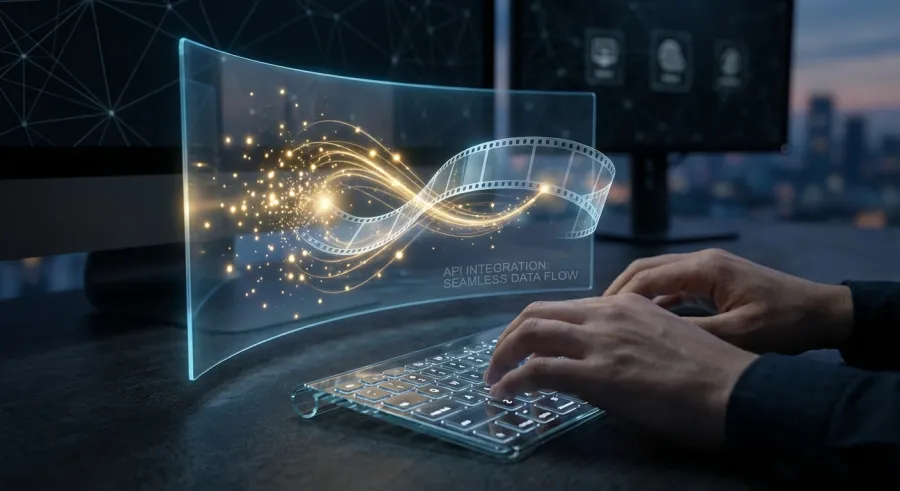
If you are a developer, the API integration is where the real power lies. Integrating the wan2.2-animate API into your application allows for high-throughput video generation. You can check the technical wan2.2-animate model specifications to see exactly how the parameters handle different resolution scales.
Prompt Adherence In Wan2.2-Animate
We have all experienced the frustration of an AI ignoring half our prompt. You ask for a "blue hat," and you get a "red cat." With wan2.2-animate, that friction is significantly reduced. It has a high semantic understanding of complex descriptions, which is vital for professional work.
This level of control allows for more creative freedom. When using wan2.2-animate, I found that I could describe specific lighting conditions or camera angles, and the model would actually respect them. This makes the wan2.2-animate API a formidable tool for automated content creation pipelines where precision is non-negotiable.
Compared to other models, wan2.2-animate doesn't just guess what you want. It analyzes the prompt tokens with a depth that ensures the generated video matches your creative vision. It’s about getting closer to the "one-shot" generation dream that every AI artist is chasing.
| Feature | Wan2.2-Animate Capability | Competitor Average |
|---|---|---|
| Visual Coherence | Very High | Medium |
| Prompt Accuracy | High | Medium-Low |
| Interpolation | 4X Professional Grade | Standard 2X |
| Length Limit | ~5 Seconds (Ideal) | ~3-10 Seconds |
Computational Requirements For Wan2.2-Animate
You can't run this on a potato. The wan2.2-animate model is resource-intensive. It demands a healthy amount of VRAM, especially if you are pushing for 720p or higher resolutions. This is the trade-off for such high visual quality in your AI projects.
For those without a server farm in their basement, using a cloud-based API is the way to go. You can track your wan2.2-animate API calls on a dashboard to manage costs. It’s often cheaper than burning through your own electricity and hardware life.
But even with the high requirements, the efficiency of the wan2.2-animate architecture is impressive. It manages to deliver superior results without being exponentially slower than its peers. It’s a balanced beast, designed for users who value the end result over a quick, low-quality preview.
Step-By-Step Walkthrough Of Wan2.2-Animate
Getting started with wan2.2-animate is easier than it looks, especially if you use ComfyUI. The modular nature of ComfyUI fits the wan2.2-animate workflow perfectly. You start by loading your checkpoints and setting up your text encoders to feed the model the right data.
For the best results, I recommend the Image-to-Video (i2v) approach. You start with a high-quality still image—perhaps generated by another AI model—and let wan2.2-animate breathe life into it. This gives you a grounded starting point for the animation, ensuring the characters look exactly how you want.
To see this in action, you should explore a specialized wan2.2-animate image-to-video workflow. This method allows you to control the initial composition while the AI handles the complex physics of movement, like flowing hair or swaying trees.
Setting Up Your First Wan2.2-Animate Workflow
First, ensure you have the correct LoRAs. Many users have found that a 4-step LoRA can speed up wan2.2-animate significantly, though it might introduce slight artifacts. If you are after pure quality, stick to the standard sampling steps to let the model work its magic.
Next, configure your sampler. I’ve found that the Euler or DPM++ samplers work exceptionally well with wan2.2-animate. Keep your CFG scale moderate; pushing it too high can make the video look "deep-fried." Around 7.0 to 9.0 is usually the sweet spot for balanced AI video.
Finally, consider the output resolution. While wan2.2-animate can handle various aspects, sticking to standard 16:9 or 9:16 for social media is best. The model has been trained extensively on these formats, ensuring that the motion stays within the frame without awkward cropping or stretching.
- Download the wan2.2-animate weights from a trusted repository.
- Install the latest ComfyUI nodes for Wan support.
- Use a high-quality source image for i2v tasks.
- Adjust your motion bucket settings to control the intensity of movement.
- Monitor your GPU temperature—this model works hard!
Optimizing The Wan2.2-Animate API Experience
If you're integrating this into a website or app, efficiency is everything. GPT Proto offers a unified API interface that makes calling models like wan2.2-animate incredibly simple. You don't have to worry about the underlying hardware; you just send the prompt and get the video.
One major advantage here is the cost. With GPT Proto, you can get up to a 70% discount on mainstream AI APIs. This makes running a production-level wan2.2-animate service much more viable for startups and independent developers who need to manage a tight budget.
You should get started with the wan2.2-animate API by reading the documentation. It covers everything from authentication to handling the multi-modal outputs. Having a single point of access for OpenAI, Google, and wan2.2-animate models is a massive time-saver for any developer.
Common Mistakes & Pitfalls With Wan2.2-Animate
The most common mistake I see with wan2.2-animate is people trying to generate 30-second clips in one go. Here is the cold, hard truth: the model is currently optimized for about 5 seconds. Anything beyond that, and the physics start to fall apart. You get "dream logic" where limbs disappear.
Another pitfall is ignoring the resource consumption. People try to run wan2.2-animate on 8GB of VRAM and wonder why their system crashes. This model is a beast. If you don't have the local hardware, don't force it. Use an API service to offload the heavy lifting to professional servers.
Then there is the audio issue. Native wan2.2-animate does not support sound. I’ve seen beginners get frustrated when their MP4 files are silent. You need to handle audio post-generation using a separate AI or traditional editing software. It’s a small extra step, but an important one.
Troubleshooting Motion Artifacts In Wan2.2-Animate
If your videos look like they are in slow motion, you likely have an issue with your LoRA or sampler settings. Specifically, the PainterI2V workflow is known to fix many of these slow-mo bugs in wan2.2-animate. It’s all about fine-tuning the motion scale to match the frame rate.
Sometimes, wan2.2-animate can produce "ghosting" where a character leaves a trail behind them. This usually happens when the motion bucket is set too high. Dial it back. Less is often more when it comes to believable AI movement. You want subtle realism, not chaotic flickering.
Also, watch your prompts. If your prompt is too contradictory, wan2.2-animate will struggle. If you ask for a "fast-moving car parked in a garage," the model might glitch. Be clear, be concise, and let the wan2.2-animate model interpret the physics naturally without over-complicating the scene.
"I've found that keeping sequences short and stitching them together in post-production leads to the most professional results with wan2.2-animate."
Resource Management For Wan2.2-Animate API Users
Managing your API usage is crucial if you're running a high-volume project. It's easy to get carried away and burn through your credits. I recommend setting up alerts so you know when you've hit a certain threshold of wan2.2-animate generations for the day.
You can flexible pay-as-you-go pricing models are great because you only pay for what you actually use. This prevents the "subscription trap" where you pay for idle time. It's the most efficient way to access high-end AI power without the massive upfront investment.
And remember, the wan2.2-animate model is constantly being updated by the community. What feels like a limitation today might be fixed in a new workflow tomorrow. Stay connected to the Discord and Reddit groups to see how others are overcoming the current technical hurdles of the model.
Expert Tips & Best Practices For Wan2.2-Animate
If you want to move from "decent" to "professional" videos, you need to master the SVI Pro workflow. It’s widely considered the gold standard for creating longer content with wan2.2-animate. It works by intelligently tiling and processing segments to prevent the quality from tanking after the 5-second mark.
Another tip: always use a high-quality VAE. The standard ones are okay, but there are custom versions optimized for wan2.2-animate that produce much cleaner colors and deeper blacks. It’s a small change that makes a huge difference in the final look of your AI video.
Don't be afraid to experiment with negative prompts. While wan2.2-animate is great at following instructions, explicitly telling it what *not* to do (like "deformed hands" or "blurry background") can help refine the final output significantly. It's about steering the AI in the right direction.
Advanced Workflow Integration With Wan2.2-Animate
Integration is where the magic happens. Many pros are now using wan2.2-animate in conjunction with ControlNet. This allows you to guide the motion using a depth map or an edge map, giving you director-level control over how a character moves across the screen.
For those using the wan2.2-animate API, consider using smart scheduling. If you're building an app, you can choose "performance-first" for quick previews and "cost-first" for final high-quality renders. This level of granularity is what makes the GPT Proto platform so useful for modern AI development.
Also, keep an eye on your frame rate. Generating at 24fps or 30fps is standard, but wan2.2-animate can sometimes handle higher rates if you use the right interpolation nodes. Just remember that higher frame rates mean more compute time and higher API costs per second of video produced.
You can also learn more on the GPT Proto tech blog about how to combine different models. For instance, using a Qwen model to generate a rich, descriptive prompt before feeding it into wan2.2-animate can result in much more creative and visually stunning animations.
The Role Of LoRAs In Wan2.2-Animate
LoRAs are your secret weapon. Whether you want a specific art style—like anime or hyper-realism—or you need to fix a specific problem like slow-motion glitches, there is likely a LoRA for it. The wan2.2-animate ecosystem is rapidly expanding with these modular additions.
I suggest starting with a small collection of high-quality LoRAs and learning how they interact with the base model. Too many LoRAs at once will "break" the model's physics. It’s a delicate balance. One well-tuned LoRA is worth more than ten poorly configured ones in your wan2.2-animate pipeline.
And finally, don't ignore the importance of upscaling. Generating at a lower resolution and then using an AI upscaler can often be faster and produce cleaner results than trying to generate a 4K video directly within wan2.2-animate. It's a classic workflow trick that saves both time and VRAM.
What's Next For Wan2.2-Animate
The road doesn't end here. The developers are already teasing Wan 2.7, which promises to address almost every limitation we've discussed. We are talking about native audio support, longer video durations, and even better visual fidelity. The wan2.2-animate model is just the beginning.
We are seeing a move toward more "all-in-one" models where text, image, video, and audio are handled by a single architecture. While wan2.2-animate is specialized, the lessons learned from its prompt adherence and interpolation are being baked into the next generation of AI tools.
For now, wan2.2-animate remains a top-tier choice for those who care about quality. It has carved out a niche for itself as the "cinematic" model of the open-source world. It’s not the fastest, and it’s not the cheapest to run locally, but the results speak for themselves.
Future Updates And The Wan2.2-Animate Roadmap
The roadmap for the Wan series is aggressive. With a major upgrade planned for release soon, the community is working overtime to ensure the current workflows will be compatible. This kind of longevity is why I recommend investing time in learning wan2.2-animate now.
If you're using the API, these updates usually happen behind the scenes. You'll wake up one day and find that your wan2.2-animate calls are suddenly faster or better. That's the beauty of using a unified platform; you get the benefits of the latest research without having to manually update your server every week.
So, is it worth the effort? Absolutely. If you want to be at the forefront of AI video, you need to be familiar with this model. It’s a powerful, flexible, and high-quality tool that is setting the standard for what open-source animation can achieve.
Staying Ahead With Wan2.2-Animate
The best way to stay ahead is to keep experimenting. Join the community forums, share your results, and don't be afraid to break things. The most innovative uses of wan2.2-animate haven't even been discovered yet. You might be the one to figure out a new way to use it.
And if you're looking for a reliable way to access these models without the headache of local setup, browse wan2.2-animate and other models on GPT Proto. It’s the easiest way to jump straight into creation and leave the technical infrastructure to someone else. The future of video is here, and it looks incredible.
Keep an eye on the industry. Things move fast. But for today, wan2.2-animate is the king of the hill for high-fidelity, prompt-accurate video generation. Grab your prompts, fire up your workflows, and see what you can create. The only limit is your imagination—and maybe your VRAM.
Written by: GPT Proto
"Unlock the world's leading AI models with GPT Proto's unified API platform."


