


PRICE
Per Time
INPUT
text
OUTPUT
video
Input
Output

{}Examples
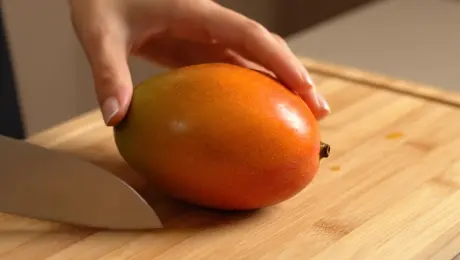



Veo 3 Pro API: Professional Video Generation and Character Consistency
If you've been tracking the rapid evolution of video generation, Veo 3 Pro is likely already on your radar. I've spent the last few weeks putting this model through its paces at GPTProto, and the results suggest a shift in how we approach automated storytelling. You can explore all available AI models to see how this fits into your current stack, but for those focused on narrative continuity, Veo 3 Pro offers features that many competitors still struggle to implement.
What Makes Veo 3 Pro Stand Out in the Video API Market?
Veo 3 Pro isn't just another video generator; it's a tool designed for creators who need more than just a random pretty clip. The model specializes in producing 8-second segments at 720p resolution. While some might chase 4K, the 720p output from Veo 3 Pro is crisp and highly usable for social media and marketing prototypes. The real draw here is the built-in audio. Unlike other models where you have to hunt for a separate sound effect ai, Veo 3 Pro generates the visual and the audio in a single pass, which significantly cuts down on post-production time.
"The character consistency in Veo 3 Pro is a significant leap forward for independent creators. It allows for a level of narrative control that was previously reserved for high-budget animation studios."
When you use the Veo 3 Pro api through our platform, you gain access to a system that understands complex scene setups. Many users find that the model excels at storyboarding and character generation, allowing you to build a visual bible before you even hit 'generate' on the final video segments. It is this structured approach that makes Veo 3 Pro a professional-grade tool rather than a toy.
How to Get the Best Results From Veo 3 Pro Prompts
One of the most effective ways to use Veo 3 Pro is by mastering its specific prompting logic. Unlike standard LLMs, this model thrives on structure. I recommend keeping your prompts under 600 characters to ensure the ai doesn't lose the thread. A professional tip I've discovered is using double slashes to break up your scenes. For instance, a prompt like 'morning coffee shop // customer walks in // steam rises from cup' helps Veo 3 Pro understand the temporal flow of the 8-second clip.
Character consistency is another area where Veo 3 Pro shines. To maintain a specific look across multiple clips, you should upload a reference photo. This ensures that your branding or specific protagonist remains identical from scene to scene. You can check out the latest Veo 3 Pro news and updates to see how other studios are implementing these character-matching techniques in their workflows.
Veo 3 Pro vs Standard Video Models on GPTProto
When choosing a model, cost and stability are usually the top concerns for developers. Veo 3 Pro is a premium tier model, and for good reason. Below is a comparison of how it stacks up against more basic options available in our dashboard.
| Feature | Veo 3 Pro | Standard Video AI |
|---|---|---|
| Max Clip Length | 8 Seconds | 4 Seconds |
| Audio Integration | Built-in Synchronized | None / Manual |
| Character Consistency | High (via Ref Image) | Low / Variable |
| Typical Resolution | 720p | 480p / 576p |
| Prompt Logic | Multi-scene (//) | Single Phrase |
As you can see, the value proposition of Veo 3 Pro lies in its complexity and the length of the generated content. If you are building a commercial application, the extra cost is justified by the reduction in manual editing. You can manage your API billing directly to ensure you have the credits needed for these high-resource generations.
Why Developers Are Switching to Veo 3 Pro for Production APIs
Stability is the backbone of any production environment. At GPTProto, we provide a layer of reliability for the Veo 3 Pro api that allows you to scale without worrying about direct vendor downtime. Our users often report that while the raw cost of a 5-minute video might hover around $70 using Veo 3 Pro, the time saved in character rigging and sound design makes it the cheaper option in the long run. To get started, you can read the full API documentation which covers everything from authentication to webhooks for video delivery.
For those looking to expand their capabilities further, we suggest checking out our AI-powered image and video creation tools. Integrating Veo 3 Pro into a larger workflow that includes image generators and LLMs for scriptwriting creates a powerful end-to-end production house. You can also stay informed with AI news and trends to see when new updates to the Veo 3 Pro model are rolled out, as Google frequently updates the underlying architecture to improve temporal stability.
Final Thoughts on the Veo 3 Pro Ecosystem
Is Veo 3 Pro perfect? No. Some users find the UI of the native tools frustrating, and the 720p limit is a bottleneck for film-grade work. However, for 90% of web content, marketing videos, and rapid prototyping, Veo 3 Pro is currently the model to beat. Its ability to handle storyboarding, character generation, and scene setup within a single ecosystem is impressive. If you want to start earning while you build, don't forget to join the GPTProto referral program and share your Veo 3 Pro workflows with your network.

Veo 3 Pro Real-World Applications
How businesses and creators are leveraging the power of Veo 3 Pro.

Automated Social Media Video Production
Challenge: A digital marketing agency needed to produce 50+ unique video ads weekly with a limited budget. Solution: They implemented the Veo 3 Pro API to automate scene generation using structured prompts and consistent character assets. Result: Production time dropped by 70%, and the agency was able to scale their output without increasing headcount.

Consistent Character Branding for Education
Challenge: An e-learning platform wanted an animated mascot to guide students through various lessons, but manual animation was too slow. Solution: They used Veo 3 Pro's reference image feature to keep the mascot consistent across hundreds of short instructional clips. Result: The platform launched a fully animated course in record time with a uniform visual identity.

Rapid Pre-Visualization for Film Studios
Challenge: A production house spent too much time in the storyboarding phase, delaying actual filming. Solution: They utilized Veo 3 Pro to generate 'living storyboards' with synchronized audio to give directors a better sense of pacing and scene flow. Result: The pre-production phase was shortened by three weeks, saving thousands in labor costs.
Getting Started with GPT Proto — Build with veo3 pro in Minutes
Follow these simple steps to set up your account, get credits, and start sending API requests to veo3 pro via GPT Proto.

Sign up
Create your free GPT Proto account to begin. You can set up an organization for your team at any time.

Top up
Your balance can be used across all models on the platform, including veo3 pro, giving you the flexibility to experiment and scale as needed.

Generate your API key
In your dashboard, create an API key — you'll need it to authenticate when making requests to veo3 pro.

Make your first API call
Use your API key with our sample code to send a request to veo3 pro via GPT Proto and see instant AI‑powered results.
Veo 3 Pro Frequently Asked Questions
Related Articles
More Blogs
Veo 3 Pricing: A Complete Guide to Google's AI Video Generator Costs 2026
Explore Veo 3 and Veo 3.1 pricing options including Google AI Pro ($19.99/mo), Ultra ($249.99/mo), and API rates from $0.10-$0.40/second. Find the best plan for your video creation needs.
Best AI Video Generation Models 2025: Explore the Power of AI
Discover the top AI video generation models in 2025. Compare pricing, explore free APIs, and find the best AI video generator for your needs with our guide.
Higgsfield AI: Transform Images into Viral Social Media Videos
Discover how Higgsfield AI revolutionizes social media video creation with cinematic effects. Turn static images into engaging videos instantly.
Introducing Vidu Q2: Advanced AI-Powered Video Creation
Create cinematic AI videos with Vidu Q2's natural expressions and smooth camera work. See how it compares to Sora 2 and turn images into video instantly.
User Reviews for Veo 3 Pro