PRICE
Per Time
INPUT
image
OUTPUT
video
Input
Output
{}Pricing Details
| Duration | Price |
|---|---|
3 | $0.2688 |
4 | $0.3584 |
5 | $0.448 |
6 | $0.5376 |
7 | $0.6272 |
8 | $0.7168 |
9 | $0.8064 |
10 | $0.896 |
Examples
If you're looking for the most fluid and realistic video synthesis available today, you need to explore all available AI models including the industry-leading Kling suite. This isn't just another filter; it's a deep temporal engine that understands physics and motion.
I've tested dozens of video models, but Kling consistently delivers where others stutter. The latest iterations, specifically from v1.5 through the powerhouse v2.6, show a massive leap in how the ai handles complex textures like hair, water, and fire. When you call the Kling api, you aren't just getting a video; you're getting a tool that respects your original image's integrity while adding realistic motion.
One of the biggest advantages of using the Kling image to video API is the flexibility in model selection. Whether you need the speed of the turbo versions or the cinematic quality of the pro mode, the api structure allows for fine-tuned control over output. This is vital for developers who need to manage costs while maintaining a high standard of visual output for their end-users.
"Kling has effectively solved the 'morphing' problem that plagued earlier AI video tools. Its ability to maintain character consistency across a 10-second clip is what makes it a production-ready asset."
When integrating the Kling api, you'll face a choice between 'std' and 'pro' modes. In my experience, 'std' is perfect for quick social media content or rapid prototyping. It's cost-effective and fast. However, if you are building something for a high-end marketing campaign or film pre-visualization, the 'pro' mode is non-negotiable. It offers better video quality, higher resolution, and fewer artifacts.
| Feature | Kling Standard (std) | Kling Professional (pro) |
|---|---|---|
| Best For | Social Media & Iteration | Commercials & High-End Content |
| Processing Speed | Fast | Moderate |
| Cost per Task | Optimized | Premium |
| Visual Fidelity | High | Ultra-High |
To start building your own applications, you can read the full API documentation and see how to toggle these modes within your request body. The ability to switch based on user needs is a major win for developers using GPTProto's infrastructure.
The real magic happens when you use the Motion Brush. Kling allows you to define up to six groups of dynamic masks. You can literally draw the trajectory you want an object to take. If you want a car to move from the bottom-left to the top-right, you provide the coordinates, and the Kling ai follows that path with surprising accuracy. This level of control is rare in the current ai api world.
Camera control is another area where Kling shines. Instead of hoping the ai moves the way you want, you can specify horizontal translations, vertical tilts, or even complex rolls. You can learn more on the GPTProto tech blog about how to format these camera movement protocols to get that perfect cinematic zoom-in or pan-left. Using the 'simple' camera movement type allows you to set values from -10 to 10 across six different axes, giving you director-level control over the virtual lens.
With the release of v2.6, Kling introduced something we've all been waiting for: integrated sound generation. Now, when you generate a video, you can specify a `voice_list` and set the `sound` parameter to 'on'. This means your video comes with a synchronized audio track, which is a massive time-saver for content creators. You no longer need to find a separate ai tool to add background noise or voices; Kling handles it all in one API call.
For those managing large-scale projects, you can monitor your API usage in real time to see how these v2.6 calls impact your balance. On GPTProto, we ensure you have flexible pay-as-you-go pricing, meaning you only pay for the videos you actually generate. There are no monthly credits that expire, just raw access to the Kling api whenever your project demands it. This stability is why we recommend checking the latest AI industry updates to see how Kling continues to outpace its competitors in terms of feature releases and api stability.

Discover how businesses are utilizing Kling's powerful video generation capabilities.
Challenge: A marketing agency needed to produce hundreds of unique 5-second video ads per week from static product shots. Solution: They integrated the Kling API into their workflow, using the 'std' mode for rapid generation and automated text prompts for consistent styling. Result: They reduced production time by 80% and were able to scale their ad output without hiring additional video editors.
Challenge: An online furniture retailer wanted to show how their products would look in a real home setting without expensive photoshoots. Solution: By using the Kling model's image to video capability, they turned 2D catalog photos into 10-second cinematic clips of a camera panning around the furniture. Result: Customer engagement on product pages increased by 45%, and return rates dropped because users had a better sense of the product's scale.
Challenge: A small animation studio needed to storyboard a complex chase scene but didn't have the budget for full 3D animatics. Solution: They used Kling v2.6 and the Motion Brush feature to define exactly how characters and vehicles should move across the frame from concept sketches. Result: The studio was able to lock in camera angles and movement patterns before starting expensive production work, saving thousands in revision costs.
Follow these simple steps to set up your account, get credits, and start sending API requests to kling video o1 pro via GPT Proto.

Sign up

Top up

Generate your API key

Make your first API call

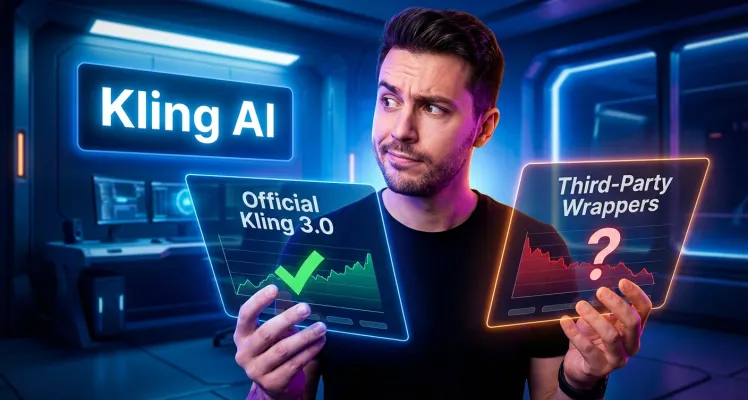
Kling 3.0 delivers unmatched video realism, but confusing pricing and strict censorship get in the way. Find the best access point for your next project.

Discover Kling O1, the world's first unified AI video model combining generation and editing. Learn features, use cases, and how this "video world's Nano Banana" is transforming content creation.

Kling 2.6 debuts synchronized audio-visual generation, creating complete videos with dialogue, sound effects, and ambient audio in one step. Explore features, examples, and practical applications.

Discover Kling 2.5, the latest AI video generator with improved motion physics, enhanced quality modes, and cost-effective pricing.
User Reviews and Experiences with Kling