What This a2e Tool Does
The world of generative video is moving fast, and a2e has carved out a specific niche for users who want high-end results without needing a massive GPU rig at home. At its core, a2e is a browser-based platform that aggregates powerful models to create, manipulate, and enhance digital media.
It is not just a single-purpose tool. Instead, a2e acts as a creative suite where you can bounce between generating a talking avatar and upscaling a video to 4K. It bridges the gap between complex open-source models and the average creator who just wants things to work.
The Core Functionality of a2e
Most people land on a2e because they have a static image they want to bring to life. The image-to-video pipeline in a2e is designed to be intuitive, allowing for quick motion generation that actually follows the contours of your original file. It’s about movement that makes sense.
Beyond simple motion, a2e handles face swapping and voice cloning. This makes it a comprehensive tool for those creating social media content or short films. You can take a base video and use a2e to swap in a specific persona or sync audio with a synthesized voice effortlessly.
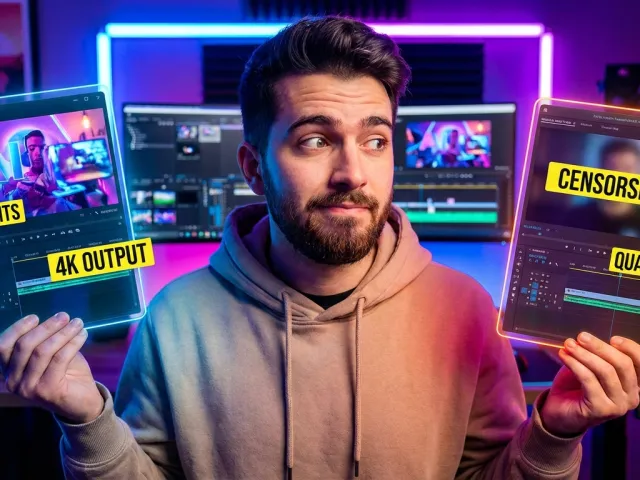
The platform also supports high-fidelity output. We aren’t talking about blurry 480p clips here. With a2e, you can push for 4K quality, which is essential if you plan on using these clips in professional projects or high-definition social feeds. It’s a serious tool for serious creators.
Why a2e Stands Out
What makes a2e interesting is how it integrates third-party models. You aren’t stuck with just one proprietary engine. Within the a2e interface, you can often find options that leverage tech like Kling 3.0 or Wan 2.6. This variety gives you multiple "looks" for your content.
Speed is another factor. While local AI generation can take ages on consumer hardware, a2e processes these tasks in the cloud. You get fast generation times, which is a massive relief when you’re iterating on a specific creative vision and don’t want to wait an hour per clip.
A2E.ai provides daily free credits that can build up, making it accessible for regular use. This flexibility is a breath of fresh air in an industry that often locks everything behind a steep monthly paywall.
How to Get Started with a2e
Getting your feet wet with a2e is surprisingly straightforward. You don’t need to download any heavy software or configure Python environments. You just sign up, and the a2e dashboard presents you with your available credits and the various modules you can start experimenting with immediately.
The initial learning curve for a2e is shallow. Most of the complexity is hidden behind a clean user interface. You’ll spend most of your time in the sidebar where the main tools live. Whether it's the image generator or the video editor, a2e keeps the workflow logical.
Navigating the a2e Credit System
The credit system is the lifeblood of a2e. Every time you generate a video or perform a face swap, you consume a set amount of coins. One of the best things about a2e is that it offers daily free credits that actually accumulate if you don't use them.
This means if you log in to a2e every day but only work on weekends, you’ll have a healthy stash of coins waiting for you. However, keep an eye on the costs. Some advanced a2e features, like the high-resolution image-to-video conversion, might require more credits than a simple face swap.
| Feature |
Relative Cost |
Output Quality |
| Image to Video |
Medium |
Up to 4K |
| Face Swap |
Low |
Variable |
| Voice Cloning |
Low |
High Fidelity |
| 4K Upscaling |
High |
Premium |
Setting Up Your First a2e Project
To start, I recommend using a2e to animate a simple portrait. Upload a high-quality JPG, and select the image-to-video option. You’ll notice that a2e asks for a prompt. This isn't just a suggestion; it's how you tell the AI exactly what should move and how.
If you’re feeling lazy, a2e has a built-in prompt generator. You give it a basic idea, and the a2e engine expands it into a descriptive paragraph that the video model can actually understand. This "translator" feature is a massive help for beginners who struggle with technical prompting.
Once you hit generate, a2e puts your task in a queue. Depending on server load, your video is usually ready in a minute or two. You can then download it directly from a2e or push it into the next tool, like the face swapper, to continue your workflow.
Key Features Walkthrough for a2e
The real power of a2e lies in its specialized modules. It’s not a "one size fits all" button; it’s a toolbox. Each tool within a2e is tuned for a specific result. Understanding which one to use for your specific project is the key to getting your money's worth.
For example, the a2e face swap function is designed for realism. It tries to map the lighting and shadows of the source video onto the new face. While no AI tool is perfect, a2e does a better job than many free apps found on mobile stores today.
Mastering the a2e Image to Video Tool
The image-to-video tool in a2e is likely where you will spend most of your time. It’s incredibly satisfying to see a landscape or a character start to breathe. In a2e, you can control the "motion bucket," which essentially tells the AI how much movement to inject.
Low motion settings in a2e are great for subtle things like wind in hair or blinking eyes. High settings are better for dynamic action. But here is the catch: high motion in a2e can sometimes lead to "hallucinations" where the limbs or background start to warp strangely.
To avoid this, use the a2e prompt generator to specify what should stay still. If you tell a2e "the background remains static while the character waves," you’ll get a much cleaner result. It’s about guiding the a2e engine rather than just letting it guess what you want.
Exploring Face Swaps and Voice Cloning in a2e
Face swapping on a2e is a hit-or-miss game, but when it hits, it’s impressive. It works best when the head angles match. If you try to swap a profile view onto a front-facing video, a2e might struggle with the perspective, leading to some "uncanny valley" moments.
Then there is the voice cloning. You can upload a short clip of a voice, and a2e will attempt to mimic the tone and cadence. When combined with the talking avatar feature, a2e allows you to create full video presentations without ever stepping in front of a camera.
The combination of these tools is where the magic happens. You can generate an image, turn it into a video, swap the face, and then add a cloned voice—all within the a2e ecosystem. It’s a complete production line for digital personas that saves hours of manual editing.
Real-World Use Cases for a2e
So, who is actually using a2e? It’s not just for making memes. Small-scale creators are using a2e to build B-roll for their YouTube channels. If you need a five-second clip of a futuristic city but don't have the budget for stock footage, a2e is a lifesaver.
Advertisers are also dipping their toes into a2e. Creating multiple versions of an ad with different faces or localized voices is much cheaper with a2e than filming multiple shoots. It’s an efficiency play that is becoming more common as AI video quality improves across the board.
Maximizing a2e Output Quality
To get the best out of a2e, you need to think about your input. If you give a2e a grainy, low-res photo, the video output will look like a mess. Always start with the highest resolution image possible before running it through the a2e motion engine.
Another tip is to use the a2e 4K upscaler at the end of your process. Even if the initial generation is a bit soft, the upscaler in a2e can sharpen the details and make the final product look much more professional. It’s the "finishing touch" that many users forget to use.
If you're managing multiple models or need to integrate these outputs into a larger software project, you might find that using a dedicated API for a2e-style models is more efficient. This allows you to automate the generation process without manually clicking buttons in the dashboard.
Advanced Prompting with a2e
Experienced a2e users know that the prompt is everything. You can't just type "cat running" and expect a masterpiece. You need to describe the lighting, the camera angle, and the style of the cat. In a2e, the more specific you are, the less the AI has to guess.
Use technical terms like "cinematic lighting," "8k resolution," and "depth of field" in your a2e prompts. These keywords act as triggers for the model to prioritize certain visual elements. It’s almost like talking to a director who needs very specific instructions to get the shot right.
Don't be afraid to experiment with negative prompts in a2e if the interface allows it. Telling the a2e tool what NOT to include—like "extra limbs" or "blurry textures"—can significantly increase the success rate of your generations. It’s all about refining the output until it matches your vision.
a2e Limitations and Alternatives
Let’s be honest: no tool is perfect, and a2e has its fair share of friction. One of the biggest complaints from long-time users is the increasing level of moderation. Content that used to fly on a2e is now often flagged as "inappropriate," even when it’s relatively tame.
There is also the issue of "quality drift." Some users have noted that as a2e becomes more popular, the generation quality occasionally dips, perhaps due to server load or model tweaks. It’s something to keep in mind if you are relying on a2e for time-sensitive professional work.
Addressing a2e Moderation and Censorship
The censorship in a2e can be frustrating if you’re trying to create edgy or artistic content. The filters are quite sensitive, and you might find your prompt blocked for seemingly no reason. This is a common trend among web-based AI tools, but it’s particularly noticeable in the current version of a2e.
If you hit a wall with a2e moderation, you have to decide whether to adjust your creative direction or move to a different platform. Some users suggest being more subtle with your prompts in a2e to bypass overly aggressive filters, but that’s a game of cat and mouse that can get old fast.
- Avoid explicit keywords that trigger auto-blocks in a2e.
- Use metaphorical language to describe scenes.
- Focus on the artistic style rather than the specific subject matter.
- Check the a2e community forums for "safe" prompt alternatives.
Finding a2e Alternatives
If the limitations of a2e are a dealbreaker, there are other fish in the sea. Some Redditors point toward tools like Brainbaby, which might have different moderation standards or pricing models. Others prefer running stable diffusion models locally to avoid censorship and credit costs entirely.
However, running things locally requires a beefy PC. If you want the convenience of a2e but need more control or better pricing, you should explore all available AI models through aggregator platforms. These can sometimes offer the same underlying tech as a2e but with different interface rules.
Another shift in the a2e landscape is the cost. Recently, a2e started charging coins for the Image to Video feature that used to be unlimited for certain tiers. This kind of "pricing creep" is common, but it's a good reason to keep an eye on your flexible pay-as-you-go pricing options elsewhere to ensure you're getting the best deal.
Is a2e Worth It?
Here’s the thing: a2e is a powerful tool for people who value their time. If you want to take an image and turn it into a high-quality video in under five minutes, a2e delivers. The integration of 4K output and diverse models makes it a versatile choice for most creators.
But if you’re looking for a completely uncensored environment or a tool that never changes its pricing structure, you might find a2e a bit frustrating. It’s a commercial platform that has to answer to moderators and cloud hosting costs, which dictates how the a2e experience feels today.
Final Thoughts on a2e
For the average user, the daily free credits in a2e make it a no-brainer to at least try. You can get a lot done with the daily allowance without ever opening your wallet. If you find yourself needing more, the a2e paid tiers are competitive, though the recent changes in what’s "free" are worth noting.
If you're a developer or a high-volume creator, you might want to track your AI API calls across multiple platforms. While a2e is great as a standalone web tool, the future of content creation is often about mixing and matching different APIs to get the absolute best result for the lowest cost.
Ultimately, a2e remains a top contender in the generative video space. It’s easy to use, fast, and produces results that look great on a screen. Just be prepared to work within its moderation rules and keep an eye on your credit balance as you explore everything a2e has to offer.
So, should you use it? Yes, especially for the image-to-video and face swap features. Just don't expect it to be a magic wand for everything. Like any tool, a2e requires a bit of skill and a lot of experimentation to truly master.
Written by: GPT Proto
"Unlock the world's leading AI models with GPT Proto's unified API platform."