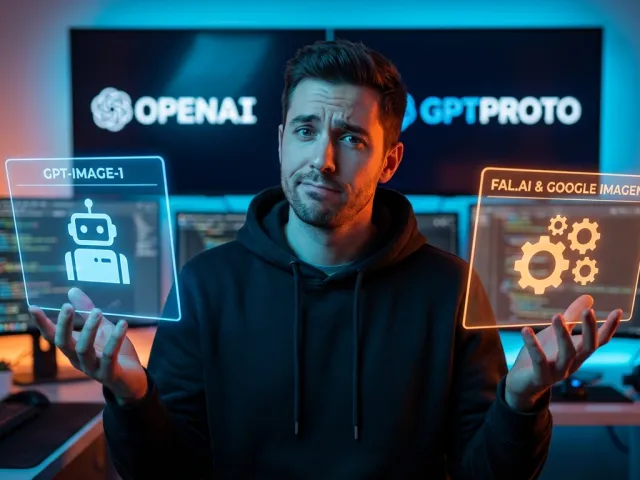
The transition from chatting with an interface to building with an engine defines the current era of software development. For many creators, the gpt-image-1 API represents the logical next step in that journey. It promises the ability to generate stunning visuals programmatically within custom applications.
However, moving from a web-based chat box to a functional gpt-image-1 API integration is rarely a straight line. Developers often face unexpected hurdles regarding output quality and latency. Understanding the nuances of this specific gpt-image-1 API is essential for anyone trying to automate creativity at scale.
Reddit threads and developer forums are currently buzzing with raw feedback about the gpt-image-1 API. Some users find it revolutionary for rapid prototyping. Others complain that the results do not always match the polished output of consumer-facing web tools. This gap is where expertise becomes vital.
In this guide, we will analyze the technical realities of the gpt-image-1 API. We will also explore how it stacks up against competing models in a crowded market. Whether you are building a simple GUI or a complex marketing engine, the right API strategy is your most important asset.

Getting Started with gpt-image-1 API Integration
The first hurdle for any developer is the initial handshake between their code and the gpt-image-1 API. Integrating an image-generation API into a modern stack requires more than just an endpoint. You need a robust environment that can handle heavy payloads and asynchronous responses.
One community developer recently demonstrated how accessible the gpt-image-1 API can be. They built a functional GUI using Nuxt.js in just three minutes. This highlights a core strength: the gpt-image-1 API is designed for quick implementation. You do not need a massive infrastructure to see results.
When you start your gpt-image-1 API project, focus on clean architecture. Use environment variables for your secrets and ensure your front-end can handle loading states. Since the gpt-image-1 API generates high-resolution files, your application must manage data transfers efficiently to avoid crashing user browsers.
Experience shows that most integration failures with the gpt-image-1 API stem from poor error handling. If the API is under heavy load, your app needs to know how to retry. A well-designed wrapper for the gpt-image-1 API makes your entire project feel much more professional and reliable.
Setting Up Your First gpt-image-1 API Project
To begin, you must secure your credentials for the gpt-image-1 API. Most providers offer a dashboard where you can monitor your usage in real time. This is critical because every call to the gpt-image-1 API carries a cost, and runaway loops can be expensive.
Once you have your key, test the gpt-image-1 API with a simple CURL command. This ensures your network can reach the server. Many developers then move to a library-based approach. Using a dedicated SDK for the gpt-image-1 API can simplify the process of sending complex image prompts.
"I gave myself 3 minutes to search for an open-source project to generate images locally with the API, but I found nothing, so I made one myself." - A developer on the speed of gpt-image-1 API adoption.
Your local environment should reflect the production settings of your gpt-image-1 API calls. If you plan to generate bulk images, consider using a queue system. This prevents your server from timing out while waiting for the gpt-image-1 API to finish its heavy computational work.
Documentation for the gpt-image-1 API is helpfully detailed, but practical experience is the best teacher. Start small with basic prompts before attempting to manipulate advanced parameters. The more you use the gpt-image-1 API, the better you will understand its specific aesthetic tendencies and limitations.
Addressing Quality and Performance in the gpt-image-1 API
A common complaint among developers is a perceived drop in quality when using the gpt-image-1 API compared to web interfaces. This "quality gap" can be frustrating for those expecting high-end results. However, the gpt-image-1 API often requires more precise prompt engineering to reach peak performance.
Web interfaces often apply "hidden" prompt enhancements that the gpt-image-1 API might not include by default. When you send a raw request to the gpt-image-1 API, you are getting the model in its purest form. This means you have more control, but also more responsibility for the outcome.
Performance latency is another factor to consider with the gpt-image-1 API. Generating a high-fidelity image takes time. If your app requires instant feedback, the gpt-image-1 API might need to be paired with a caching layer or a lower-resolution preview mode to keep users engaged.
Some users have described gpt-image-1 API results as "absolute garbage" in specific contexts like infographics. This suggests that the gpt-image-1 API might struggle with fine text or complex layouts compared to newer versions. Always benchmark the gpt-image-1 API against your specific needs before committing to a full build.
If you find the gpt-image-1 API lacking, don't give up immediately. Adjusting parameters like temperature or guidance scale can dramatically change the output. The gpt-image-1 API is a tool that rewards those who take the time to tune it for their specific use case.
Troubleshooting gpt-image-1 API Output Issues
If your gpt-image-1 API outputs are blurry, check your resolution settings. The gpt-image-1 API defaults to specific dimensions that might not suit your UI. Increasing the resolution through the gpt-image-1 API parameters can often solve clarity issues, though it may increase the cost per call.
Another common fix for gpt-image-1 API quality is negative prompting. This tells the gpt-image-1 API what to avoid. By specifying "no blur" or "high contrast" in your gpt-image-1 API requests, you can guide the model toward a more professional aesthetic that rivals web-based tools.
| Issue |
gpt-image-1 API Fix |
Expected Result |
| Low Detail |
Increase guidance scale |
Sharper, more focused subjects |
| Artifacts |
Use negative prompts |
Cleaner backgrounds and edges |
| Slow Response |
Lower resolution preview |
Faster perceived performance |
Consistent testing is the only way to master the gpt-image-1 API. Create a script that runs the same prompt through the gpt-image-1 API with different variables. This data-driven approach allows you to find the "sweet spot" where the gpt-image-1 API delivers the best possible quality for your budget.
Don't ignore the importance of API versioning. If the gpt-image-1 API updates, your prompts might need to change. Keeping a log of gpt-image-1 API version changes will help you maintain a stable product even as the underlying technology evolves rapidly in the current AI space.
Comparing the gpt-image-1 API to Industry Alternatives
No developer should work in a vacuum, and the gpt-image-1 API is not the only game in town. Depending on your needs, other options might offer better pricing or specialized features. Comparing the gpt-image-1 API to its peers is essential for making an informed business decision.
For instance, fal.ai has gained a reputation for low latency. If speed is your primary metric, you might find fal.ai outpaces the gpt-image-1 API in bulk generation. Their pricing models often target high-volume users, which can be a relief if your gpt-image-1 API bills are stacking up.
Google Imagen is another heavyweight that challenges the gpt-image-1 API. It is particularly attractive because it is often free for those with developer accounts. For startups on a shoe-string budget, starting with Imagen before migrating to the gpt-image-1 API can be a savvy financial move.
Then there is the specialized world of programmatic templates. Tools like Bannerbear work alongside LLMs to handle text and layout, tasks where the gpt-image-1 API sometimes falters. By combining the gpt-image-1 API with a layout engine, you can create professional assets that look hand-crafted.
Ultimately, the "best" API is the one that fits your specific workflow. Some developers prefer the gpt-image-1 API for its ecosystem and ease of use. Others prefer a multi-model approach to ensure they are always using the most efficient tool for every unique task within their application.
Specialized Alternatives for Image Workflows
When the gpt-image-1 API isn't the right fit for a specific task, look at niche providers. For image-to-image transformations, some developers suggest Grok. At a price point of roughly $0.02 per image, it offers a cost-effective alternative to the gpt-image-1 API for high-volume processing tasks.
Managing multiple keys for the gpt-image-1 API and these alternatives can become a logistical nightmare. This is why many teams are turning to unified platforms. For example, you can explore all available AI models through a single interface to see which one outperforms the others.
- fal.ai: Best for low latency and bulk pricing.
- Google Imagen: Excellent free tier for initial development.
- Bannerbear: Ideal for programmatic templates and complex layouts.
- Grok: Highly cost-effective for image-to-image use cases.
The gpt-image-1 API remains a top contender for general-purpose needs. However, the rise of specialized APIs means you can now build a "best-of-breed" stack. You might use the gpt-image-1 API for creative prompts and a different API for standardizing product photos for an e-commerce site.
By staying flexible, you protect your project from vendor lock-in. If the gpt-image-1 API pricing changes or its quality dips, having a fallback plan is vital. A diversified API strategy ensures that your application remains functional and cost-efficient regardless of shifts in the tech market.
Optimizing the gpt-image-1 API for Cost and Scalability
Scaling an app that uses the gpt-image-1 API requires a deep understanding of unit economics. If your user base grows, your gpt-image-1 API costs will grow linearly—or even exponentially—if you aren't careful. Efficiency in your gpt-image-1 API calls is the difference between a profitable app and a hobby project.
One way to save money with the gpt-image-1 API is to implement smart caching. If two users request the same visual, your system shouldn't call the gpt-image-1 API twice. By storing gpt-image-1 API results in a bucket, you can slash your overhead and improve response times for your users.
You should also monitor your token and image usage carefully. Many developers find that using a dashboard to monitor your API usage in real time prevents mid-month billing surprises. Keeping an eye on these metrics allows you to adjust your gpt-image-1 API logic before costs spiral out of control.
For enterprise-level scaling, consider unified access solutions. Platforms like GPT Proto offer up to 60% lower cost compared to official API pricing. This is achieved through volume discounts and smart routing. You can use the gpt-image-1 API when you need its specific style, but switch to cheaper models for routine tasks.
Using a single standardized interface across all model providers simplifies your codebase significantly. Instead of maintaining separate integrations for the gpt-image-1 API and its competitors, you can read the full API documentation for a unified setup. This reduces the technical debt associated with multiple API endpoints.
Maximizing Your Budget with Unified API Strategies
Unified platforms provide a safety net for developers using the gpt-image-1 API. If one model goes down, the system can automatically route your request to an equivalent model. This ensures that your gpt-image-1 API-dependent features never leave your users staring at a broken image icon.
Furthermore, these platforms allow you to switch between performance-first and cost-first modes. For high-end creative work, you can maximize the power of the gpt-image-1 API. For background tasks or internal tools, you can throttle the settings to prioritize saving money without sacrificing basic functionality.
"Using APIs can be costly, especially if you need to generate a large number of images. Services like Grok result in 1000 images for just $20." - A community tip on balancing API budgets.
Managing your finances is easier when you have flexible pay-as-you-go pricing. This model allows you to scale your gpt-image-1 API usage up during peak demand and down during lulls. It removes the pressure of high monthly minimums that some direct API providers might require.
In the long run, the gpt-image-1 API is just one piece of your technological puzzle. By treating it as a modular component within a larger, unified framework, you gain the agility needed to compete. Cost optimization is not just about spending less; it is about getting more value out of every gpt-image-1 API call.
The Future of Programmatic Creativity with the gpt-image-1 API
The gpt-image-1 API is part of a broader shift toward democratized content creation. As models become more efficient, the cost of generating high-quality visuals will continue to fall. This opens the door for small teams to build tools that would have required a massive design department just a few years ago.
We are seeing the gpt-image-1 API being used in fields like game development and personalized marketing. Imagine a game where the world's textures are generated on-the-fly via the gpt-image-1 API based on a player's actions. This level of dynamic content was impossible before the rise of the API economy.
However, the ethical landscape of the gpt-image-1 API and similar tools remains a topic of intense debate. Developers must be mindful of the data their gpt-image-1 API calls are processing. Ensuring that your gpt-image-1 API implementation respects intellectual property and community standards is essential for long-term viability.
As the gpt-image-1 API matures, we expect to see better support for fine-tuning. This would allow developers to train the gpt-image-1 API on their own specific brand assets. The result would be a version of the gpt-image-1 API that understands a company's unique visual language perfectly.
Staying informed is your best defense in this fast-moving field. You can find the latest AI industry updates to keep your gpt-image-1 API project ahead of the curve. The developers who thrive are those who never stop experimenting with the gpt-image-1 API and its emerging capabilities.
Practical Implications for Diverse User Types
The impact of the gpt-image-1 API varies depending on who you are. For a solo dev, the gpt-image-1 API is a "force multiplier" that handles the work of a graphic designer. For a large agency, the gpt-image-1 API is a tool for rapid brainstorming and client mood-boarding at an unprecedented scale.
Educators are also finding value in the gpt-image-1 API. It can be used to generate visual aids for complex topics instantly. By building apps that leverage the gpt-image-1 API, teachers can provide students with custom illustrations that cater to their individual learning styles and interests.
Even non-technical users are benefiting indirectly. As more apps integrate the gpt-image-1 API, the software we use every day becomes more intuitive and visually rich. The gpt-image-1 API is quietly powering a new generation of creative tools that make the internet a more colorful and engaging place.
In conclusion, the gpt-image-1 API is a powerful but complex tool. Success requires a balance of technical skill, prompt engineering, and financial management. By understanding the gpt-image-1 API within the context of the broader AI ecosystem, you can build something truly remarkable.
Don't be afraid to branch out and try new things. Whether you stick with the gpt-image-1 API or explore the wide world of unified APIs, the goal is the same. You are building the future, one API call at a time, and the gpt-image-1 API is a fantastic place to start your journey.
Original Article by GPT Proto
"Unlock the world's top AI models with the GPT Proto unified API platform."