Why You Need a Dedicated Image Describer
If you've ever stared at a blank screen trying to figure out how to explain a complex photo to a blind colleague or a search engine, you know the struggle. We used to do this by hand, but that doesn't scale. Now, a modern image describer handles the heavy lifting, turning pixels into nuanced prose in seconds.
But here is the thing: not all tools are built the same. Some give you a dry, one-sentence summary that helps nobody. Others, the ones we actually like using, dig into the lighting, the textures, and the hidden context. That is the difference between a basic AI and a specialized tool.
Whether you are a developer building an app or a creator trying to generate better prompts for Stable Diffusion, finding the right image describer changes your entire workflow. It is about more than just "seeing" the image; it is about understanding it. And trust me, some of these tools are getting scary good at understanding.
Using an image describer isn't just about convenience anymore. It’s about accessibility, SEO, and creative efficiency. If you are handling hundreds of assets a day, you can't afford to be the bottleneck. You need an automated partner that doesn't miss the small details that actually matter to your audience.
An image describer is no longer a luxury for big tech; it is a fundamental tool for anyone managing visual content in an AI-driven world.
Understanding the Power of an Image Describer
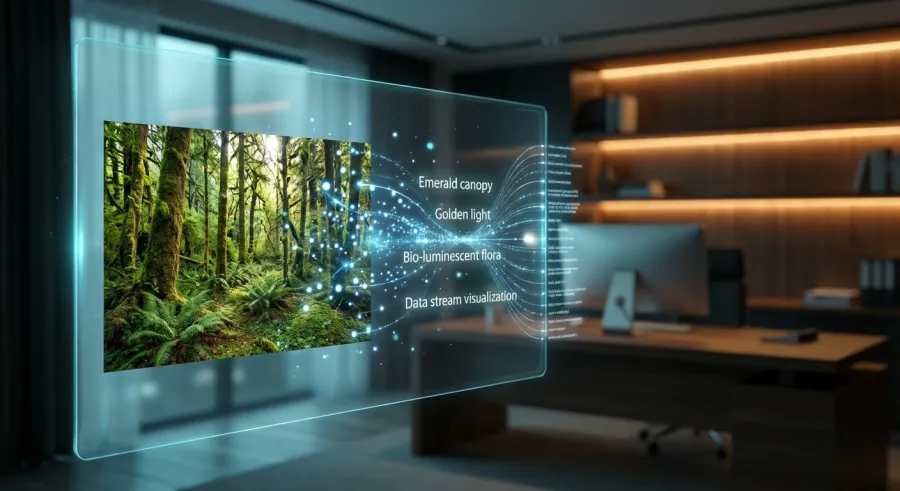
At its core, an image describer uses a vision-language model to bridge the gap between sight and text. You feed it a JPEG, and it spits out a string of descriptive tokens. But the real magic happens in how it interprets the "vibe" or the intent of the shot.
For instance, some tools like JoyCaption are specifically tuned for detail. If you want to know the exact shade of a sunset or the fabric of a jacket, this type of image describer is your best bet. It doesn't just say "a person," it says "a person wearing a weathered leather duster."
Then you have lightweight options. A tool like Florence2 is a fantastic image describer because it’s fast and doesn't eat up all your VRAM. It is built for efficiency, giving you exactly what you need for alt-text or basic indexing without the bloat of massive models.
The beauty of a specialized image describer is its versatility. You can use it to generate captions for social media, describe products for e-commerce, or even create the base prompts for your next AI art project. It’s a multi-tool for the digital age, and it’s finally becoming accessible to everyone.
How to Start Using an Image Describer Today
Getting started doesn't require a PhD in machine learning. In fact, most people start with browser-based tools. You can find an image describer hosted on platforms like Hugging Face, where you simply upload a file and wait a few seconds for the result. It is incredibly straightforward and often free.
But if you are a power user, you might want something more integrated. Many developers integrate an image describer directly into their workflow using an API. This allows for bulk processing, which is a life-saver if you are trying to tag an entire library of thousands of images at once.
I usually suggest people try a few different models first. Every image describer has its own "personality." Some are wordy and poetic, while others are clinical and precise. You need to figure out which style fits your specific needs before you commit to a long-term solution or a specific API.
Don't ignore the community-driven tools either. Some of the best advancements in image describer tech are coming from open-source contributors on GitHub. Tools like Image to Prompt are perfect examples of how a simple interface can hide a very powerful, highly-tuned AI engine that delivers professional results.
- Identify your primary goal (SEO, accessibility, or prompt engineering).
- Choose between a cloud-based web tool or a local installation.
- Upload a few test images with varying complexity.
- Compare the output quality and detail levels.
- Integrate the tool into your daily content pipeline.
Setting Up Your First Image Describer
If you choose a web-based image describer, the setup is basically zero. You just visit the site. However, if you want to run something like MiniCPM-V, you'll need a bit of local horsepower. Using a platform like Ollama makes this much easier than it used to be just a year ago.
Running an image describer locally is the way to go if you care about privacy. You don't have to worry about your private photos being uploaded to a random server. Plus, once it is set up, it’s usually faster because there’s no network latency to deal with during the processing.
When setting up, pay attention to the "system prompt" if the tool allows it. You can often tell your image describer to focus on specific things, like "focus on the technical lighting" or "describe the clothing in detail." This customization is where the real value lies for professionals.
For those who need to scale, checking out get started with the image describer API documentation is a smart move. It allows you to bypass the manual uploads and automate the entire descriptive process, which is essential for any serious commercial application or large-scale project.
Top Features to Look for in an Image Describer
When you are shopping around for an image describer, don't just look at the price tag. Look at the "vision" of the model. Some models are trained on artistic images, while others are trained on real-world photography. This training data dictates how the image describer "sees" your files.
Another big thing is the ability to answer questions. An advanced image describer like DeepSeek JanusPro doesn't just give you a block of text. You can actually ask it, "What brand of shoes is the person wearing?" and it will dig into the pixels to find the answer for you.
Speed is also a factor. If you are using an image describer in a live application, you can't have a five-second delay. You need something that responds in milliseconds. This is where lightweight models like SmolVLM shine—they are built to be snappy without sacrificing too much descriptive depth.
Finally, look for multi-modal flexibility. A great image describer should be able to handle different file types and resolutions. If it chokes on a vertical phone photo but works fine on a horizontal one, it’s going to annoy you eventually. Consistency is key in any professional tool you use.
| Feature |
Importance |
Why it Matters |
| Detail Level |
High |
Determines if the description is actually useful for users. |
| Inference Speed |
Medium |
Crucial for real-time applications and bulk processing. |
| Question Answering |
Medium |
Allows for deep dives into specific image elements. |
| Local Support |
High |
Essential for privacy and offline work. |
Technical Specs of a Quality Image Describer
The technical "size" of an image describer is usually measured in parameters, like 1b or 7b. Generally, a 7b model will be much smarter and more descriptive but will require more hardware. A 1b model is an image describer that can run on a potato, but it might miss subtle details.
Memory efficiency is another boring but vital spec. If your image describer takes up 12GB of VRAM, you might not be able to run it alongside your design software. This is why models like Florence2 are so popular—they offer a great balance of smarts and low hardware requirements.
And let's talk about the output format. A good image describer should give you options. Do you want a raw paragraph? A list of tags? JSON format for your database? Having a flexible output makes it much easier to pipe the data into other tools or websites without manual reformatting.
If you're looking for an API that aggregates these technical strengths, you can explore all available image describer models on GPT Proto. It simplifies the technical headache by providing a unified interface for multiple high-end vision models, ensuring you always have the right tool for the job.
Local vs. Hosted Image Describer Options
This is the classic debate: cloud vs. local. A hosted image describer is usually more powerful because it runs on massive server clusters. You get access to the "heavy hitters" without needing a $2,000 graphics card. It’s the easiest way to get high-quality descriptions instantly.
But the cloud has its downsides. You are at the mercy of their uptime, and you have to pay for every single image you process. For some, a hosted image describer is a recurring expense that adds up fast if you are doing high-volume work like cataloging a museum's digital archive.
On the flip side, running a local image describer like Qwen2.5-VL gives you total control. It is a one-time setup and then it’s "free" to run as much as you want. It’s also the only way to go if you are working with sensitive or proprietary visual data that cannot leave your network.
The choice really depends on your scale. If you're just doing a few dozen images a week, a hosted image describer is fine. If you're building a startup that processes millions of images, you might want to look at a hybrid approach or a dedicated API provider that offers better rates.
- Cloud Pros: Zero setup, highest accuracy, no hardware needed.
- Cloud Cons: Subscription costs, privacy concerns, requires internet.
- Local Pros: Total privacy, no per-image cost, works offline.
- Local Cons: Requires expensive GPU, harder to set up, slower on consumer gear.
Maximizing Privacy with a Local Image Describer
If you’re a professional photographer or an archivist, privacy isn't just a "nice to have." Using a local image describer ensures that your intellectual property stays on your machine. Tools like LM-Studio or Ollama allow you to run these models behind your own firewall with ease.
Models like Granite-Vision are particularly cool for this. They are designed to be efficient even without complex prompts. You just feed it an image, and the image describer gets to work, providing a decent scene breakdown without needing to "talk" to an external server at all.
But remember, local models require maintenance. You have to update them yourself and troubleshoot if the drivers break. It’s a bit more work, but for many, the peace of mind is worth it. Just make sure your hardware is up to the task before you dive in.
For those who want the power of the cloud but the simplicity of a single bill, you can manage your image describer API billing through a unified platform. It bridges the gap by giving you "cloud power" with a very transparent, pay-as-you-go model that keeps costs predictable.
Practical Workflows for an Image Describer
How do people actually use an image describer in the wild? One of the most popular uses is for "Image to Prompt" workflows. If you see a cool AI-generated image and want to know how it was made, you run it through an image describer to get the descriptive tags you need to replicate it.
Another massive use case is accessibility. Every image on the web should have alt-text for screen readers, but let's be honest, most don't. An image describer can automatically generate these descriptions, making the internet a more inclusive place for people with visual impairments without adding hours of manual labor.
And then there's the SEO angle. Google loves text. It can't "read" an image as well as it can read a paragraph. By using an image describer to generate detailed captions and alt-text, you are giving search engines more context to index, which can significantly boost your visibility in search results.
In the world of e-commerce, an image describer can help automate product listings. Instead of having a person type out "Red cotton t-shirt with a crew neck," the AI does it. It saves time, reduces human error, and ensures that every product has a consistent level of descriptive detail for potential buyers.
"We use an image describer to process thousands of archive photos. What used to take a team of three months now takes a single afternoon. The accuracy is high enough that we only have to spot-check."
Solving Problems with an Image Describer
One common problem is the "hallucination" factor. Sometimes an image describer will see something that isn't there, like a dog in a pile of laundry. This is why human oversight is still important. You use the AI to do 90% of the work, then a human does a quick 10% polish.
Another issue is "vague-ness." Basic models might just say "a building." A better image describer will say "a Gothic revival church with stained glass windows." If your tool is being too vague, try changing the model or adjusting the temperature settings in your API configuration.
Integration can also be a hurdle. If your image describer doesn't talk to your CMS, you are still doing a lot of copy-pasting. Look for tools that have plugins or robust APIs so the descriptions flow directly into your WordPress, Shopify, or custom-built database without any extra steps.
If you're running into performance bottlenecks, you should monitor your image describer API usage in real time. Keeping an eye on your metrics helps you identify if a specific model is taking too long or if you're hitting rate limits that are slowing down your creative or business pipeline.
The Final Verdict on Choosing an Image Describer
So, which image describer should you actually use? If you want the best possible detail and don't mind a bit of a wait, JoyCaption is fantastic. It’s specifically built for those high-quality descriptions that capture the nuance of a scene. It's a favorite for a reason.
If you are a developer looking for something light, fast, and reliable to bake into an app, Florence2 is hard to beat. It’s an efficient image describer that handles multiple tasks beyond just description, like object detection and cropping, making it a very versatile choice for technical projects.
But we also have to talk about the "truth" of it all. As some Redditors have pointed out, AI can be a threat to "cultural truths" if it mislabels historical or sensitive content. You have to use your brain. An image describer is a tool, not an absolute authority. Always keep a critical eye on the output.
Ultimately, the best image describer is the one that fits into your existing life without causing more stress. Whether that is a local setup for privacy or a robust API for massive scale, the tech is finally at a point where it is genuinely useful for everyday people and professionals alike.
If you want to try out the latest and greatest without the hassle of local installation, GPT Proto is a solid bet. They offer access to a huge range of vision models—including OpenAI’s latest and open-source giants—through a single, unified API. It’s the easiest way to find your perfect image describer without jumping through hoops.
Future Proofing Your Image Describer Choice
The field of vision models is moving incredibly fast. What is the "best" image describer today might be obsolete in six months. That is why I recommend using a platform that allows you to swap models easily. Don't lock yourself into one single piece of software if you can help it.
As models get smaller and more efficient, we'll likely see an image describer built into every camera and phone as a standard feature. We are moving toward a world where "alt-text" is generated at the moment the shutter clicks. It’s an exciting time to be working with visual media.
Keep an eye on models like DeepSeek JanusPro or Qwen-VL. These "vision-language-action" models are the future. They don't just describe; they can reason about what they see. That’s the next frontier for the image describer, and it’s going to change how we interact with the digital world forever.
And hey, if you want to stay on the pulse of these changes, you can always check the latest image describer industry updates. Staying informed is the only way to make sure the tools you choose today won't leave you in the dust tomorrow. Happy describing!
Written by: GPT Proto
"Unlock the world's leading AI models with GPT Proto's unified API platform."