The Quest for the Perfect Image Enlarger
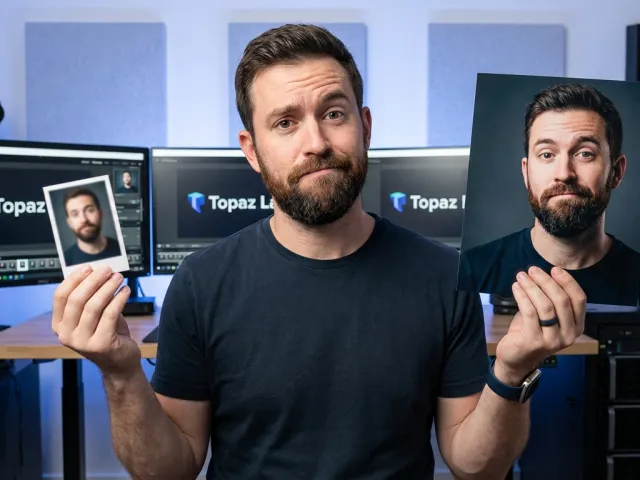
We've all been there. You find the perfect photo for your project, but it's the size of a postage stamp. You try to scale it up in a standard editor, and suddenly you're looking at a blurry, pixelated mess that looks like it was taken with a calculator in 2004.
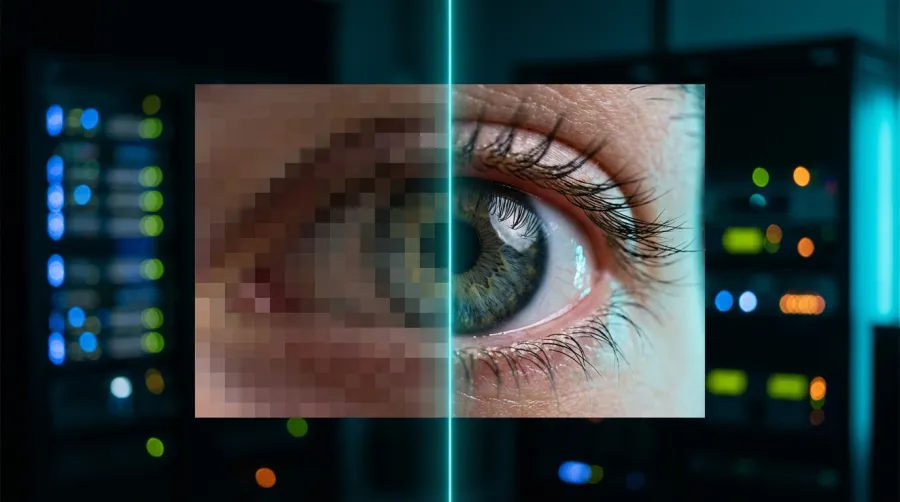
That is where a dedicated image enlarger comes into play. But let's be honest: the market is flooded with garbage tools that just use basic interpolation to stretch pixels. You need something that actually understands the content of the photo and recreates missing details.
Why Most People Fail With an Image Enlarger
The biggest mistake people make is assuming every image enlarger works the same way. If you use a tool that just doubles the pixel count without any intelligence, you're just making the blur bigger. Real pros look for tools that use sophisticated algorithms.
You have to understand your source material too. An image enlarger will struggle if the original was already compressed to death. You want the highest quality "small" version possible before you even attempt to run it through an image enlarger for your final output.
Always ensure the original quality of your source file is as high as possible. An image enlarger is a tool, not a miracle worker, though some AI options come close.
In this guide, we are looking at the heavy hitters. We've combed through community recommendations and hands-on testing to see which image enlarger actually delivers on the promise of "lossless" scaling. It is about finding the right tool for your specific workflow.
Online vs. Software Image Enlarger Tools
Choosing an image enlarger often comes down to a simple question: do you want to download heavy software or do it in your browser? There are massive pros and cons to both approaches. Browser-based tools are convenient, but local software often packs more punch.
If you're only doing one or two photos a month, an online image enlarger is probably fine. However, if you are a designer or a photographer dealing with hundreds of assets, you'll want the stability and speed of a local image enlarger installed on your machine.
| Feature |
Online Image Enlarger |
Software Image Enlarger |
| Speed |
Depends on upload speed |
Depends on your GPU/CPU |
| Privacy |
Photos uploaded to cloud |
Processing stays on device |
| Batch Processing |
Often limited or slow |
Usually very powerful |
| Cost |
Subscription or credits |
One-time buy or open source |
The Web-Based Image Enlarger Advantage
The beauty of a web-based image enlarger is that you don't need a high-end graphics card to get great results. The heavy lifting happens on their servers. Tools like Upscale.media or Watermarkly Resizer allow you to just drop a file and go.
Watermarkly is particularly interesting because it doesn't have strict limits on the number of images. For many, a browser-based image enlarger is the fastest way to get a job done without cluttering up their hard drive with new applications or dealing with updates.
Why Pros Choose a Dedicated Software Image Enlarger
When you use a local image enlarger, you aren't fighting for bandwidth. Software like Topaz Gigapixel is the industry standard for a reason. It offers deep controls that a web image enlarger simply cannot match in a browser interface.
Another huge factor is privacy. If you are working with sensitive client photos, uploading them to a random online image enlarger might violate your NDA. Local software ensures that your pixels never leave your computer, giving you total control over the entire process.
Real Reddit Picks for an Image Enlarger
The community on Reddit is notoriously hard to please, so when they recommend an image enlarger, it's usually because it actually works. They've tested everything from free scripts to expensive enterprise software. Their consensus is often the best place to start.
For those looking for a free AI upscaling website, BigJPG and Let's Enhance come up constantly. These are great entry points if you need a quick image enlarger for personal projects. They handle the typical noise and artifacts of low-res JPEGs surprisingly well.
- Upscale.media: Keeps quality significantly better than normal resizing methods.
- BigJPG: Specially optimized for anime-style illustrations and clean graphics.
- Fotor: A solid image enlarger that offers 4k downloads without a messy sign-up process.
- Kira.art: A rising star in the AI space that many users are finding success with.
- Instacut Studio: Recommended for being free and offering unlimited uses for your projects.
Free and Open Source Image Enlarger Winners
If you want power without the price tag, Upscayl is the king. It is a free and open-source image enlarger that runs locally on your computer. It uses advanced AI models to guess what the missing pixels should look like.
The open-source community moves fast. When a new AI model drops, tools like Upscayl are often the first to implement them. This makes it a very attractive image enlarger for tech-savvy users who want the latest tech without paying a monthly fee.
Paid AI Image Enlarger Options That Deliver
Sometimes you get what you pay for. Topaz Gigapixel is frequently cited as the most powerful image enlarger available. It isn't just scaling; it's reconstructing. It handles faces, textures, and fine details with a level of realism that free tools often miss.
Then there is Aiarty. This image enlarger impressed many users by cleaning up noise and blur before it even starts the upscaling process. By rebuilding the details first, it avoids the "oversharpened" look that plagues a lower-quality image enlarger.
How AI Changed the Image Enlarger Game
Ten years ago, an image enlarger was just a math formula. It looked at pixel A and pixel B and guessed what pixel C should be. Today, an AI-powered image enlarger has "seen" millions of photos and understands that a cat's fur should look different from a brick wall.
This contextual awareness is what makes a modern image enlarger so effective. It doesn't just stretch; it hallucinates detail based on reality. This is why you can now take a 480p photo and turn it into a 4K masterpiece with the right tool.
Understanding AI Model Image Enlarger Mechanisms
Different models serve different purposes. Some are tuned for "Real-ESRGAN," which is great for general photos, while others like "BigJPG" focus on clean lines. When you use an image enlarger, you're often choosing between these different underlying AI "brains."
Some tools, like Nero AI, focus on amazing output quality by prioritizing detail retention. Every image enlarger has a slightly different personality. Some might make skin look too smooth, while others might add too much grit to a landscape photo. It's about finding your preference.
- Choose your model based on the subject (Portrait vs. Landscape).
- Set the scale factor (2x, 4x, or even 8x if the tool supports it).
- Adjust noise reduction settings to avoid losing too much original character.
- Preview the results in a small window before processing the whole file.
Best Image Enlarger for Specific Use Cases
Not every image enlarger is a generalist. If you are working with drawings or vector-style art, you should actually look at tools like Vectorization.eu. They offer a specific image enlarger approach that turns pixels into paths, allowing for infinite scaling without any loss.
For those doing creative work or expanding the canvas, an zoom-capable image enlarger or extender like Editimg.ai can actually "outpaint" your photo. This goes beyond simple scaling and starts adding entirely new scenery to the edges of your original file.
Image Enlarger for Photography and Portraits
Portraits are the ultimate test for an image enlarger. If the AI gets the eyes or the skin texture wrong, the whole photo looks "uncanny." You want an image enlarger that specializes in facial reconstruction to ensure that people still look like themselves.
In my experience, Topaz and Aiarty are the leaders here. They recognize facial features and apply a specific logic to them. Using a generic image enlarger on a close-up portrait usually results in weird, waxy skin that looks fake under close inspection.
Image Enlarger for Graphics and Drawings
If you are dealing with a logo or a drawing, you have a secret weapon: SVG. As one Redditor pointed out, if you can save your work as an SVG, you don't even need a traditional image enlarger because vectors scale perfectly to any size.
But if you're stuck with a flat PNG, an image enlarger like BigJPG is your best bet. It understands flat colors and sharp edges better than photo-centric tools. It prevents the "ringing" artifacts that often appear around text when you use a standard image enlarger.
For drawings, always check if a vector conversion is possible first. If not, pick an image enlarger that specifically mentions anime or illustration support for the cleanest lines.
Final Verdict: Which Image Enlarger Should You Use?
So, which image enlarger wins? If you want the absolute best quality and don't mind paying, Topaz Gigapixel is the heavyweight champion. But if you are on a budget, Upscayl offers about 90% of the performance for 0% of the cost.
For quick browser tasks, Watermarkly and Upscale.media are the heroes. They get the job done without the friction of an install. Just remember that no image enlarger can fix a photo that is completely out of focus or destroyed by compression.
If you're a developer or a power user needing to access these models at scale, you should explore all available AI models to see how they fit your workflow. Integrating a robust API can save you hours of manual work.
Choosing Your Long-term Image Enlarger Strategy
Don't just stick to one image enlarger forever. The AI field is moving so fast that a tool that was "best in class" six months ago might be obsolete today. Keep an eye on open-source projects and new browser-based arrivals.
You can also read the full API documentation for modern platforms that aggregate these tools. This is often the most cost-effective way to get professional results without buying five different software licenses just to find the one that works.
At the end of the day, the best image enlarger is the one that fits your specific project needs. Test a few with the same "difficult" photo and see which one handles the noise the best. Your eyes are the ultimate judge of quality.
Look, I've seen a lot of tools come and go, but the current crop of AI-driven options is truly impressive. Whether you are using a free image enlarger or a professional suite, we are living in a golden age for photo restoration.
If you're looking to scale your AI usage across multiple models, GPT Proto offers a streamlined way to access top-tier image processing APIs at a fraction of the cost. You can learn more on the GPT Proto tech blog about how these technologies are evolving.
Written by: GPT Proto
"Unlock the world's leading AI models with GPT Proto's unified API platform."