The New Era of Google Video with Veo 3.1
The world of moving images is undergoing a radical transformation that few could have predicted a decade ago. Google has officially entered the high-end creative arena with its latest release, known as Veo 3.1. This tool represents a significant step forward in how we think about generating video content from simple prompts.
For creators who have spent years mastering complex editing software, the arrival of Veo 3.1 feels like a shift in the wind. It is not just about making things look pretty. It is about the fundamental democratization of cinematic storytelling through the power of a sophisticated AI engine.
Many early adopters are comparing this release to the early days of digital photography. The potential is vast, but the learning curve is still present. To truly master Veo 3.1, one must understand both its creative soul and its technical heartbeat. It is a bridge between imagination and screen.
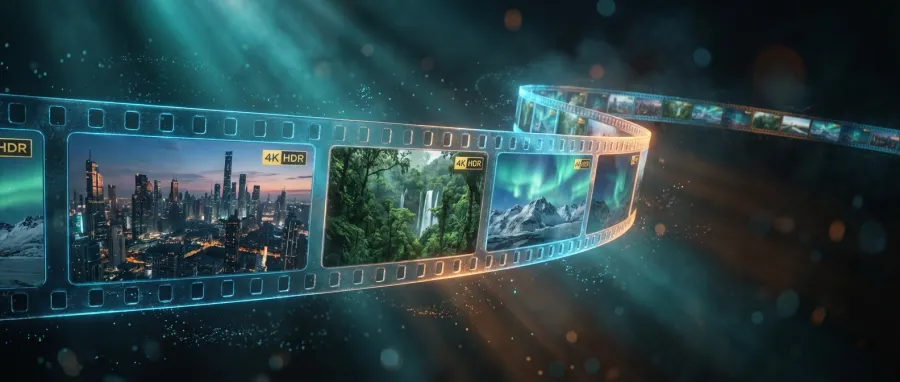
Google has integrated this technology deeply into its ecosystem, making it accessible for both casual dreamers and professional developers. Whether you use the web interface or the robust API, the goal remains the same. You want to see your ideas come to life with as little friction as possible.
- High-definition 4K video generation capabilities.
- Extended scene durations reaching up to 141 seconds.
- Precise control over character and object consistency.
- Advanced scene extension using the Scenebuilder framework.
Unlocking Long-Form Creativity with Veo 3.1
One of the most impressive features found in Veo 3.1 is its ability to handle length. Most generators struggle after a few seconds, losing track of the plot or the visual style. However, Veo 3.1 allows for scene extensions that push the boundaries of what generative AI can do.
By using the built-in Scenebuilder, users can take the last frame of a previous clip and use it as a starting point. This ensures that the narrative flow remains intact. It prevents the jarring jumps that often plague shorter, disconnected clips generated by less capable AI models.
The technical achievement here is substantial. Maintaining temporal consistency over two minutes requires a deep understanding of how objects move through space. Veo 3.1 handles these complex physics with a level of grace that suggests a very mature underlying architecture.
For those building complex applications, accessing these features via the API is a necessity. It allows for programmatic generation of long-form content that can be stitched together seamlessly. This opens up new possibilities for personalized advertising, educational content, and even experimental filmmaking using Veo 3.1.
"The scene extension feature in Veo 3.1 is a massive win for anyone trying to tell a story longer than a few seconds. It finally feels like we have a tool that understands continuity."
How the Veo 3.1 Scenebuilder Transforms Workflows
The Scenebuilder tool is essentially a digital director’s best friend. Within the Flow interface, Veo 3.1 gives you the power to extend any clip from its final frame. This means you are no longer limited by the initial generation window that defines most AI video experiences.
Imagine you have a perfect shot of a character walking through a forest. With Veo 3.1, you don't have to hope the next generation looks similar. You simply use the Scenebuilder to pick up exactly where the camera left off. The consistency is baked into the workflow.
This frame-to-video generation capability is what sets Veo 3.1 apart from the competition. It provides a level of granular control that professionals crave. It turns the process of AI video creation from a game of chance into a deliberate craft of precision.
Developers are also finding ways to automate this process through the API. By chaining requests, they can create entire sequences that feel like they were shot on a single set. Veo 3.1 acts as the glue that holds these disparate digital moments together in a coherent line.
| Feature |
Veo 3.1 Capability |
Typical AI Competitor |
| Max Duration |
141 Seconds |
10-15 Seconds |
| Resolution |
Up to 4K |
1080p or lower |
| Continuity |
Advanced Scenebuilder |
Manual prompting only |
The Magic of Ingredients-to-Video in Veo 3.1
Creative control in Veo 3.1 goes beyond just text. The "Ingredients-to-Video" feature allows users to upload up to three images of characters or objects. These images serve as a visual reference for the AI to follow, ensuring that your hero looks the same in every shot.
This solves one of the oldest problems in the AI video world: character drift. Without visual anchors, an AI might change a character's shirt or hair color between clips. Veo 3.1 uses these reference images to lock down the essential details of your visual narrative.
Think of it as providing a wardrobe and a cast list to your digital director. When you provide these ingredients to Veo 3.1, you are giving the model a clear set of constraints. This leads to much more usable footage that requires less post-production fixing.
This feature is particularly useful for brand consistency. Companies can upload their logos or specific product designs into Veo 3.1 to ensure their marketing materials are always on-brand. The API makes it easy to integrate this into existing content management systems for scale.
Mastering Character Consistency with Veo 3.1
Maintaining the look of a person across different environments is a challenge for any AI. Veo 3.1 tackles this by analyzing the geometry and textures of your uploaded "ingredients." It then maps these features onto the generated motion in a way that feels natural and fluid.
Users have reported that this is one of the most reliable parts of the Veo 3.1 experience. Even when the camera angle changes drastically, the model remembers who the main subject is. This level of persistence is what makes high-quality AI filmmaking a reality today.
Of course, the quality of the "ingredients" matters immensely. If you provide clear, high-resolution photos, Veo 3.1 will reward you with much better output. It is a classic case of garbage in, garbage out, but with a very high ceiling for those who plan.
To see how this works in practice, you might want to explore all available AI models that offer similar multimodal capabilities. Seeing the differences in how models interpret visual data is key to choosing the right tool for your specific project needs.
Navigating the Costs of the Veo 3.1 API
While the creative potential is high, the financial reality of Veo 3.1 is something every user must consider. High-quality video generation is computationally expensive, and this is reflected in the pricing structure. Using the API can become a significant investment for large-scale projects.
Currently, the API pricing sits at approximately $0.4 per second of generated video. This might sound small at first, but it adds up quickly when you are producing minutes of content. A single 141-second clip from Veo 3.1 could cost over fifty dollars to generate once.
For individuals, the Google AI Ultra plan often offers a more predictable cost model. Subscribing can provide unlimited "fast" videos, which is a relief for those who want to experiment without a ticking meter. However, the API remains the only choice for developers building their own tools.
Managing these costs requires a strategy. You don't want to waste credits on bad prompts or failed generations. Mastering the Veo 3.1 prompting style is the best way to ensure that every dollar spent on the API results in a usable piece of cinematic gold.
- Standard API rate: $0.40 per second of video.
- Ultra Subscription: Fixed monthly cost for unlimited generations.
- API Volume: Bulk discounts may apply for enterprise-level users.
- Credit Usage: Monitored via the developer console in real-time.
Cost Optimization Strategies for Veo 3.1 Users
To get the most out of your budget, you should start with lower-resolution drafts. Veo 3.1 allows for different quality settings that can save you a fortune during the experimental phase. Once you have the movement and composition right, then you can trigger the 4K API call.
Another tip is to use the Scenebuilder strategically. Instead of generating a long clip all at once, you can build it in sections. This allows you to pivot if the AI starts moving in the wrong direction, saving you from paying for a full 141-second clip that is unusable.
If you are looking for ways to streamline your development and potentially reduce overhead, you should manage your API billing through a unified platform. Centralizing your AI costs can help you spot trends and areas where you might be overspending on specific models.
The complexity of managing multiple providers is why many developers are turning to unified solutions. By using a single gateway, you can compare the performance of Veo 3.1 against other models without managing five different credit balances. This is a smart move for any growing startup.
"The API costs for high-end video are a reality of the current technology. Smart developers don't just spend more; they prompt better and manage their credits with absolute precision."
Prompting and Storyboarding in Veo 3.1
Success with Veo 3.1 starts with the script. Unlike text-based AI, video generation requires a deep sense of visual movement. You have to describe not just what is in the frame, but how the camera moves and how the lighting changes over the course of the scene.
Using a storyboard approach is highly recommended for Veo 3.1. Start by generating a series of images that represent your key moments. You can then use these as frame-to-video references. This creates a bridge between your static ideas and the final fluid motion of the clip.
When writing prompts for the Veo 3.1 API, be as descriptive as possible about the "cinematography." Mention lens types, like "35mm anamorphic," or lighting styles, like "golden hour rim lighting." These technical terms give the AI a much clearer set of instructions to follow.
It is also helpful to think about the emotional beat of the scene. Does the camera feel shaky and handheld, or smooth and gimbal-stabilized? Veo 3.1 is surprisingly good at picking up on these subtle stylistic cues if you include them in your initial prompt text.
Technical Prompting Tips for Veo 3.1
Avoid using vague adjectives like "beautiful" or "amazing." Instead, tell Veo 3.1 what makes the scene beautiful. Use words like "iridescent," "atmospheric," or "high-contrast." The more specific your vocabulary, the more control you have over the final pixels that the AI produces.
Remember that Veo 3.1 is processing your words through a massive neural network. It looks for patterns. If you use standard filmmaking terminology, you are tapping into the high-quality training data that the model was built upon. This is the secret to professional-grade output.
You can find more detailed guides on how to structure these requests in the official documentation. If you want to dive deeper into the technical side, it is always a good idea to read the full API documentation for the specific model you are using today.
Even with the best prompts, you will likely face some trial and error. This is a natural part of the creative process with any AI. The goal is to shorten the gap between your intent and the model's output through consistent practice and observation of what works.
Troubleshooting Common Issues in Veo 3.1
No technology is perfect, and Veo 3.1 is no exception. Some users have reported consistent generation failures where the tool simply refuses to produce a video. Often, this is linked to history settings in Google Labs or specific browser configurations that interfere with the API.
If you encounter a "Generation Failed" error, check your credit balance first. Because Veo 3.1 is expensive, the system will stop a generation immediately if there are insufficient funds. It sounds simple, but it is one of the most common causes of technical friction.
Another issue involves the "First and Last Frame" feature. If the two images you provide are too different, the AI might struggle to find a logical path between them. This can result in warping or strange visual artifacts as the model tries to bridge the impossible gap.
When this happens, try simplifying the transition. Give Veo 3.1 a smaller step to take. By reducing the complexity of the motion required, you allow the AI to focus on maintaining visual quality rather than solving a difficult geometric puzzle between two distant points.
- Ensure Google Labs history is turned "ON" to prevent generation drops.
- Verify API key permissions and credit limits before starting long renders.
- Clear browser cache if the Flow interface becomes unresponsive during scene extension.
- Check for content policy violations in your prompts that might trigger silent failures.
The Future of Video with Veo 3.1 and Beyond
We are only at the beginning of what is possible with Veo 3.1. As the underlying models become more efficient, we can expect the cost of the API to eventually decrease. This will open the door for even more creators to experiment with the medium.
Google’s commitment to this space suggests that Veo 3.1 will continue to receive updates. We might see better integration with other AI tools, like automated voice-over generation or intelligent sound effect placement. The dream of a fully automated film studio is getting closer.
For now, Veo 3.1 remains a powerful, albeit premium, tool for those on the cutting edge. It requires a blend of artistic vision and technical patience. Those who master it now will be the pioneers of a new type of visual communication.
As you continue your journey, keep an eye on how these models evolve. The competition is fierce, and every new version of an AI brings new features. Staying informed is the only way to ensure you are always using the best tool for your creative needs.
"The speed of progress in the AI video space is breathtaking. What was impossible six months ago is now a standard feature in Veo 3.1. We are rewriting the rules of media in real time."
Final Thoughts on Adopting Veo 3.1
Whether you are a filmmaker, a marketer, or a developer, Veo 3.1 offers a glimpse into the future of content. It is a tool that rewards curiosity and rewards those who are willing to push past the initial hurdles of cost and technical complexity.
The ability to generate 4K video for over two minutes is a landmark achievement. It moves AI from the realm of "neat tricks" into the realm of "professional tools." Veo 3.1 is a serious contender in a market that is only going to grow more crowded.
As you plan your next project, consider how these features can save you time. Traditional video production takes weeks. With Veo 3.1, you can go from a concept to a high-definition render in a matter of minutes. That is the true value of this technology.
Don't be afraid to experiment with the API and see what you can build. The most exciting use cases for Veo 3.1 probably haven't even been thought of yet. You might be the one to discover the next big breakthrough in AI-driven storytelling.
For those looking to integrate these powerful capabilities into their own applications without the hassle of managing multiple provider accounts, GPT Proto offers a streamlined solution. You can access top-tier models through a single interface, making your development process much more efficient.
By leveraging a unified API, you can switch between performance-focused models and cost-effective alternatives as your project evolves. This flexibility is essential in a fast-moving field where the best model today might be surpassed by something else tomorrow. GPT Proto keeps you agile.
Ultimately, Veo 3.1 is more than just a piece of software. It is a new way to see the world and share it with others. It is a testament to the power of human ingenuity and the incredible potential of AI to enhance our own creative spirits.
Original Article by GPT Proto
"Unlock the world's top AI models with the GPT Proto unified API platform."