Why the wan 2.2 animate Capability Changes Everything for Video Creators
If you've been chasing the "perfect" AI video generator, you know the struggle. Most tools either give you flickering messes or characters that look like they're melting into the background. But wan 2.2 animate is different. It is not just another incremental update; it is a fundamental shift in how we handle temporal consistency and character identity in the AI space. When I first fired up a local instance, I was skeptical. We have all seen the hype cycles before. But the way this model handles movement through the wan 2.2 animate pipeline is genuinely impressive.
The real magic lies in its flexibility. Unlike locked-down platforms that give you zero control, wan 2.2 animate allows for deep customization via ComfyUI. You are not just pushing a button and hoping for the best. You are directing. Whether you are using the wan 2.2 animate model for simple image-to-video (I2V) tasks or complex character swaps, the level of fidelity is startling. For anyone who has struggled with characters losing their face or clothes mid-scene, this tool feels like a massive exhale. It addresses the core pain point: control.
Breaking Down the wan 2.2 animate Video Architecture
To really get the most out of the wan 2.2 animate system, you have to understand it is built on a massive 14B parameter foundation. This isn't some lightweight mobile app filter. When we talk about wan 2.2 animate, we are talking about a model that understands physics, lighting, and anatomy better than its predecessors. I've found that it handles complex prompts involving fluids and fabrics better than almost anything else currently available in the open-weights community.
One thing that caught me off guard was how well it handles "weird" videos. I've seen practitioners taking images generated in ZIT and pushing them through the wan 2.2 animate model to create surreal, high-quality motion that doesn't just look like a Ken Burns effect. It actually understands how objects should move in 3D space. If you are a developer looking for a reliable API to power these kinds of generations, you need to look at how the weights are distributed across the rank distillations. It is a technical masterpiece of optimization, even if it is a bit of a VRAM hog.
The core of wan 2.2 animate is about bringing life to static pixels without losing the soul of the original image.
For those of us working in the trenches of AI video, the jump from version 2.1 to 2.2 felt significant. The motion is smoother, the artifacts are fewer, and the ability to steer the animation with LORAs is a godsend. You don't have to settle for the "standard" AI look anymore. You can actually impart a specific style or maintain a specific person's face throughout a sequence. That is the true power of the wan 2.2 animate workflow.
Why Control Matters in the wan 2.2 animate Ecosystem
Let's be honest: most AI video tools are toys. They are fun for ten minutes until you realize you can't actually use them for a real project. But the wan 2.2 animate toolset is a professional's playground. Because it integrates so deeply with existing AI stacks, you can use it alongside ControlNet or LTX-2 to fine-tune motion. This isn't just about making things move; it's about making them move correctly. When I'm working on a client piece, I can't afford a character's arm to turn into a leg. The wan 2.2 animate logic prevents that by sticking closer to the reference image than previous models.
And then there is the community. Because wan 2.2 animate is getting so much traction, the amount of custom nodes and shared workflows is exploding. If you hit a wall, someone on a forum has probably already fixed it. That kind of support is worth its weight in gold when you're on a deadline. The wan 2.2 animate ecosystem is built on shared knowledge, which makes the learning curve much less steep than it would be otherwise. It's a tool that grows with you, which is rare in this rapidly changing AI industry.
- Superior temporal consistency across long clips.
- Deep integration with professional AI video workflows.
- High-fidelity character preservation in I2V tasks.
- Active community development of LORAs and nodes.
How to Get Started With Your First wan 2.2 animate Project
Getting wan 2.2 animate up and running isn't quite as simple as installing a browser extension, but it's not rocket science either. Most people get intimidated by the environment setup, but here's the trick: use a template. I've found that jumping straight into a Runpod instance is the fastest way to see results without pulling your hair out over Python dependencies. When you use a dedicated wan 2.2 animate template, most of the heavy lifting is done for you. You just need to bring your API keys and your imagination.
The first hurdle is usually the HuggingFace login. Don't skip this. You need to run `huggingface-cli login` in your terminal before you even think about hitting the run button in ComfyUI. The wan 2.2 animate weights are hosted there, and without proper authentication, your workflow will just sit there and stare at you. It’s a small step that trips up a lot of beginners. Once you’re authenticated, you can start pulling the 14B models and the specific I2V distillations that make wan 2.2 animate so powerful.
Setting Up the Ultimate wan 2.2 animate Workflow
If you want to do this right, you need Kijai’s ComfyUI workflow. It’s the gold standard for wan 2.2 animate right now. This workflow isn't just a collection of nodes; it's a carefully tuned machine. It handles the image loading, the model sampling, and the VAE decoding in a way that maximizes your hardware. Speaking of hardware, you’re going to need VRAM. I’ve seen wan 2.2 animate pull about 22GB of VRAM during a standard generation. If you’re trying to run this on an 8GB card, you’re going to have a bad time. This is where cloud services like Runpod or a unified AI API become essential for most users.
Inside the workflow, pay close attention to the sampler settings. The wan 2.2 animate model responds best to specific step counts. If you go too low, you get mush. If you go too high, you get "deep fried" images that look crunchy. I usually find the sweet spot around 30 to 50 steps depending on the complexity of the scene. And don't forget the prompt! Even though wan 2.2 animate is an I2V model, your text prompt still guides the motion. Be descriptive about how you want things to move, not just what they are.
The Secret to wan 2.2 animate Environment Management
One thing nobody tells you is how much disk space these models take up. You’re looking at dozens of gigabytes just for the base weights of wan 2.2 animate. If you’re swapping between different versions or testing out LORAs, your drive will fill up fast. I recommend using a dedicated workspace or a symbolic link to a larger drive. It keeps your wan 2.2 animate installation clean and prevents those annoying "out of disk space" errors right in the middle of a long render. It’s these little logistical things that separate the pros from the hobbyists.
Another pro tip: keep your ComfyUI nodes updated. The developers behind the wan 2.2 animate integration are moving fast. Features are being added weekly. If you’re running a version from a month ago, you’re missing out on significant performance gains and quality-of-life improvements. Use the ComfyUI Manager to keep everything fresh. It ensures that your wan 2.2 animate experience is as smooth as the videos it produces. It's all about minimizing friction so you can focus on the creative side of the AI process.
| Requirement |
Recommended Specification |
Notes |
| GPU VRAM |
24GB (A10 / 3090 / 4090) |
Uses ~22GB for the 14B model |
| Disk Space |
100GB+ |
Models and LORAs are heavy |
| Software |
ComfyUI with Kijai Nodes |
Best control for wan 2.2 animate |
| Authentication |
HuggingFace CLI Login |
Mandatory for weight downloads |
Key Features: What Makes wan 2.2 animate Stand Out?
The headline feature of wan 2.2 animate is undoubtedly its Image to Video (I2V) capability. This isn't just about making things wiggle. It's about genuine transformation. You can take a high-quality static render and turn it into a cinematic sequence that looks like it was shot on a RED camera. The wan 2.2 animate logic is particularly good at understanding camera movement. You can prompt for a "slow zoom" or a "pan left," and the model actually reconstructs the hidden parts of the scene to make it happen. It's like having a 3D environment hidden inside a 2D image.
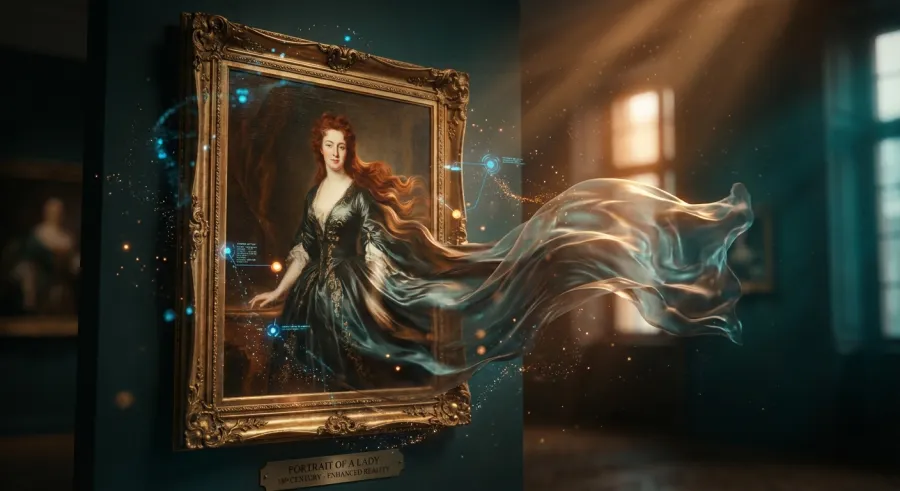
But the real "wow" factor for me is the character replacement. You can take an existing video and swap the protagonist with a character from a reference image using the wan 2.2 animate pipeline. The integration is seamless. It doesn't look like a cheap face-swap; the lighting, the shadows, and the way the character interacts with the environment all match the original footage. This makes wan 2.2 animate image to video tools a powerful asset for indie filmmakers who need to do complex VFX on a shoestring budget.
Mastering Character Identity with wan 2.2 animate
Maintaining a consistent face in AI video has been a nightmare until now. With wan 2.2 animate, you can use specialized LORAs to lock in a character's identity. I’ve seen amazing results using LORAs from community creators that allow you to keep the same person across multiple shots. When you combine these with the wan 2.2 animate base model, the character doesn't just look like the person—they move like them too. It’s a level of consistency that was previously only available to big studios with massive mo-cap budgets.
The trick to character consistency in wan 2.2 animate is all in the weights. If you're using a LORA, you need to balance its influence against the base model's motion logic. Usually, I'll set the LORA strength to about 0.8 to 1.0. This gives the wan 2.2 animate model enough room to animate naturally while still keeping the character's features recognizable. If you go too high, the character might become "stiff" as the model tries too hard to match every single pixel of the reference. It's a delicate dance, but when you get it right, the results are indistinguishable from reality.
Chaining Clips for Long-Form wan 2.2 animate Content
Standard AI video models usually tap out at 2 or 4 seconds. If you try to go longer, the quality falls off a cliff. But the wan 2.2 animate workflow is designed for iteration. You can generate a 4-second clip, take the last frame, and use it as the starting point for the next 4 seconds. By chaining these segments, you can create videos that are 12, 16, or even 30 seconds long. The wan 2.2 animate model is surprisingly good at remembering the context of the previous frame, which reduces the "jump" between clips.
To do this effectively, you need a workflow that automates the hand-off between generations. I’ve found that using an iterative node setup in ComfyUI is the best way to handle long-form wan 2.2 animate projects. You can set it to run three or four stages of generation automatically. It’s not perfect—sometimes you still get a little bit of drift in the background—but it’s miles ahead of trying to stitch together random clips in Premiere Pro. This makes the wan 2.2 animate model viable for short films and social media content that needs more than a few seconds of screentime.
And if the local VRAM requirements are killing your productivity, you can always flexible pay-as-you-go pricing to use a high-end API that handles the heavy lifting for you. It’s a great way to scale your wan 2.2 animate output without investing thousands in hardware.
Real-World Use Cases: Where wan 2.2 animate Shines
I’ve seen people using wan 2.2 animate for everything from architectural visualization to marketing. One particularly cool use case is animating historical photos. Because the wan 2.2 animate model has such a strong grasp of realism, it can take a grainy 1920s portrait and bring it to life in a way that feels respectful and eerie. The AI doesn't just add motion; it adds depth. It understands how light should hit a vintage coat or how a dusty street should look as the camera moves through it. It's a powerful tool for storytellers.
In the marketing world, wan 2.2 animate is being used to create high-end product demos from static photos. You take a picture of a watch or a car, and you can make it rotate, shine under different lights, or even move through a city street. The wan 2.2 animate capability means you don't need a full production crew to get a 5-second teaser for Instagram. You just need a good photo and the right workflow. It’s democratizing high-end video production in a way we haven’t seen before.
The wan 2.2 animate Advantage for Concept Artists
Concept artists are using wan 2.2 animate to pitch ideas more effectively. Instead of showing a static painting of a dragon, they can show a 4-second clip of that dragon breathing fire and taking flight. It helps directors and clients visualize the final product much faster. The wan 2.2 animate pipeline integrates so well with Photoshop and Blender that it’s becoming a standard part of the pre-vis stack. It’s not about replacing the artist; it’s about giving them a more powerful megaphone for their vision.
When using it for concept art, the ability to control motion is key. You can use the wan 2.2 animate model to test how certain designs move before you spend weeks on 3D modeling. Does the character's cape get caught in their legs? How does the light bounce off that futuristic armor? You can get answers to these questions in minutes. You can even explore all available AI models to find the perfect pairing for your specific art style, ensuring your wan 2.2 animate renders are always top-tier.
Boosting Social Media Engagement with wan 2.2 animate
If you're a content creator, you know that video is king. But creating original video every day is exhausting. Many creators are now using wan 2.2 animate to turn their static art or photography into "living" posts. A simple portrait becomes a breathing, blinking person. A landscape photo becomes a flowing waterfall. This subtle motion stops the scroll. The wan 2.2 animate engine is perfect for this because it doesn't over-animate. It keeps things grounded and realistic, which usually performs better on social platforms than "trippy" AI morphs.
The efficiency gain here is massive. You can batch-process twenty images through a wan 2.2 animate API in the time it would take to edit one video by hand. This allows creators to maintain a high volume of quality content without burning out. It’s about working smarter, not harder. By utilizing the wan 2.2 animate technology, you’re basically hiring a full-time motion graphics artist who works for pennies and never sleeps. That is a competitive advantage that is hard to ignore in the current attention economy.
- Architectural walkthroughs from static 2D renders.
- High-impact social media assets with subtle, realistic motion.
- Pre-visualization for film and game development.
- Animating legacy assets for historical documentaries.
Troubleshooting Common wan 2.2 animate Pitfalls
No tool is perfect, and wan 2.2 animate has its quirks. The most common complaint I hear is about blurry videos. If your output looks like it was filmed through a jar of Vaseline, you’re probably using the wrong LORA or settings. Specifically, for the wan 2.2 animate I2V tasks, you need to use the `lightx2v_I2V_14B_480p` LORA. And here's the kicker: the weights matter. I’ve found that setting it to 3.0 on High and 1.50 on Low usually clears up the blur. It’s a bit counter-intuitive, but the wan 2.2 animate model needs that extra "nudge" to keep the details sharp.
Another frequent headache is color shifting. You might start with a blue dress and end up with a purple one by the end of the clip. To fix this in your wan 2.2 animate workflow, you must use a color match node. This node takes the color profile of your original image and forces the generated video to stay within those bounds. It prevents the AI from getting "creative" with your palette. It’s a simple addition to your ComfyUI setup that saves hours of color grading in post-production.
Managing the 22GB VRAM Beast in wan 2.2 animate
Let's talk about the elephant in the room: hardware. Running wan 2.2 animate locally is a luxury. If you’re getting "Out of Memory" (OOM) errors, you aren't alone. One workaround is to use the FP8 or distilled versions of the model. They sacrifice a tiny bit of quality for a much smaller VRAM footprint. If you’re still struggling, it might be time to stop fighting your hardware and use a cloud-based API. You can monitor your API usage in real time to make sure you're staying within budget while still getting the high-end wan 2.2 animate results you need.
I also recommend closing every other GPU-intensive app while rendering. Even your web browser can hog enough VRAM to crash a wan 2.2 animate run. I've had renders fail because I had a YouTube tab open on my second monitor. When you're dealing with a 14B parameter model, every megabyte counts. It’s also worth looking into the "lowvram" flag in ComfyUI, though this will significantly slow down your generation times. It’s a trade-off: do you want it fast, or do you want it to actually finish?
Addressing Quality Degradation in Long wan 2.2 animate Clips
When you’re wrapping up long clips, you might notice the AI starts to wander. It's a common issue in the wan 2.2 animate community. To keep things on track, try reducing the motion bucket value as you progress through iterative segments. This tells the wan 2.2 animate model to be a bit more conservative with its transformations, helping maintain the integrity of the original subject. It's a small tweak that can make the difference between a professional sequence and an AI hallucination.
I also recommend doing a "refresh" every three segments. Instead of just using the last frame of the previous clip, take that frame, run it through a quick image-to-image (i2i) pass to sharpen it up, and then feed that into the next wan 2.2 animate stage. It acts as a reset for the model's "memory." This approach ensures that the high-fidelity standards of wan 2.2 animate are maintained throughout the entire duration of your video project.
Consistent quality in AI video isn't an accident; it's the result of aggressive troubleshooting and fine-tuning.
For more detailed technical breakdowns, you should read the full API documentation which covers how to handle these parameters at scale. It’s a great resource for anyone looking to build professional-grade applications on top of the wan 2.2 animate foundation.
Is wan 2.2 animate Worth the Effort? The Final Verdict
After spending dozens of hours with the model, I can say that wan 2.2 animate is currently the best open-weights option for serious creators. It bridges the gap between "cool AI experiment" and "useful production tool." Yes, it requires some heavy hardware. Yes, the workflow can be finicky. But the results speak for themselves. The level of character consistency and temporal stability you get with wan 2.2 animate is miles ahead of the competition. It's a tool for people who care about the details.
Is it for everyone? No. If you just want to make a funny 2-second meme, there are easier tools out there. But if you are building a brand, telling a story, or developing a product, the wan 2.2 animate ecosystem offers the control you need. It allows you to move beyond the generic AI look and create something truly unique. In an industry where everyone is using the same basic prompts, having the ability to fine-tune your output with wan 2.2 animate is a massive advantage. It's worth the learning curve.
The Future of the wan 2.2 animate Model
We are already seeing the next evolution with things like SCAIL Preview 14B, which is based on the Wan architecture. The community is constantly pushing the boundaries of what wan 2.2 animate can do. We’re going to see even better motion control, lower VRAM requirements through quantization, and more specialized LORAs for every imaginable style. If you invest the time to master wan 2.2 animate now, you’re positioning yourself at the forefront of the next wave of digital content creation. The skills you learn today will be the standard tomorrow.
I also expect to see better integration with 3D tools. Imagine a world where you can export a camera path from Blender and feed it directly into the wan 2.2 animate sampler. We’re not far from that. The open nature of the wan 2.2 animate project means that these kinds of innovations happen much faster than they do in "walled garden" platforms. It’s an exciting time to be an AI practitioner. The tools are finally starting to match our ambitions.
Final Recommendations for Aspiring wan 2.2 animate Users
If you're ready to dive in, start with the ComfyUI workflow. It’s the best way to learn how the model actually thinks. Experiment with the "weird" stuff—see how the wan 2.2 animate engine handles fire, water, and complex textures. Don't be afraid to break things. That's how you learn the limits of the technology. And when you hit a wall with your local hardware, don't forget that a unified AI API can give you access to the same wan 2.2 animate power without the VRAM headaches. It’s all about using the right tool for the job.
The wan 2.2 animate journey is one of constant discovery. Every week, there’s a new node or a new technique that changes the game. Stay curious, stay active in the forums, and keep pushing the pixels. The world of AI video is moving fast, and wan 2.2 animate is leading the charge. Whether you’re a hobbyist or a pro, there’s a place for you in this ecosystem. Now go out there and make something amazing. The only limit is your VRAM—and even that can be solved with the right API.
Written by: GPT Proto
"Unlock the world's leading AI models with GPT Proto's unified API platform."