Veo-3.1 API: Next-Generation 4K Video Generation With Synchronized Audio
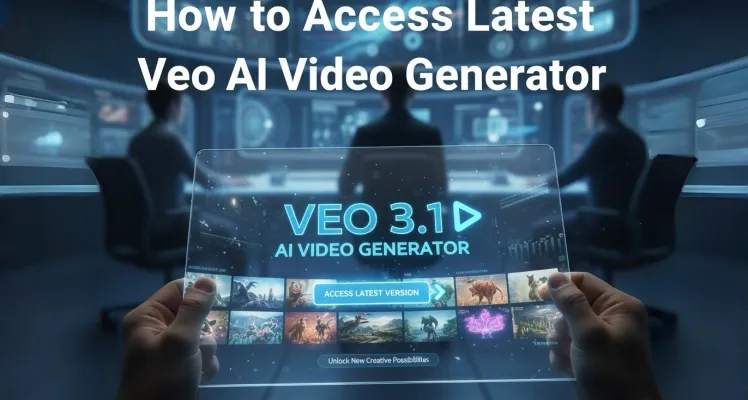
If you're looking to explore all available AI models for high-end video production, Veo-3.1 represents a massive leap forward in realism and control. It isn't just about moving pixels; it's about cinematic intent and technical precision.
The Veo-3.1 model excels at creating high-fidelity video content that looks and sounds intentional. While previous generations struggled with silent outputs and muddy details, Veo-3.1 delivers sharp 720p, 1080p, and even 4K resolutions. The standout feature is definitely the native audio generation. When you prompt Veo-3.1, you can include specific audio cues—like the sound of tires screeching or whispered dialogue—and the model will synchronize the soundtrack with the visual action automatically. This reduces the need for heavy post-production editing and makes the Veo-3.1 API a top choice for rapid creative prototyping.
Veo-3.1 Reference Images: Maintaining Subject Consistency Across Clips
One of the hardest parts of using video AI is keeping a character or product looking the same in different shots. Veo-3.1 solves this by allowing you to provide up to three reference images. Whether it's a specific person, a branded character, or a unique product, Veo-3.1 uses these 'assets' to guide the content of your generated video. This ensures that the beautiful woman in the first clip is the exact same person in the second, even if the camera angle changes.
For those building complex narratives, you can also use the latest video understanding capabilities to better structure your prompts. Developers can effectively use these reference images to define a 'visual anchor' that Veo-3.1 respects throughout the 8-second generation process. This feature is exclusive to Veo-3.1 and isn't found in the older Veo-2 iterations.
How to Extend Your Creative Vision With Veo-3.1 Video Extensions
If 8 seconds isn't enough, Veo-3.1 introduces a video extension capability. You can take a previously generated Veo-3.1 clip and extend it by 7-second increments. You can do this up to 20 times, potentially creating a combined video that reaches 148 seconds. The model analyzes the final frame of the previous clip and continues the action seamlessly. It's an excellent way to build longer sequences for social media ads or short films using the Veo-3.1 API. Just remember that extensions are currently optimized for 720p resolution to ensure consistent quality.
"Veo-3.1 is the first model I've used that actually understands cinematic framing. It doesn't just animate; it directs. The way it handles camera motion like dolly shots and POV angles while maintaining 4K clarity is a massive shift for indie creators." — Marcus Thorne, Senior Visual Effects Artist.
Pricing and Stability Benefits for Veo-3.1 API Users
Running high-resolution video AI is computationally heavy, but GPTProto makes it accessible. When you manage your API billing on our platform, you avoid the headache of expiring credits or rigid subscription tiers. We focus on a stable, pay-as-you-go approach that fits your actual usage patterns. Whether you are generating a single 4K masterpiece or batch-processing 720p social clips, the Veo-3.1 API provides a reliable backbone for your app.
Technical users should read the full API documentation to understand the polling mechanics. Since video generation isn't instant—latency ranges from 11 seconds to a few minutes—Veo-3.1 uses an asynchronous operation model. You submit a request, get an operation ID, and poll until the video is ready. This is standard for modern video AI services and ensures your server isn't hanging while Veo-3.1 does the heavy lifting.
Comparing Veo-3.1 Performance vs Previous Generations
| Feature | Veo-3.1 (Current) | Veo-2 (Legacy) | Standard Video AI |
|---|---|---|---|
| Max Resolution | 4K (Ultra HD) | 720p | 1080p |
| Audio Support | Native Synchronized | Silent Only | Optional/Post-Processed |
| Extension Limit | 148 Seconds | Unsupported | Varies (usually short) |
| Reference Images | Up to 3 Images | Unsupported | Often 1 or 0 |
As shown in the table, Veo-3.1 is clearly superior for professional work. It also includes SynthID watermarking for safety and verification, which is a key part of the Google AI ecosystem. This helps identify AI-generated content and ensures your workflow stays compliant with evolving industry standards. If you want to see these results in action, you can try GPTProto intelligent AI agents that are already optimized for video prompt engineering.
Getting the Best Results From Veo-3.1 Prompting
Writing a prompt for Veo-3.1 is different than writing for text models. You need to think like a director. Include the subject, the action, the style, and the camera positioning. For example, instead of 'a man walking,' try 'a low-angle tracking shot of a man in a green trench coat walking through a neon-lit alley in a film noir style.' Veo-3.1 picks up on these nuances, especially with lenses like 'macro' or 'wide-angle.' If you want to skip certain elements, use the negativePrompt parameter in the Veo-3.1 API to filter out things like 'blurry' or 'low quality.'
For those just getting started, you can monitor your API usage in real time through our dashboard to see how different parameters affect your output. Veo-3.1 is a sophisticated tool, and like any high-end camera, it rewards those who learn its settings. Whether you are aiming for portrait 9:16 videos for TikTok or landscape 16:9 for YouTube, the Veo-3.1 API provides the flexibility to deliver exactly what your audience expects.