GPT Proto
gpt-image-1 / text-to-image
GPT Image 1 stands as a premier solution for developers and creators needing high-fidelity AI imagery. This model excels in rendering legible text within complex designs and offers sophisticated editing capabilities, such as precise background swaps while maintaining original lighting. While newer versions exist, GPT Image 1 is often preferred for its natural aesthetic compared to the overprocessed look of successors. On GPTProto, you can access GPT Image 1 without complex subscription tiers, utilizing a pay-as-you-go API that prioritizes both quality and efficiency for production-ready visual content generation.

INPUT PRICE

$ 7
30% off
$ 10

Input / 1M tokens

text

OUTPUT PRICE

$ 28
30% off
$ 40

Output / 1M tokens

image

Input

Output

NewTry in Editor
Preview image

Examples

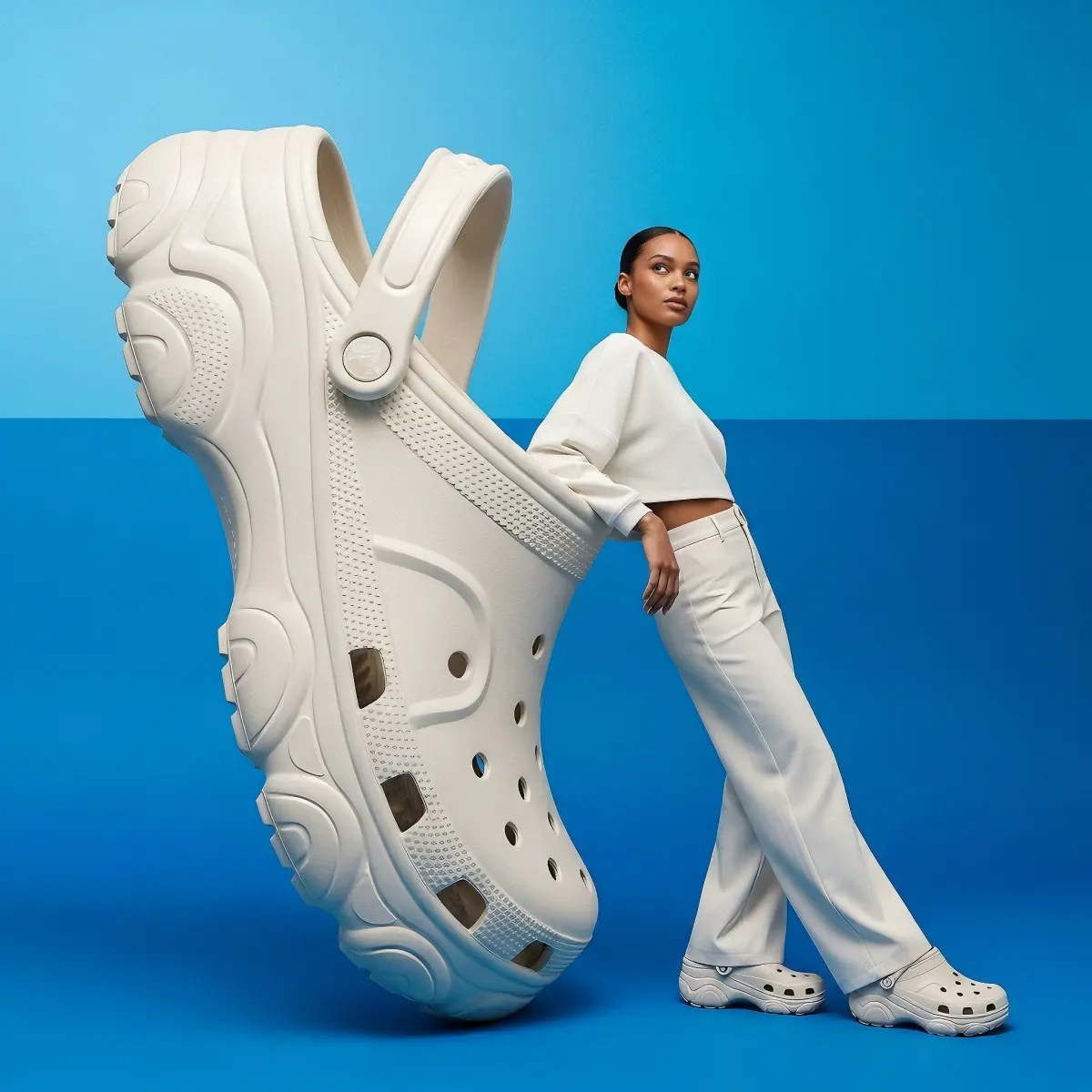
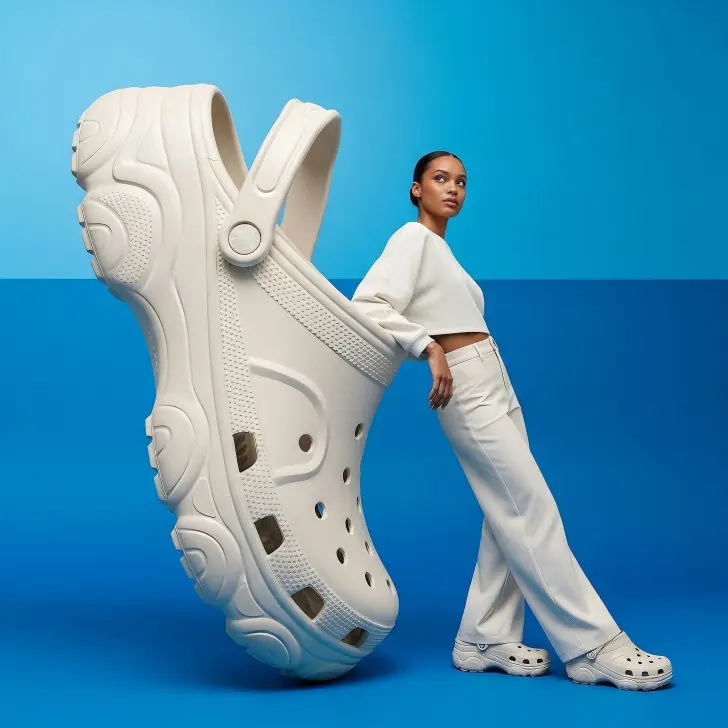
An advertising image presents a large, light-colored fashioned crocs and a woman on a two-toned blue background. The backdrop is a gradient of blue, with a brighter, more light-blue hue at the top, transitioning to a deeper, darker blue at the bottom, creating a subtle, reflective surface.
On the left, a magnified view of a chunky high quality and fashioned crocs in an off-white or light beige color dominates the lower portion of the frame. The crocs features intricate lines and details, multiple panels, and a thick, textured sole. The crocs is shiny and smooth. The Crocs is oriented with its sole facing the viewer, leaning slightly to the right, rotated upright and standing vertically on its heel, the sole surface facing the right side of the frame. The shoe’s front toe section points upward, the strap hanging naturally downward, ventilation holes perfectly aligned in a vertical arrangement
Leaning against the side of the large crocs, on the right side of the image, is a young adult woman with an African appearance and fair skin tone. She is facing right, with her body angled slightly towards the crocs, and her head is turned to look directly upwards and slightly to her right. Her dark hair is pulled back, revealing a clean profile. She wears a coordinated light-colored, possibly white or cream, long-sleeved top and wide-leg trousers. The top has a high neckline and appears to be made of a soft, flowing fabric. Her left arm is visible, extended downwards, and her right arm is bent with her hand placed against her hip or the top of her thigh. She is wearing the same light-colored fashioned crocs as the large Crocs beside her.
The overall lighting suggests a soft, studio setup, casting minimal shadows and highlighting the subjects against the vibrant blue.
Create a professional and visually engaging magazine cover for a lifestyle magazine called "Urban Pulse." Include these featured article headlines clearly: "10 Hidden Cafés You'll Love in NYC" "Minimalist Apartments: Small Spaces, Big Ideas" "Exclusive Interview: Behind the Scenes with Indie Band Echo District" Use contemporary typography, vibrant colors, and include an eye-catching main photograph with a person standing in front of a city scene
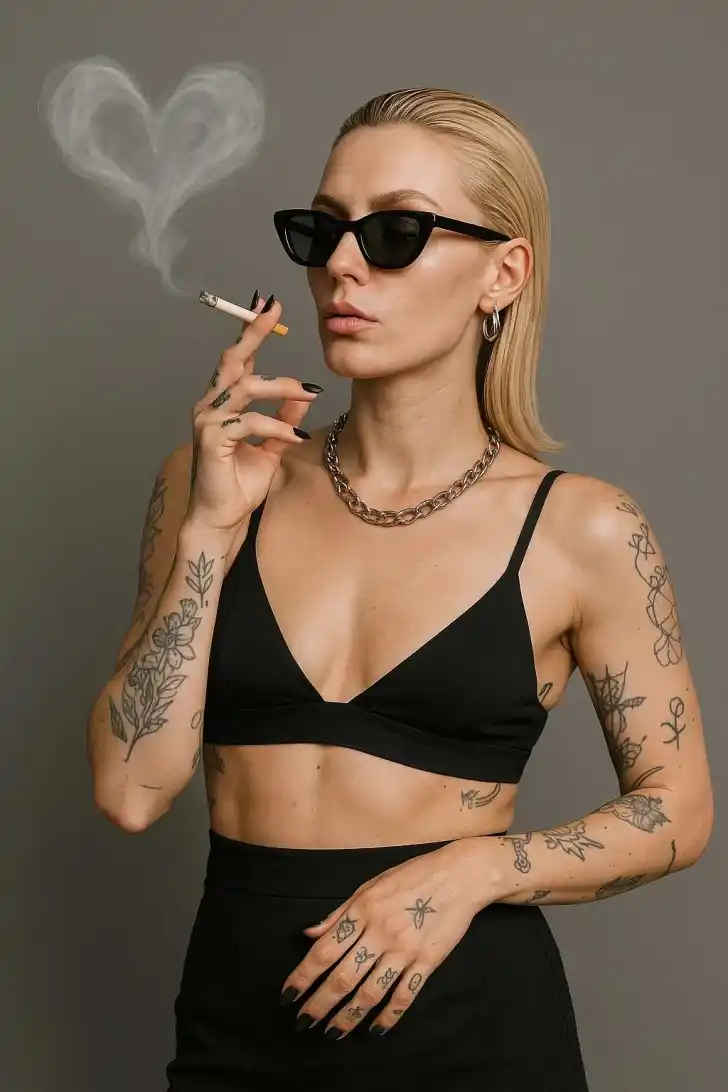
A blonde woman with slicked-back hair and dark sunglasses, wearing a black bralette, black high-waisted skirt, and silver jewelry, posing against a plain gray background while smoking a cigarette that releases heart-shaped smoke. She has tattoos on her forearms and hand.
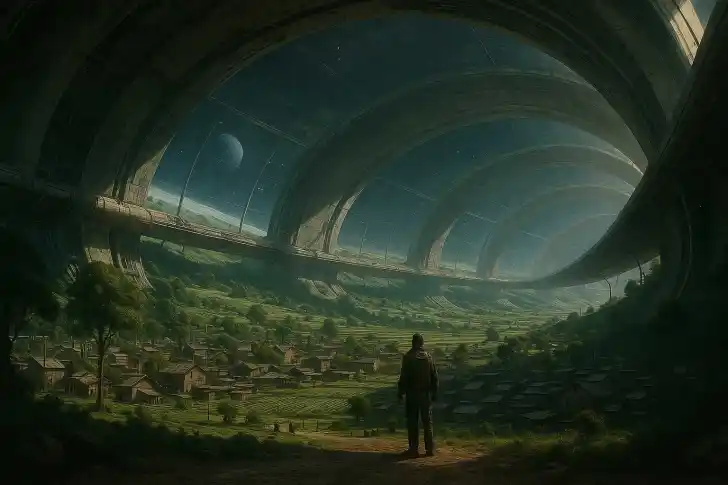
In a dystopian future where a community exists in a giant Stanford torus in space, Space settlement, realistic, photo- realistic, 8k, highly detailed, full length frame, High detail RAW color art, diffused soft lighting, sharp focus, hyperrealism, cinematic lighting, natural, hyperrealism, soft light, sharp

GPT Image 1: High-Fidelity Image Generation and Professional API Access

If you're looking for a reliable way to explore all available AI models, starting with GPT Image 1 is a smart move for any visual project. This model has carved out a reputation for balancing raw creative power with technical precision, making it a favorite for those who find newer alternatives a bit too synthetic.

What Makes GPT Image 1 Different From GPT-Image-2?

Many users have noticed a shift in the AI industry lately. While some newer models like GPT-Image-2 lean heavily into a style that feels overprocessed—almost 'too perfect'—GPT Image 1 maintains a grounded realism. Some early adopters have even described the outputs of newer versions as feeling more like Midjourney, where every pixel is polished to a fault. GPT Image 1, however, keeps the textures and lighting feeling authentic. When you track your GPT Image 1 API calls, you'll see that the consistency and natural look remain high across various prompts, which is why many professional studios haven't moved on to the later versions yet.

GPT Image 1 Text Rendering That Actually Works

One of the biggest headaches in AI image generation has always been text. GPT Image 1 tackles this head-on with impressive clarity. Whether you're building an automated infographic tool or a mockup generator, the way GPT Image 1 handles dense paragraphs and small captions is a massive upgrade over older standards. It doesn't just guess at letters; it renders styled fonts that come out crisp and legible. This makes it a top-tier choice for marketers who need to produce high volumes of social media assets where the copy is just as important as the visual. You can read the full API documentation to see how to format your prompts for the best typographic results.

GPT Image 1 represents a sweet spot for production work. It avoids the over-stylized 'plastic' look of more recent models while offering a level of text control that was previously impossible. It's the worker bee of the image generation world.

How to Get the Best Results From GPT Image 1's API

Integration is straightforward. You don't need to jump through hoops; it's simply a matter of specifying the model in your request. If you're coming from a background of using 'mini' models, you might find GPT Image 1 slightly more expensive, but the quality jump justifies the cost. To keep your project budget in check, you can manage your API billing and see exactly how much you're spending per generation. One pro tip: use GPT Image 1 for your final high-res exports and use the cheaper mini versions for rapid prototyping and ideation. This ensures you get the 'kinetic and dynamic' feel of the full model when it matters most.

GPT Image 1 vs Nano Banana Pro: Which One Should You Use?

It's no secret that there's a debate between the GPT Image 1 crowd and the Nano Banana Pro fans. Nano Banana Pro is often cited as the 'king' for those who want absolutely zero content restrictions and a hyper-lifelike aesthetic. However, GPT Image 1 wins on technical versatility. The ability to perform precise edits—like swapping a background to a studio white while keeping the exact lighting and shadows on the product—is where GPT Image 1 shines. If your workflow requires high-precision product photography or detailed infographics, GPT Image 1 is the more reliable choice.

FeatureGPT Image 1Standard Mini ModelsNano Banana Pro
Text LegibilityHigh (Infographic grade)Low/MediumMedium
Realistic TextureExcellentBasicSuperior (Lifelike)
API LatencyStandardFastVariable
Editing PrecisionAdvanced (In-painting)LimitedModerate
Cost EfficiencyBalancedVery HighPremium

Why Developers Are Switching to GPT Image 1 for Production APIs

Stability is the word of the day. When you're running an app that relies on generating thousands of images, you can't afford 'hallucinations' in the lighting or weird artifacts in the text. GPT Image 1 provides a stable output that is easier to predict than the more experimental versions. If you encounter issues, you can always learn more on the GPTProto tech blog where we cover advanced prompting techniques. Also, keep in mind that GPT Image 1 does have IP-based censorship—don't expect it to pump out copyrighted characters like Darth Vader without a fuss. It's built for professional, original content. To stay updated on any changes to these filters, keep an eye on the latest AI industry updates on our site.

The Power of GPT Image 1.5 Improvements

If you're using the updated GPT Image 1.5, you'll notice it's been 'hitting the juice.' Everything from muscle definition to the sense of movement in an action shot is more intense. This kinetic energy makes it perfect for sports brands or dynamic advertising. Even though it's more powerful, the API integration remains simple. You can even join the GPTProto referral program to earn credits while your colleagues discover the benefits of these high-fidelity generations. For those who want more than just static images, don't forget to try GPTProto intelligent AI agents which can help automate the prompting process for your GPT Image 1 workflows.

GPT Proto

GPT Image 1 in Action: Real-World Scenarios

How businesses use GPT Image 1 to solve complex visual challenges.

Media Makers

Automated E-commerce Product Styling

A furniture retailer needed to place their sofa products into various living room settings without expensive photoshoots. By using GPT Image 1, they uploaded the base product and utilized the model's precise editing to swap backgrounds while maintaining realistic shadows and lighting. Result: 80% reduction in photography costs and a 20% increase in click-through rates.

Code Developers

Dynamic Infographic Generation for Newsletters

A financial blog wanted to include unique, readable infographics for each weekly update. Using the superior text rendering of GPT Image 1, they automated the creation of visual charts and captions that remained legible at all sizes. Result: Engagement increased by 40% as readers found the visual data easier to consume.

API Clients

Rapid Branding Prototypes for Startups

A design agency needed to present multiple brand concepts to a client in 24 hours. They used GPT Image 1 to generate diverse, realistic mockups—from billboards to stationery—that looked like high-end photographs rather than overprocessed AI art. Result: The client approved a direction in the first meeting, cutting the design cycle by half.

Get API Key

Getting Started with GPT Proto — Build with gpt image 1 in Minutes

Follow these simple steps to set up your account, get credits, and start sending API requests to gpt image 1 via GPT Proto.

Sign up

Sign up

Create your free GPT Proto account to begin. You can set up an organization for your team at any time.

Top up

Top up

Your balance can be used across all models on the platform, including gpt image 1, giving you the flexibility to experiment and scale as needed.

Generate your API key

Generate your API key

In your dashboard, create an API key — you'll need it to authenticate when making requests to gpt image 1.

Make your first API call

Make your first API call

Use your API key with our sample code to send a request to gpt image 1 via GPT Proto and see instant AI‑powered results.

Get API Key

GPT Image 1 Frequently Asked Questions

What the Community is Saying About GPT Image 1